Access Quicken Away From Your Main Computer
You do not have to be tied to one office desktop or home computer. With hosted Quicken, you can log in to your remote server environment and continue working from a supported device.
100 Wilshire Blvd Suite 700, Santa Monica, CA 90401, United States
+1 385-325-4242
sales@qbclouds.com
support@qbclouds.com
Quicken Hosting allows you to run your Quicken Desktop software on a secure remote server and access it from anywhere with an internet connection.
With QBClouds, we install Quicken on our managed remote server, configure your hosted environment, and provide ongoing support so you can manage personal finances, business records, rental property data, budgets, and reports without depending on one local computer.

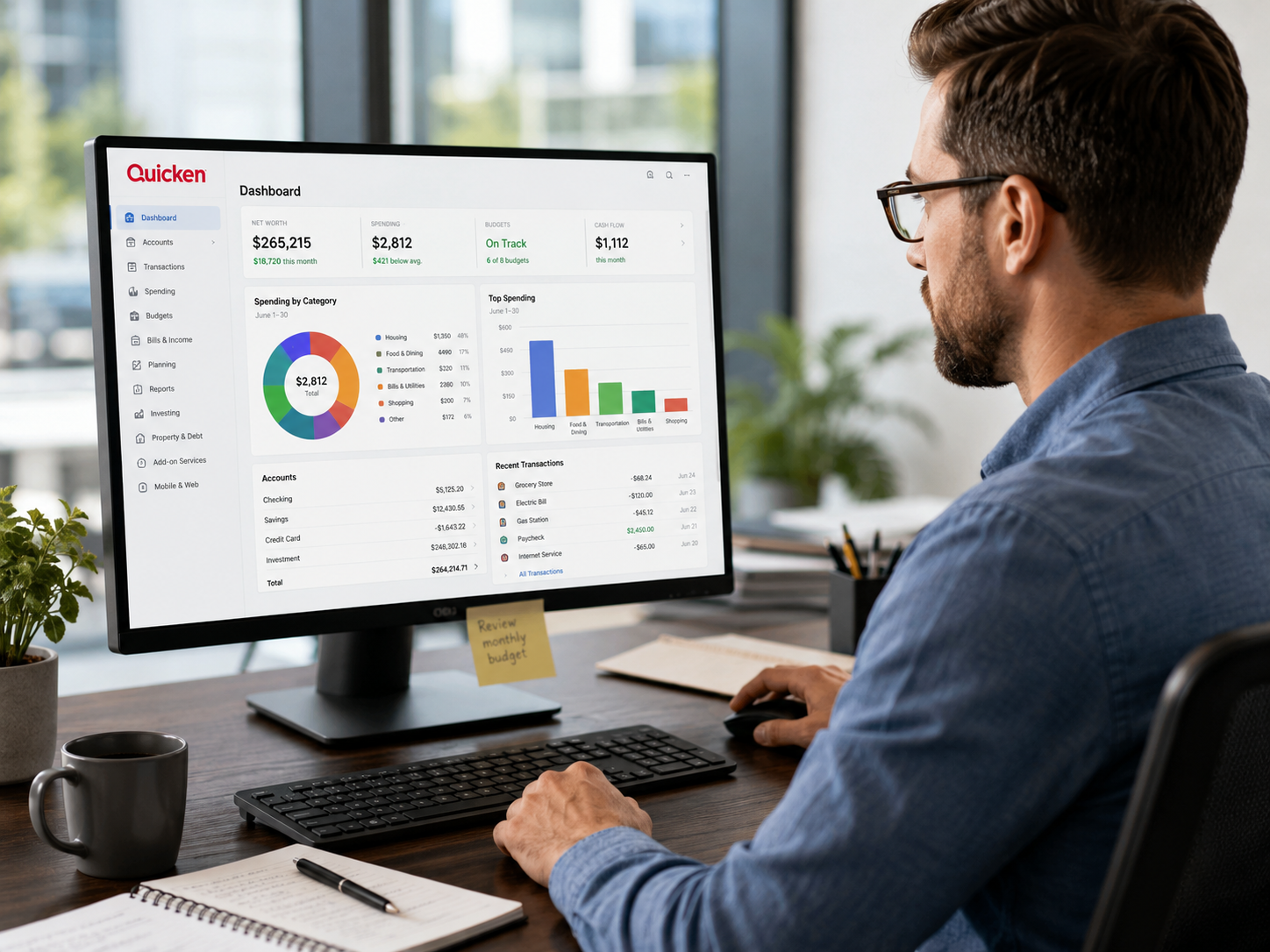
Quicken Hosting is a cloud-based setup where your Quicken Desktop software is installed and managed on a remote server instead of being limited to one local computer. You can access the hosted Quicken environment securely through the internet and continue using the familiar desktop application.
This service is useful for users who want remote access to Quicken without changing how they manage their finances. Your Quicken data file, application setup, and related files stay in a hosted environment, while authorized users can log in from supported devices.
QBClouds provides Quicken hosting services for individuals, families, freelancers, rental property owners, and small business users who want a reliable way to access Quicken remotely. Instead of worrying about local system issues, device limitations, or manual setup, you can use hosted Quicken from a managed cloud workspace.
Many users confuse Quicken Hosting with Quicken Cloud, but they are not the same.
Quicken Cloud is a feature from Quicken that helps sync selected data between Quicken Desktop, Quicken Mobile, and Quicken on the Web. It is mainly used for mobile and web access to synced information.
Quicken Hosting is different. With Quicken Hosting, your Quicken Desktop application is installed on a remote server. You log in to the hosted environment and use the full desktop application remotely.
This distinction is important because Quicken Cloud is not the same as having your complete Quicken Desktop software hosted on a remote server.
| Feature | Quicken Hosting | Quicken Cloud |
|---|---|---|
| Main Purpose | Runs Quicken Desktop on a remote server | Syncs Quicken data with mobile and web |
| Access Type | Remote desktop access to hosted Quicken | Access through Quicken Mobile or Web features |
| Desktop Application | Full desktop application is hosted | Desktop software remains separate |
| Backup Role | Hosting provider may offer backup support | Not intended as a full backup service |
| Best For | Users who want remote access to Quicken Desktop | Users who want synced mobile/web data |
| Managed Support | Provided by hosting provider | Managed through Quicken account features |
Simple Difference: Quicken Cloud helps sync data. Quicken Hosting gives you remote access to the full Quicken Desktop application installed on a managed server.
Quicken is often used to manage important financial information such as budgets, expenses, bank accounts, investments, rental property activity, and small business records. When Quicken is installed only on one local computer, access can become limited.
Quicken cloud hosting helps solve this problem by allowing you to access your Quicken Desktop setup through a secure remote environment.
You do not have to be tied to one office desktop or home computer. With hosted Quicken, you can log in to your remote server environment and continue working from a supported device.
Some users prefer the Quicken Desktop experience because it feels familiar and supports their existing workflow. Quicken desktop hosting allows you to keep that experience while adding cloud access.
If your local system slows down, crashes, or becomes unavailable, your hosted Quicken setup can still be accessed from another supported device.
Instead of keeping Quicken files scattered across different machines, hosted Quicken helps keep your working environment centralized.
QBClouds helps with setup, access, migration assistance, and hosting-related support so users do not have to manage everything alone.
Whether you are reviewing a budget, updating rental property records, checking business expenses, or managing investment-related data, hosted access gives you more flexibility.
Quicken Hosting is useful for users who need secure and flexible access to Quicken Desktop from different locations. It is different from cloud-hosted QuickBooks Desktop because Quicken is more focused on personal finance, home finance, investments, rental property tracking, and small business finance management.
Individuals can use hosted Quicken to manage budgets, spending, savings, account activity, and financial reports from a secure remote environment.
Families can use Quicken to organize household expenses, track monthly spending, plan budgets, and monitor financial activity in one place.
Freelancers can use Quicken Home & Business to track personal and business finances, monitor income, organize expenses, and manage records remotely.
Rental property owners can use hosted Quicken to manage rental income, property expenses, tenant-related records, and financial reports from different locations.
Small business users who rely on Quicken for basic finance management can benefit from remote access, backup support, and managed hosting assistance.
If you travel frequently but still need access to your Quicken Desktop setup, Quicken Hosting can help you stay connected without depending on your main computer.
Quicken Hosting gives users a practical way to access Quicken Desktop remotely while keeping their familiar finance workflow. It is designed for convenience, flexibility, and support.
Access your hosted Quicken environment from supported devices using an internet connection. This helps you manage finance tasks even when you are away from your main computer.
You can continue using the Quicken Desktop application you already know. Hosting does not require you to completely change your workflow.
Your Quicken setup is available through a hosted remote environment, making it easier to continue working without being limited to one device.
Backup support helps protect your Quicken files from local hardware problems, accidental issues, or system disruptions.
Hosted Quicken can support personal finance, budgeting, expense tracking, rental property management, investment tracking, and small business finance workflows depending on your Quicken version.
You do not have to worry about maintaining a dedicated local machine just for Quicken access. QBClouds manages the remote hosting environment for you.
Hosted access makes it easier to connect from different supported devices, depending on your setup and access method.
QBClouds provides hosting-related support to help with access, setup, migration, and environment-related issues.
QBClouds can help host commonly used Quicken Desktop editions depending on licensing, compatibility, and your business or personal finance requirements.
Quicken Deluxe is commonly used for personal finance management, budgeting, spending tracking, savings goals, and account organization. Hosting gives users remote access to their Deluxe setup without depending on one local device.
Quicken Premier is often used by users who need more advanced financial tracking, investment-related features, and deeper financial visibility. Hosted access makes it easier to review and manage this information remotely.
Quicken Home & Business is useful for users who manage both personal and business finances. It may support income tracking, expense organization, customer records, and business finance workflows depending on the version and setup.
Quicken Rental Property Manager is useful for landlords and property owners who track rental income, property expenses, tenant details, and rental-related financial activity. Hosting helps keep this environment accessible from different locations.
Version Compatibility Note: Supported editions may depend on your Quicken license, operating system requirements, application version, and hosting environment. QBClouds can review your setup before migration.
A local Quicken installation may work well if you always use the same computer. However, it can become limiting if you need remote access, backup support, device flexibility, or help managing the application environment.
Quicken Hosting gives users a more flexible way to run Quicken Desktop from a secure remote server.
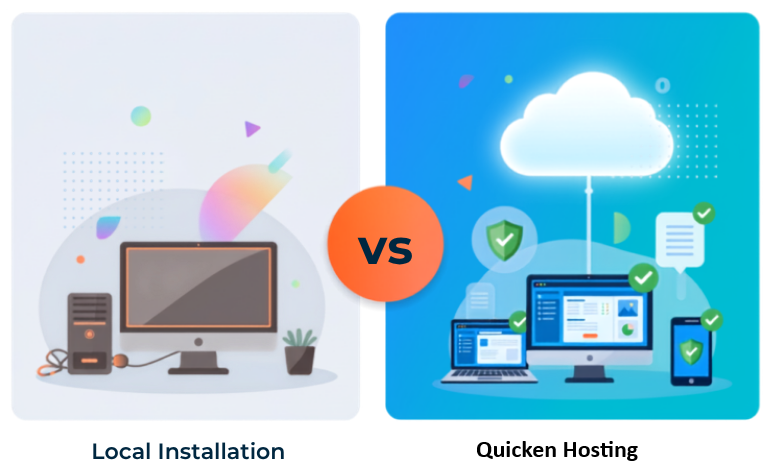
| Feature | Quicken Hosting | Local Installation |
|---|---|---|
| Access | Access Quicken remotely from supported devices | Usually limited to one local computer |
| Application Setup | Quicken installed on a remote server | Quicken installed on your local device |
| Device Flexibility | Easier access from different locations | Depends on the local machine |
| Backup Support | Hosting backup support may be available | Backups must usually be managed locally |
| Local Hardware Dependency | Reduced dependence on one computer | Depends on local system health |
| Support | Hosting support available from QBClouds | User often manages local issues independently |
| Continuity | Access can continue from another supported device | Local system failure may interrupt access |
| Best For | Remote users, rental owners, freelancers, travelers, and users needing flexibility | Users who only work from one computer |
Quicken is used by different types of users, so the hosting page should not sound like a standard accounting software page. Hosted Quicken should focus on how people manage money in real life.
Use hosted Quicken to organize everyday financial activity, spending categories, monthly budgets, bills, savings, and account records.
Users can review budgets, update expenses, and track spending patterns from a hosted environment instead of waiting to access one local computer.
Quicken Premier users may use the software to monitor investment activity and financial performance. Hosting gives remote access to the desktop environment where this information is managed.
Rental property users can manage income, expenses, property-related records, and tenant information through their hosted Quicken setup.
Quicken Home & Business users can manage both personal and business finance information in one application while accessing it remotely through the hosted environment.
If you travel or work from multiple locations, hosted Quicken gives you a more flexible way to access your financial records.
Financial files can include sensitive information such as account records, income details, rental data, expense history, business records, and investment-related information. QBClouds provides a secure remote hosting environment designed to protect your hosted Quicken setup.
Authorized users access the hosted Quicken environment through secure login credentials.
Encryption helps protect information during remote access and data transmission.
Firewall protection helps monitor and control access around the hosted server environment.
Access can be configured so only approved users can enter the hosted Quicken environment.
Where applicable, multi-factor authentication can add another layer of login protection.
Your Quicken environment is hosted on professionally managed server infrastructure designed for stable access and data protection.
Hosting-related monitoring and technical support help identify and address access or performance issues.
Quicken files may contain years of financial records, budgets, bank account history, rental activity, and business information. Losing this data can create serious inconvenience.
With QBClouds Quicken Hosting, backup support helps protect your hosted environment and reduce the risk of data loss.
Backup support helps protect Quicken files from accidental deletion, local hardware failure, or unexpected issues.
If a problem affects the hosted environment, recovery support can help restore access to important files.
Instead of relying only on manual local backups, hosted Quicken gives users a more managed way to protect files.
For users managing rental properties, business income, or important financial records, backup support helps keep finance work moving even during unexpected disruptions.
Quicken Hosting is designed to make Quicken Desktop easier to access and use from different locations.
You can access your hosted Quicken environment through a remote connection, allowing you to use the desktop application from supported devices.
Hosted Quicken can be accessed from different devices depending on the setup, internet connection, and access method.
Users may need to print financial reports, records, statements, or rental property documents. QBClouds can help configure remote printing support based on your environment and printer setup.
Access Quicken from your home, office, client location, rental property office, or while traveling.
Because Quicken is installed on a remote server, you can continue using the desktop interface instead of learning a completely different system.
Moving Quicken from a local computer to a hosted environment should be handled carefully. QBClouds provides migration assistance to help move your Quicken setup to the remote server environment.
We review your Quicken edition, version, data file size, user needs, device access requirements, and any related applications.
QBClouds prepares the hosting environment and installs Quicken on the remote server.
Your licensed Quicken Desktop software is installed and configured in the hosted environment.
Our team helps move your Quicken data file and related files into the hosted workspace.
User access is configured so approved users can securely log in to the hosted environment.
Before you begin regular use, access and key workflows are reviewed to help ensure a smooth transition.
After migration, QBClouds continues to provide hosting-related support for access, setup, and environment issues.
QBClouds installs Quicken on a secure remote server and helps you access your hosted desktop environment from supported devices. Our team assists with setup, data migration, access configuration, and ongoing support.
Many users work with supporting tools alongside Quicken. QBClouds can help host compatible applications in the same remote environment depending on licensing, system requirements, and workflow needs.
If you also use QuickBooks Desktop, Intuit's QuickBooks Desktop product downloads page can help you find available QuickBooks versions.
Compatible tools may include:
Application compatibility depends on licensing, version, and technical requirements. QBClouds can review your needs before setup.
QBClouds provides Quicken hosting services for users who want the desktop application installed on a secure remote server with support from hosting specialists.
We install Quicken Desktop on our remote server environment so you can access the application without relying on one local computer.
Our team assists with setup, access, migration, hosting environment support, and technical guidance.
Approved users can access hosted Quicken securely from supported devices using an internet connection.
Backup support helps protect your Quicken files and hosted environment from unexpected issues.
Choose a hosting setup based on your user count, application needs, and access requirements.
QBClouds can help host Quicken Deluxe, Premier, Home & Business, and Rental Property Manager depending on licensing and compatibility.
We help configure remote printing where supported by your hosted environment and printer setup.
Our support team helps with hosting-related issues so you can focus on managing your finances.
Quicken Hosting allows you to run Quicken Desktop on a secure remote server and access it remotely through an internet connection. QBClouds installs Quicken on the hosted server and provides support for the hosting environment.
No. Quicken Cloud syncs selected data between Quicken Desktop, Quicken Mobile, and Quicken on the Web. Quicken Hosting means the Quicken Desktop application is installed on a remote server and accessed through a hosted environment.
Quicken cloud hosting is another way to describe hosted Quicken Desktop access through a cloud or remote server environment. It allows users to access Quicken remotely instead of relying only on a local computer.
Yes. With hosted Quicken, approved users can access the remote server environment from supported devices using an internet connection.
Common editions such as Quicken Deluxe, Premier, Home & Business, and Rental Property Manager may be hosted depending on licensing, version compatibility, and system requirements.
In many cases, you may use your existing eligible Quicken license. QBClouds can review your edition and version before setup.
Yes. QBClouds installs Quicken on the remote server environment and helps configure access for your hosted setup.
Yes. QBClouds provides migration assistance to help move your Quicken data file and related files from your local system to the hosted environment.
Yes. QBClouds uses security measures such as secure remote access, encryption, firewall protection, access controls, and managed hosting infrastructure.
Backup support is available to help protect your hosted Quicken files from accidental deletion, local hardware problems, or unexpected issues.
Remote printing may be supported depending on your hosted environment, device, and printer setup. QBClouds can help configure printing where applicable.
Access depends on your Quicken license, hosting setup, and user requirements. QBClouds can help review your needs and configure approved access.
Yes. Rental property owners can use hosted Quicken to access rental income, property expenses, tenant-related records, and financial reports remotely.
Yes. Freelancers and consultants using Quicken Home & Business may benefit from remote access, data backup support, and a managed hosted environment.
Contact QBClouds with your Quicken edition, version, user requirements, and data migration needs. Our team will help you choose the right setup and guide you through onboarding.
Access Quicken Desktop from a secure remote server without depending on one local computer.
QBClouds installs Quicken on the hosted server, helps migrate your data, configures secure access, and provides ongoing hosting support. Whether you manage personal finances, investments, rental property records, or Home & Business data, our Quicken Hosting solution helps you work with more flexibility and confidence.