Access your accounting software from any location
QuickBooks Pro Hosting
QuickBooks Pro Hosting lets you access QuickBooks Desktop Pro securely from anywhere while keeping the familiar desktop experience. QBClouds supports remote work, real-time collaboration, automated backups, and reliable performance.
7-Day Free Trial • No Credit Card Required

What Is QuickBooks Pro Hosting?
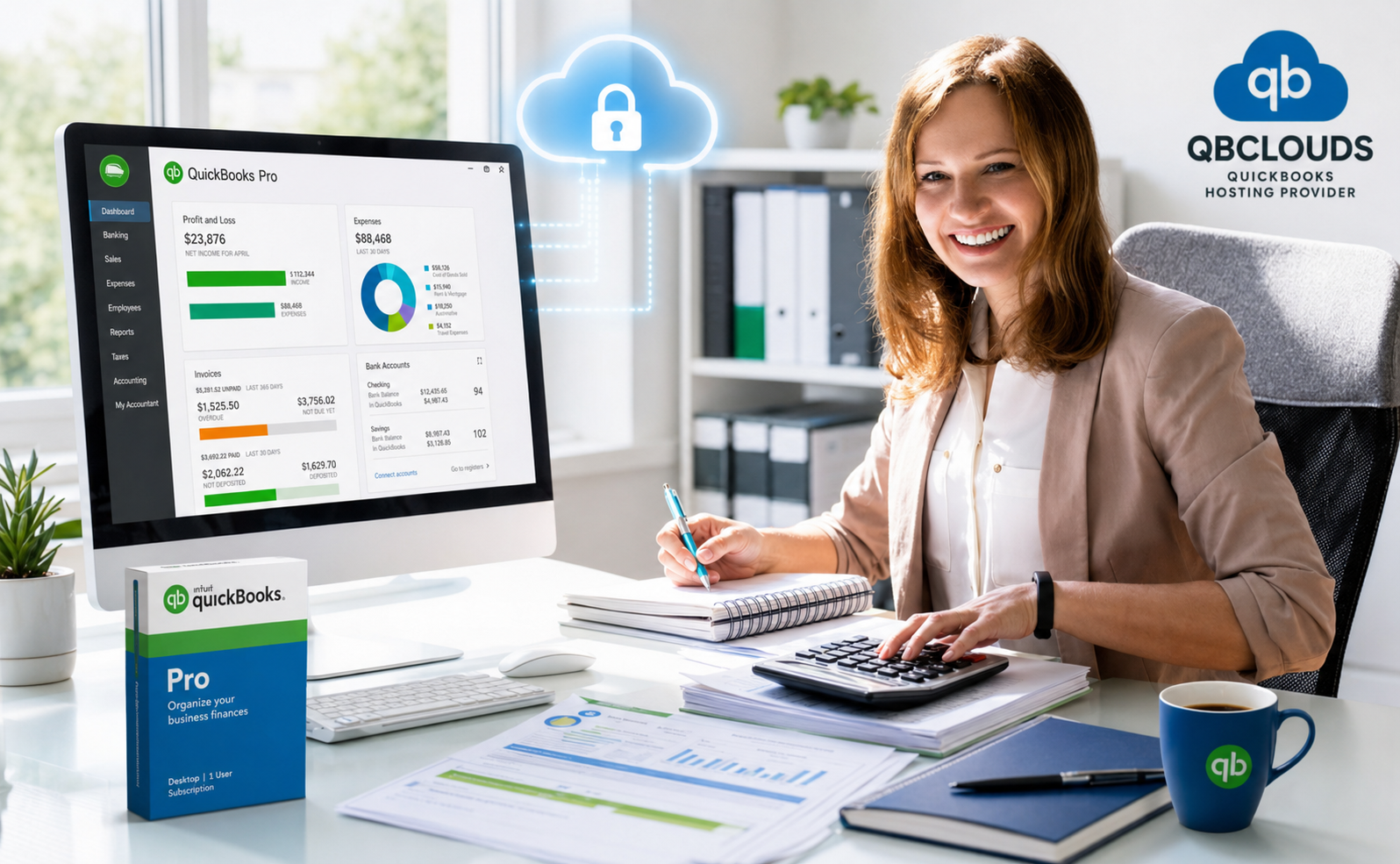
QuickBooks Pro Hosting is a cloud-based solution that lets you run QuickBooks Desktop Pro on secure remote servers instead of a local computer. Authorized users can access their accounting software and company files from anywhere with an internet connection.
With hosted QuickBooks Pro, your team continues using the same desktop application, features, reports, and workflows they already know. You can use Intuit's QuickBooks Desktop product downloads page to find available QuickBooks versions. The difference is that your software and data are stored in a secure cloud environment for easier remote access and collaboration.
It gives businesses the familiar QuickBooks Desktop Pro experience while adding cloud flexibility, real-time multi-user access, backup support, and less dependence on local hardware or in-house servers.
Key Advantages of Hosting QuickBooks Pro
Collaborate with multiple users in real time
Reduce dependence on local computers and servers
Protect business data with secure cloud infrastructure
Benefit from automated backups and disaster recovery
Scale resources as your business grows
Why Choose QBClouds for QuickBooks Pro Hosting?
Choosing the right hosting provider is just as important as choosing the right accounting software. At QBClouds, we combine secure cloud infrastructure, expert QuickBooks support, and personalized migration services to help businesses move their QuickBooks Desktop Pro environment to the cloud with confidence.
Whether you're an accounting firm, bookkeeper, contractor, retailer, or growing business, our hosting solutions are designed to improve accessibility, simplify collaboration, and protect critical financial data. From initial setup to ongoing support, our team works with you every step of the way to ensure a smooth and reliable hosting experience.

Work From Anywhere
Access your QuickBooks data securely from the office, home, or while traveling. Stay connected to your business without being limited to a specific computer or location.
Collaborate Without File Sharing
Allow multiple authorized users to work in the same company file simultaneously. Your employees, accountants, and bookkeepers can access up-to-date financial information without exchanging backup files.
Secure and Reliable Cloud Environment
Your accounting data is hosted on enterprise-grade cloud infrastructure designed to deliver high availability, strong security, and dependable performance for day-to-day business operations.
Free Migration Assistance
Our team handles the migration process for you. We help transfer your QuickBooks files, configure user access, and ensure a smooth transition with minimal downtime.
Flexible Solutions for Growing Businesses
Whether you're a single-user business or a growing organization with multiple users, our hosting environment can scale with your changing business requirements.
Expert Support When You Need It
Get assistance from experienced hosting professionals who understand QuickBooks environments and can help resolve issues quickly whenever support is needed.
Ready to Simplify the Way You Access QuickBooks?
Stop being tied to a single computer or office location. With QBClouds, you can securely access QuickBooks Desktop Pro from anywhere, collaborate with your team in real time, and keep your accounting data protected in the cloud.
Our hosting experts will handle the setup, migration, and onboarding process so you can focus on running your business—not managing IT infrastructure.
Benefits of QuickBooks Pro Hosting
Hosting QuickBooks Desktop Pro in the cloud gives your business the flexibility, accessibility, and reliability needed to support modern accounting workflows. Instead of being limited by local hardware or office-based access, you can work securely from anywhere while maintaining the full functionality of your desktop software.
Access Your Financial Data Anytime, Anywhere
With QuickBooks Pro Hosting, you can securely access your accounting software and company files from virtually any location. Whether you're working from the office, home, a client site, or while traveling, your financial data is always available when you need it.
Improve Team Collaboration
Allow multiple users to work in the same QuickBooks company file simultaneously. Employees, accountants, bookkeepers, and business owners can collaborate in real time without sending backup files back and forth or dealing with version conflicts.
Reduce IT Costs and Hardware Dependency
Traditional desktop environments often require ongoing investments in servers, maintenance, upgrades, and IT support. By moving QuickBooks Desktop Pro to the cloud, businesses can reduce infrastructure costs while eliminating the risks associated with aging hardware and local system failures.
Enhance Business Continuity
Unexpected events such as hardware failures, power outages, theft, or natural disasters can disrupt business operations. Cloud hosting helps ensure your accounting data remains accessible and protected, allowing your team to continue working with minimal interruption.
Increase Productivity Across Your Organization
Employees can work from their preferred devices while accessing the same centralized data. This eliminates delays caused by file transfers, improves workflow efficiency, and helps teams complete accounting tasks faster.
Scale as Your Business Grows
As your business expands, your hosting environment can grow with you. Easily add users, increase resources, and support changing business requirements without the need for costly hardware upgrades or complex IT projects.
Maintain the Familiar QuickBooks Experience
Unlike switching to an entirely new accounting platform, secure QuickBooks hosting allows you to keep using the same interface, reports, and workflows your team already knows. This reduces training time and helps users remain productive from day one.
QuickBooks Pro Hosting vs Local Desktop Setup
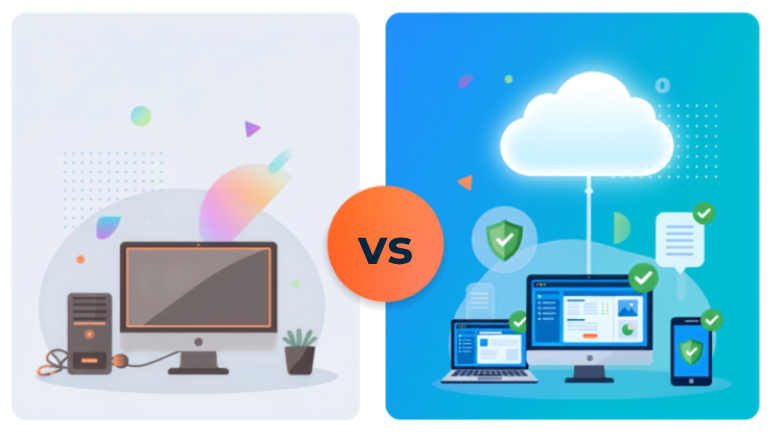
Many businesses still run QuickBooks Desktop Pro on a single office computer or an in-house server. While this traditional setup may seem familiar, it often creates limitations around accessibility, collaboration, data protection, and scalability.
QuickBooks Pro Hosting removes these barriers by placing your software and company files in a secure cloud environment, giving authorized users access from virtually anywhere while maintaining the same desktop experience.
| Feature | QuickBooks Pro Hosting | Local Desktop Setup |
|---|---|---|
| Access from Anywhere | ? Available from any location with internet access | ? Limited to office or specific computer |
| Multi-User Collaboration | ? Real-time collaboration for authorized users | Limited and often requires manual file sharing |
| Data Backups | ? Automated cloud backups | Manual backup management required |
| Hardware Dependency | ? No reliance on a single computer | Dependent on local hardware |
| Disaster Recovery | ? Built-in backup and recovery options | Recovery depends on local backup practices |
| Scalability | ? Easily add users and resources | Hardware upgrades often required |
| Maintenance & Updates | ? Managed by hosting provider | Managed internally by your team |
| Remote Work Support | ? Designed for remote access | Limited remote accessibility |
Why Businesses Are Moving to the Cloud
A local desktop setup can work for single-location operations, but it becomes increasingly difficult to manage as teams grow, employees work remotely, or collaboration with accountants becomes more frequent.
By hosting QuickBooks Desktop Pro in the cloud, businesses gain greater flexibility, improved accessibility, and better protection against unexpected disruptions. Team members can securely access the same company file, collaborate more efficiently, and stay productive wherever they work.
For organizations looking to modernize their accounting environment without giving up the software they already trust, QuickBooks Pro Hosting offers the ideal balance of familiarity and cloud flexibility.
QuickBooks Pro Hosting vs QuickBooks Online
Businesses looking for greater flexibility often compare QuickBooks Pro Hosting with QuickBooks Online. While both solutions provide cloud access to accounting data, they are fundamentally different products designed for different business needs.
QuickBooks Online is a web-based accounting application with its own interface, features, and workflows. QuickBooks Pro Hosting, on the other hand, allows you to continue using your existing QuickBooks Desktop Pro software while gaining the flexibility and accessibility of the cloud.
If your business relies on the familiar desktop environment, advanced reporting capabilities, or existing workflows built around QuickBooks Desktop Pro, hosting can provide the best of both worlds.
| Feature | QuickBooks Pro Hosting | QuickBooks Online |
|---|---|---|
| Familiar Desktop Experience | ? Yes | ? No |
| Existing Desktop Workflows | ? Fully Preserved | ? Requires Adaptation |
| Remote Access | ? Yes | ? Yes |
| Multi-User Collaboration | ? Yes | ? Yes |
| Third-Party Application Compatibility | ? Extensive Desktop Add-On Support | Limited to Online Integrations |
| Advanced Reporting Capabilities | ? Desktop Reporting Features | Limited Compared to Desktop |
| Data Storage | ? Hosted on Secure Cloud Servers | Cloud-Based |
| User Training Requirements | ? Minimal | Often Requires Retraining |
| Software Environment | ? Full QuickBooks Desktop Pro | Web-Based Application |
Which Option Is Right for Your Business?
QuickBooks Online may be suitable for businesses that prefer a web-based accounting platform and are comfortable adapting to a different interface and workflow.
However, many businesses, accounting firms, and bookkeeping professionals choose QuickBooks Pro Hosting because it lets them continue using the desktop software they already know while gaining secure remote access, real-time collaboration, automated backups, and cloud flexibility.
With QuickBooks Pro Hosting, there is no need to migrate your accounting processes to a completely different platform. Your team can continue using the same reports, tools, and workflows while enjoying the convenience of accessing QuickBooks from virtually anywhere.
For organizations that want cloud access without sacrificing the power and familiarity of QuickBooks Desktop Pro, hosting offers a practical and cost-effective solution.
Key Features of Hosted QuickBooks Pro
QBClouds provides a fully managed cloud environment that allows businesses to access and use QuickBooks Desktop Pro more efficiently. By hosting your software in the cloud, you gain the flexibility, performance, and collaboration capabilities needed to support modern accounting workflows.
Access QuickBooks from Anywhere
Work from the office, home, client locations, or while traveling. Hosted QuickBooks Pro gives authorized users secure access to company files from virtually any internet-connected device.
Multi-User Collaboration
Allow multiple team members to work in the same QuickBooks company file simultaneously. Accountants, bookkeepers, and business owners can access real-time data without the need to exchange backup files or create duplicate copies.
Cross-Device Compatibility
Access your QuickBooks Desktop Pro environment from Windows PCs, Macs, laptops, tablets, and other supported devices. Your team can work using the devices they prefer without sacrificing functionality.
Automated Daily Backups
Protect important business data with automated backup solutions. Regular backups help ensure your financial records remain available and recoverable in the event of accidental deletion, hardware issues, or unexpected disruptions.
High-Performance Cloud Infrastructure
Our cloud environment is designed to deliver fast application performance and reliable access to your accounting software. Users can work efficiently without relying on aging office hardware or local servers.
Enterprise Cloud Infrastructure
Your QuickBooks environment runs on high-performance cloud servers designed for reliability, speed, and availability. With enterprise-grade infrastructure, businesses can benefit from consistent performance, reduced downtime, and a more dependable accounting environment without investing in expensive in-house hardware.
Centralized Data Access
Store company files in a centralized cloud environment so all authorized users work with the same up-to-date information. This helps improve accuracy, reduce version conflicts, and streamline collaboration across teams.
Support for Business Applications
Integrate QuickBooks Desktop Pro with compatible third-party applications, productivity tools, and business software to create a more connected and efficient workflow.
Move to a More Secure and Reliable QuickBooks Environment
Give your team the flexibility to work from anywhere while keeping your financial data protected with enterprise-grade security, automated backups, and dependable cloud infrastructure.
Security & Data Protection
Financial data is one of the most valuable assets a business owns. At QBClouds, we implement multiple layers of security and data protection to help safeguard your QuickBooks environment from unauthorized access, data loss, and unexpected disruptions.
Enterprise-Grade Data Encryption
Data transmitted between your device and our cloud servers is protected using advanced encryption technologies. This helps ensure sensitive financial information remains secure while users access QuickBooks remotely.
Multi-Factor Authentication (MFA)
Strengthen account security with multi-factor authentication. MFA adds a verification step beyond passwords, helping prevent unauthorized access to your QuickBooks environment.
Automated Backup and Recovery
We perform regular backups to help protect your business against accidental deletions, hardware failures, ransomware attacks, and other unexpected events. In the event of a disruption, data can be restored quickly to minimize downtime.
Secure Data Centers
Your QuickBooks environment is hosted in professionally managed data centers designed with physical security controls, redundant power systems, climate controls, and network monitoring to support business continuity.
Role-Based User Access
Control who can access company data by assigning user permissions based on job responsibilities. This helps limit access to sensitive information and improves overall security management.
Business Continuity and Disaster Recovery
Unexpected events can disrupt business operations. Our disaster recovery measures help ensure critical accounting data remains available and accessible, allowing your team to continue working with minimal interruption.
Continuous Monitoring and Maintenance
Our technical team continuously monitors the hosting environment to identify potential issues, maintain system performance, and ensure a secure, reliable user experience.
Free Migration & Onboarding
Moving your QuickBooks Desktop Pro environment to the cloud doesn't have to be complicated. At QBClouds, our migration specialists handle the technical aspects of the transition, allowing you to continue running your business with minimal disruption.
From transferring company files to configuring user access, we help ensure a smooth onboarding experience, so your team can start working in the cloud as quickly as possible.
Hosting Assessment
We begin by reviewing your QuickBooks version, user requirements, storage needs, and application dependencies. This allows us to build a cloud environment tailored to your business.
Secure Data Migration
Our team securely transfers your QuickBooks company files and supporting data to the hosted environment while maintaining data integrity throughout the process.
User Configuration
We configure user accounts, permissions, and access settings to ensure each team member can securely access the resources they need.
Testing and Validation
Before going live, we verify that your QuickBooks environment, company files, and integrated applications are functioning properly in the cloud.
Go Live with Expert Support
Once testing is complete, your team can begin using QuickBooks from the cloud. Our support professionals remain available to answer questions and provide assistance whenever needed.
Who Should Use QuickBooks Pro Hosting?
QuickBooks Pro Hosting is ideal for organizations that want the power of QuickBooks Desktop Pro combined with the flexibility of cloud access. Whether you're managing a small team or supporting multiple users across locations, cloud hosting can help improve accessibility, collaboration, and operational efficiency.
Accounting Firms and CPAs
Accounting professionals often need secure access to client data from multiple locations. Hosted QuickBooks Pro makes it easier to collaborate with clients, review financial information, and manage accounting tasks without being tied to the office.
Bookkeepers
Independent bookkeepers and bookkeeping teams can access company files remotely, work with multiple clients more efficiently, and maintain real-time visibility into financial records.
Small and Growing Businesses
Businesses looking to modernize their accounting operations can benefit from cloud access, improved collaboration, automated backups, and reduced dependence on local hardware.
Remote and Hybrid Teams
Organizations with employees working from different locations can securely access the same QuickBooks environment, helping maintain productivity and collaboration regardless of where team members are located.
Multi-Location Businesses
Companies operating across multiple offices, branches, or job sites can centralize access to accounting data and ensure all authorized users work from the same up-to-date information.
Consultants and Professional Service Firms
Professional service providers who frequently work with clients, vendors, and financial data can benefit from secure remote access and greater flexibility when managing business operations.
Businesses Seeking Better Data Protection
Organizations concerned about hardware failures, data loss, or business continuity can benefit from the security, backup, and disaster-recovery capabilities of a hosted QuickBooks environment.
Frequently Asked Questions About QuickBooks Pro Hosting
01What is QuickBooks Pro Hosting?
QuickBooks Pro Hosting allows you to run QuickBooks Desktop Pro on secure cloud servers instead of a local computer. This gives you the flexibility to access your software and company files from virtually anywhere while maintaining the familiar desktop experience.
02How is QuickBooks Pro Hosting different from QuickBooks Online?
QuickBooks Online is a separate web-based accounting application with different features and workflows. QuickBooks Pro Hosting allows you to continue using your existing QuickBooks Desktop Pro software while gaining the benefits of cloud access, multi-user collaboration, and remote connectivity.
03Can multiple users access QuickBooks Pro at the same time?
Yes. Authorized users can securely access the same QuickBooks company file simultaneously, making collaboration easier for business owners, accountants, bookkeepers, and remote teams.
04Can I access QuickBooks Pro from a Mac?
Yes. Hosted QuickBooks Pro can be accessed from Windows PCs, Macs, laptops, tablets, and other supported devices with an internet connection.
05Is QuickBooks Pro Hosting secure?
Yes. QBClouds uses multiple layers of security, including data encryption, multi-factor authentication (MFA), automated backups, and professionally managed data centers to help protect your financial information.
06Do you provide free migration assistance?
Yes. Our team assists with migrating your QuickBooks files, configuring users, and ensuring your hosted environment is ready for use with minimal disruption to your business.
07Will I lose my existing QuickBooks data?
No. Your company files and accounting data are securely transferred to the cloud environment during the migration process. We take steps to maintain data integrity throughout the transition.
08Can I host third-party applications alongside QuickBooks?
Yes. Many businesses use hosted QuickBooks alongside compatible third-party applications, productivity tools, and business software to support their daily workflows.
09Do I need new hardware to use QuickBooks Pro Hosting?
No. Because the software runs on cloud servers, you can typically use your existing devices to access your hosted QuickBooks environment.
10What kind of support does QBClouds provide?
QBClouds provides expert technical support to help users with setup, migration, access issues, and ongoing hosting-related questions.
11Can I host multiple company files in QuickBooks Pro Hosting?
Yes. Businesses that manage multiple company files can securely access and work with them within their hosted QuickBooks environment, subject to software and licensing requirements.
12Can I use QuickBooks add-ons and third-party applications with hosted QuickBooks Pro?
In many cases, yes. QBClouds supports a wide range of compatible third-party applications and QuickBooks add-ons to help businesses streamline accounting, reporting, payments, document management, and other workflows.
Ready to Move QuickBooks Pro to the Cloud?
QBClouds helps you host QuickBooks Desktop Pro in a secure cloud environment with remote access, multi-user collaboration, automated backups, free migration, and dedicated support. Whether you're a small business, bookkeeper, or accounting firm, our hosting experts can help you move to the cloud and simplify daily accounting operations. Start your free trial today or speak with a hosting specialist to get started.