





Sage 100 Cloud Hosting – Secure ERP Access for Growing Businesses

Sage 100 Cloud Hosting lets you run your ERP software on secure cloud servers. Manage finances, inventory, purchasing, and sales remotely. Give finance, purchasing, and warehouse teams centralized access, with free migration assistance from QBClouds.

Sage 100 ERP cloud hosting illustration
99.99% Uptime
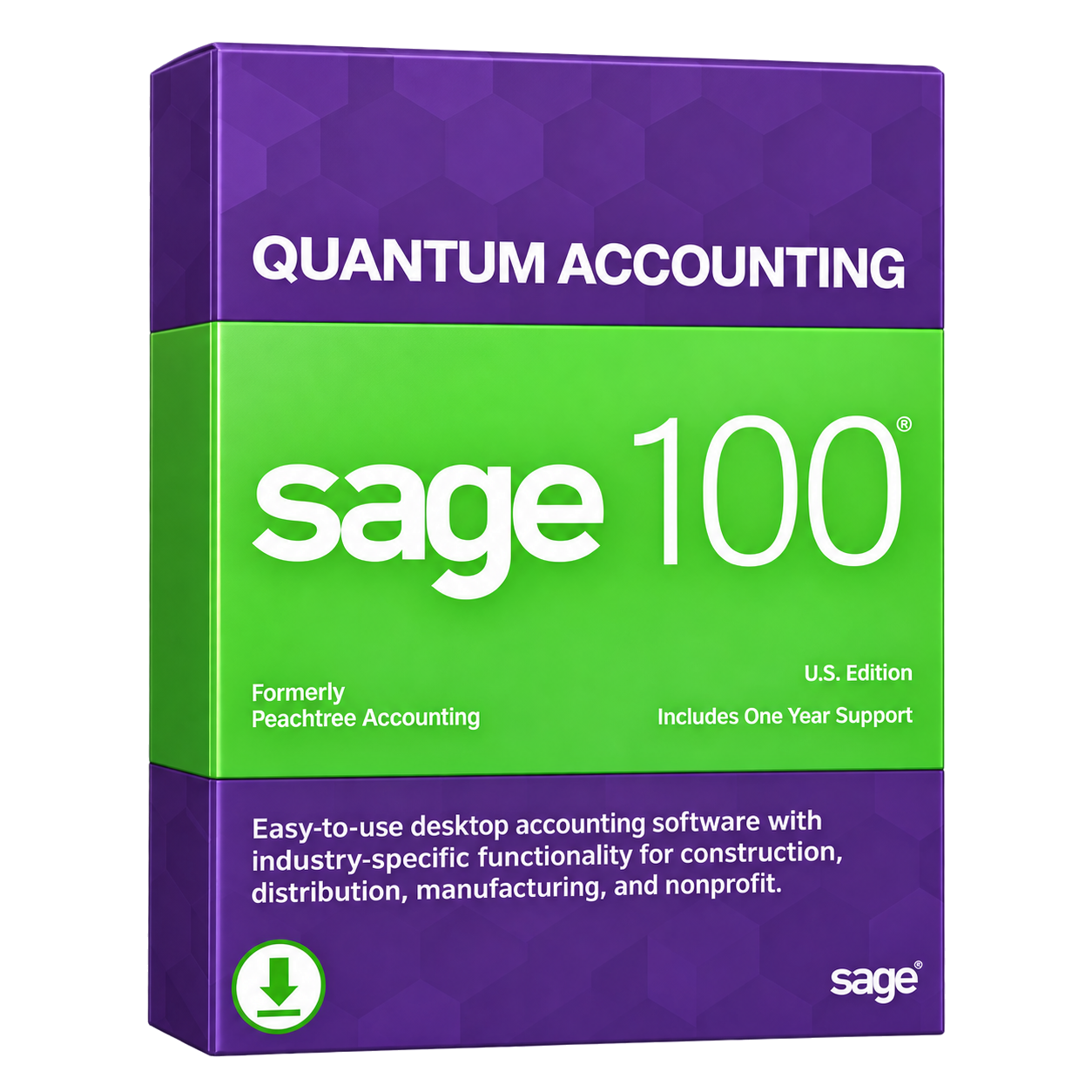
Sage 100 Quantum Accounting
24×7 Support
Available
  • 99.99% Uptime
  • 24/7 Support
  • High-Speed NVMe Storage
  • Daily Backups
  • Free Migration Assistance
100 Cloud Hosting

What Is Sage 100 ERP Cloud Hosting?

Sage 100 ERP Cloud Hosting allows small and midsize businesses to run their Sage 100 software on secure cloud servers instead of maintaining local infrastructure. Sage 100 is an ERP solution that helps companies manage financial accounting, inventory, purchasing, sales orders, and manufacturing operations. With cloud hosting, the existing application and company data run in a hosted environment. Authorized employees can connect securely over the internet, allowing finance, sales, purchasing, and warehouse teams to work within the same ERP system. Explore our Sage Hosting solutions for related applications.

Hosted Sage 100 ERP does not automatically turn desktop software into a browser-based application. Businesses continue using their familiar interface, licensed modules, and supported workflows through remote access. Available features depend on software versions, licensing, and hosting configuration.

How Sage 100 Cloud Hosting Improves Business Operations

Centralized Sage 100 access helps accounting, purchasing, and inventory teams coordinate everyday tasks across departments.

Team member using a laptop for hosted Sage 100 ERP
Security
Backup
Technical
Support
Migration
Support

Connect Finance, Sales, and Purchasing Teams

Sage 100 multi-user access lets authorized finance, sales, and purchasing employees work with shared ERP records. When sales processes a customer order, purchasing can review stock requirements while accounting handles related transactions, reducing confusion between departments and manual information exchanges.
Manage Inventory and Warehouse Operations Remotely

With Sage 100 remote access, inventory managers can review stock availability and warehouse records from approved locations. For example, staff at two distribution warehouses can check shared ERP information, helping purchasing and fulfillment teams coordinate orders without relying on spreadsheets.

Access Financial Data for Better Business Decisions

Hosted Sage 100 ERP allows business owners to review financial statements, customer receivables, supplier payables, and sales reports remotely. A manager traveling between offices can examine accounting records before making purchasing or cash flow decisions, using existing Sage reporting tools.

Key Features of Sage 100 ERP Available Through Cloud Hosting

Sage 100 ERP brings accounting, inventory, purchasing, and operational tools together. Cloud hosting lets authorized employees access licensed modules remotely without changing the software’s core functions or automatically adding new features.

General Ledger and Financial Management

With Sage 100 financial management, accounting teams can work with the general ledger, accounts payable, accounts receivable, and bank reconciliation. In a hosted environment, authorized staff can review supplier payments, customer balances, and transaction records without accessing an office computer.

Inventory Tracking and Warehouse Management

Sage 100 inventory management helps businesses monitor stock quantities, item values, and movement between warehouses. Supported lot and serial number tracking provides additional detail. Remote inventory managers can review available stock and coordinate replenishment with purchasing teams across different locations.

Purchase Order and Vendor Management

Sage 100 purchase order management supports vendor records, purchase orders, and receiving activities. Purchasing employees can review supplier orders and expected deliveries in the hosted application, then coordinate with warehouse staff as goods arrive and inventory records are accurately updated.

Sales Order Processing and Order Fulfillment

Sage 100 sales order processing helps teams manage customer orders, check product availability, and handle shipping and returns through supported modules. With hosted access, sales and fulfillment employees can review the same order information as products move toward final delivery.

Manufacturing and Bill of Materials Management

Supported Sage 100 manufacturing modules help companies manage bills of materials, component requirements, and assembly activities. Production planners can review inventory needs before scheduling work. Available manufacturing functions depend on the modules licensed and configured in the Sage 100 environment.

Business Intelligence and Financial Reporting

Sage 100 ERP reporting tools help managers review financial statements, sales trends, and inventory values. Depending on installed tools and licenses, businesses can use customizable reports or Sage Intelligence. Hosting makes existing reports accessible to authorized decision-makers outside the office.

Payroll Management and Workflow Automation

Supported Sage 100 payroll tools help businesses maintain employee records, process payroll, and manage related reporting. Available automation features can reduce repetitive administrative work. Features such as Sage’s AI Help Agent depend on the product version, licensing, and deployment configuration.

Which Businesses Benefit from Sage 100 ERP Hosting?

Sage 100 ERP Hosting supports growing businesses that manage complex inventory, manufacturing, purchasing, and distribution operations across multiple departments and locations.

Manufacturing Companies

Manufacturers can access raw material records, production inventory, purchasing information, and financial data remotely. With supported manufacturing modules, managers can monitor component availability, review production requirements, and coordinate purchasing decisions across departments.

Wholesale and Distribution Businesses

Sage 100 distribution workflows help wholesalers manage stock availability, warehouse records, supplier orders, and customer fulfillment. Cloud hosting allows authorized teams at different locations to review inventory information and coordinate daily operations.

Inventory-Driven Retail and Growing Businesses

Businesses managing expanding product catalogs and increasing order volumes can benefit from centralized ERP access. Hosted Sage 100 helps teams review inventory, purchasing transactions, and financial records as operational needs become more complex.

Sage 100 ERP Cloud Hosting vs. On-Premise Servers

Sage 100 ERP can operate on cloud-hosted infrastructure or an on-premise server. Both options support business operations, but accessibility, maintenance responsibilities, scalability, and overall costs differ.

FeatureCloud HostingOn-Premise Server
ERP AccessibilitySecure remote access from authorized locations.Access through local networks or configured remote connections.
Inventory TeamsShared ERP records accessible across warehouse locations.Access depends on internal networks and connectivity.
Server MaintenanceHosting provider manages infrastructure and server upkeep.Internal IT handles server management and maintenance.
ScalabilityComputing and storage resources can be adjusted as needed.Growing workloads may require additional hardware investments.
Data BackupsProvider-managed backup schedules and recovery options.Business configures and maintains its backup systems.
Infrastructure CostsRecurring hosting fees with reduced hardware ownership.Hardware purchases, maintenance, and replacement expenses.

For growing ERP teams, the right choice depends on remote access needs, internal IT resources, infrastructure costs, and operational requirements.

Sage 100 Standard, Advanced, and Premium Hosting Compatibility

Sage 100 supports different installation architectures, so cloud hosting requirements depend on your software version, database type, and business configuration.

Understanding Sage 100 Standard, Advanced, and Premium

Sage 100 Standard uses a standalone or local network setup with a ProvideX database. Advanced uses a client/server architecture with ProvideX, while Premium runs on Microsoft SQL Server. Each configuration requires compatible infrastructure, making server and database compatibility checks important before migration.

Supported ERP Modules and Custom Configurations

Businesses may use financial, inventory, and manufacturing modules alongside custom reports and third-party add-ons. QBClouds reviews your Sage 100 version, installation architecture, licensed modules, and software dependencies before migration. This helps identify compatibility requirements and plan a hosting environment that supports existing business workflows.

Sage 100 Cloud Hosting System Requirements

Before moving Sage 100 to the cloud, check software compatibility, server resources, user access, and licensing to avoid setup issues.

Server Configuration, Database, and Performance Requirements

Sage 100 requires a supported Windows Server environment and resources matched to its version and workload. Standard and Advanced use different deployment architectures from Premium, which relies on Microsoft SQL Server. Processor capacity, RAM, storage, and the number of simultaneous users all influence server sizing. QBClouds reviews official compatibility requirements before configuring your cloud hosting.

Remote Access, Device Compatibility, and Software Licensing

Secure Sage 100 remote desktop access requires reliable internet and compatible client software. Supported Windows workstations can connect through approved configurations, while Mac users may use suitable remote desktop clients where supported. Sage subscriptions, Microsoft Remote Desktop Services licenses, printing, reporting, and connected devices also need compatibility checks before users begin working in the cloud.

Professional accessing Sage 100 ERP in a shared cloud workspace PDF reader Microsoft Word Microsoft Excel Adobe Acrobat Reader

Sage 100 ERP Integrations and Compatible Add-Ons

Sage 100 ERP integrations can connect compatible business applications to simplify reporting, taxes, and operations.

Connect Sage 100 with Supported Business Applications

Sage 100 can work with compatible solutions such as Sage CRM, Sage Intelligence, Avalara AvaTax, Crystal Reports, and selected Microsoft Office applications. Warehouse, payment, and reporting tools may also support specific business processes. Integration availability depends on your Sage 100 version, licensing, supported connectors, installed modules, and overall hosting configuration.

Host 200+ Compatible Add-On Applications with QBClouds

QBClouds supports 200+ add-on applications across its hosting environments. Depending on compatibility, Sage 100 and reporting, inventory, tax, payment, or productivity tools can be hosted within a managed setup. For example, a supported reporting application may run alongside Sage 100, but co-hosting does not automatically enable data exchange or synchronization.

How QBClouds Protects Your Sage 100 ERP Data

ERP systems hold financial transactions, supplier records, customer details, and inventory information requiring careful protection.

Professional securely accessing Sage 100 ERP on a laptop

Secure Remote Connections and Multi-Factor Authentication

QBClouds uses encrypted remote connections to help protect Sage 100 ERP data during access. Multi-Factor Authentication (MFA) is available, while individual user accounts and role-based permissions help restrict access. For example, accounting and warehouse employees can receive different permissions based on their responsibilities.

SOC 2 Type II–Audited Infrastructure and Network Security

QBClouds uses SOC 2 Type II–audited hosting infrastructure supported by firewalls, network controls, antivirus, and anti-malware tools. Continuous server monitoring helps identify potential security threats and performance issues. Professionally managed servers provide additional protection for sensitive ERP information and daily business operations.

Automated Daily Backups and Disaster Recovery Support

QBClouds performs automated daily backups with 60-day retention to help protect Sage 100 company data and ERP records. Backups support restoration after accidental deletion or corruption, while disaster recovery planning addresses wider disruptions. Recovery outcomes depend on the incident.

How to Migrate Sage 100 ERP to QBClouds

QBClouds supports Sage 100 ERP cloud migration with careful preparation, secure transfers, and thorough validation.

  1. Review Your Current Sage 100 Environment

    Read moreRead less

    We review your Sage 100 version, Standard, Advanced, or Premium setup, company data, active users, licensed modules, and existing integrations.

  2. Configure Your Cloud Hosting Server

    Read moreRead less

    Our team configures suitable Windows hosting resources, installs compatible Sage 100 software, secures remote connections, and creates authorized user accounts.

  3. Transfer Company Data and ERP Files

    Read moreRead less

    We transfer existing company files, financial records, inventory data, and relevant settings after backups, using secure and carefully planned procedures.

  4. Test ERP Modules, Reports, and Integrations

    Read moreRead less

    We thoroughly verify finance and purchasing modules, inventory records, customized reports, printer settings, and compatible integrations before switching production access.

  5. Go Live with QBClouds Hosting Support

    Read moreRead less

    Once testing is complete, we enable production access, explain user logins and permissions, and provide ongoing responsive hosting-related technical assistance.

QBClouds offers free migration assistance: eligible setups take as little as 45 minutes

Why Choose QBClouds for Sage 100 ERP Hosting?

Choosing a reliable hosting provider supports long-term ERP business operations.

Man using a laptop to access cloud-hosted Sage 100 ERP

High-Speed NVMe Cloud Infrastructure

QBClouds uses high-speed NVMe storage and appropriately configured server resources to support responsive Sage 100 ERP performance, including data processing, reporting, and everyday business transactions.

99.99% Uptime Commitment and 24/7 Hosting Support

QBClouds offers a 99.99% uptime commitment and round-the-clock technical support. Our experts assist with remote connectivity, server performance, and other hosting-related issues whenever assistance is needed.

Free Setup and Migration Assistance

Our team handles cloud server setup, application configuration, and data migration at no additional setup cost. Eligible Sage 100 migrations take as little as 45 minutes.

Flexible and Scalable ERP Hosting Solutions

QBClouds offers flexible hosting configurations that accommodate changing user counts, storage requirements, and processing workloads. Adjust server resources as your business expands and operational demands increase.

Sage 100 Cloud Hosting Pricing and Plans

Find a Sage 100 Cloud Hosting plan that matches your business requirements, user count, and ERP workload. QBClouds offers flexible configurations and personalized quotes to fit your budget. Explore our plans or start a free trial.

Frequently Asked Questions About Sage 100 ERP Hosting

Start Your 7-Day Free Trial

1. What Is Sage 100 ERP Cloud Hosting?

Sage 100 ERP Cloud Hosting allows businesses to run their existing ERP software on remote servers. Authorized employees can securely access accounting, inventory, purchasing, and other business applications from different locations.

2. Is Sage 100cloud the Same as Sage 100 Cloud Hosting?

No. Sage 100cloud was a product name associated with cloud-connected features, not a fully cloud-hosted application. Sage 100 Cloud Hosting runs your licensed ERP software on remote servers for secure access.

3. Can I Host Sage 100 Standard, Advanced, and Premium?

Yes, Sage 100 Standard, Advanced, and Premium can be considered for cloud hosting. Compatibility depends on software versions, database architecture, licensing, and server requirements. QBClouds reviews these details before setup.

4. Can I Use My Existing Sage 100 License and Company Data?

Yes, eligible Sage 100 licenses and existing company data can be moved to a hosted environment. QBClouds checks licensing compatibility, assists with data migration, and verifies your setup before deployment.

5. Will My Sage 100 Custom Reports and Integrations Work After Migration?

Many existing custom reports and integrations can continue working in the cloud. However, compatibility depends on software versions, installed modules, and supported connectors. QBClouds helps test these components before migration.

6. Can Multiple Users Access Hosted Sage 100 ERP at the Same Time?

Yes, multiple authorized employees can access hosted Sage 100 ERP simultaneously. Each user can have individual login credentials and appropriate permissions. Access depends on available licenses, server resources, and configuration.

7. What Is the Difference Between Sage 100 ERP and Sage 100 Contractor?

Sage 100 ERP focuses on financial management, inventory, purchasing, manufacturing, and distribution. Sage 100 Contractor is designed for construction businesses, with specialized features for job costing, project management, estimating, and contractor billing.

8. How Much Does Sage 100 Cloud Hosting Cost?

Sage 100 Cloud Hosting costs vary based on user count, server resources, software licensing, and additional requirements. QBClouds offers flexible billing options.

Move Your Sage 100 ERP to the Cloud with QBClouds

Make your Sage 100 ERP operations more accessible with QBClouds. Bring financial management, inventory, and purchasing workflows into a centralized cloud environment that supports your growing business. Our team helps you transition smoothly so you can focus on daily operations and future growth.

  • IDrive
  • Quickbase Authorized Partner
  • Sage 50 Solution Provider
  • Veeam
  • Duo
  • Avalara
  • Oracle NetSuite
  • Wasabi
  • Comm100

Copyright © 2026 QBclouds|