100 Wilshire Blvd Suite 700, Santa Monica, CA 90401, United States
Phone Number
+1 385-325-4242
Email Address
sales@qbclouds.com
support@qbclouds.com
Tax Software Hosting
Tax Software Hosting for Accounting Firms
Run your tax applications on a secure remote server with QBClouds Tax Software Hosting. Access your licensed software from anywhere without relying on a single office computer.
We install your software, set up users, and provide support so your team can work smoothly with flexible access.
Supports Lacerte, Drake, ProSeries, ATX, UltraTax CS, TaxWise, TaxAct, and more.
Tax professionals need fast, secure, and reliable access to tax applications, client files, and supporting accounting tools. During tax season, even a small delay can affect productivity, client service, and filing deadlines.
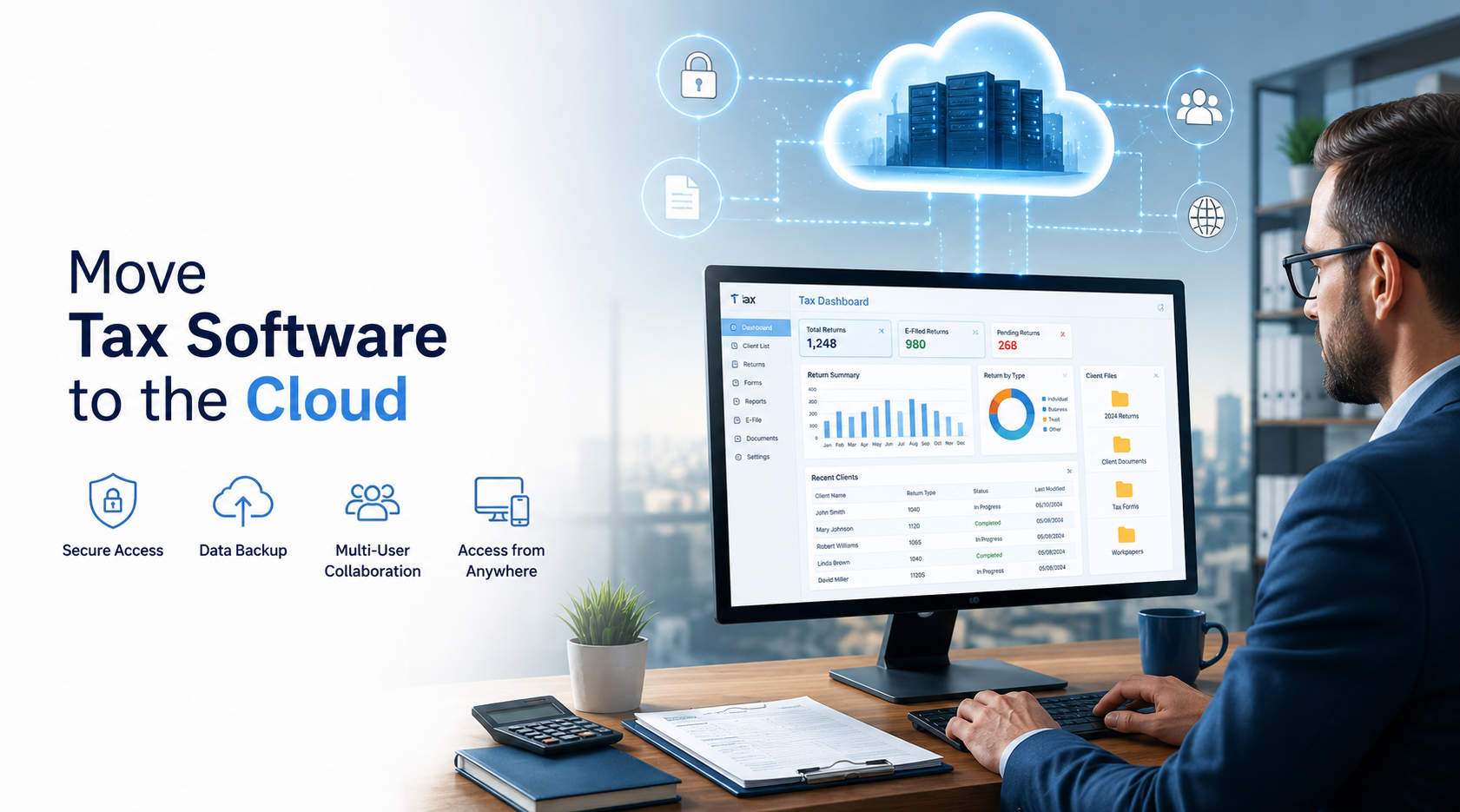
With Tax Software Hosting, your software is installed on a remote server instead of being limited to one office computer. Authorized users can log in from different locations and use the same familiar desktop software experience through a secure remote connection.
This setup is ideal for firms that want remote tax software access without replacing their current software. Your team can work from the office, home, another branch, or while traveling, as long as they have a compatible device and internet connection.
QBClouds does not change your tax software. We host your licensed application in a cloud environment and support your users so your existing workflow becomes more flexible and easier to manage.
Our tax software hosting services are built for firms that need:
Secure remote access to tax applications
Multi-user access for preparers, reviewers, and admins
Centralized storage for tax files and client data
Reduced dependency on office computers
Support for seasonal and remote staff
Help with migration and onboarding
A hosted workspace for tax and accounting applications
What Is Tax Software Hosting?
Tax Software Hosting is a cloud-based service that allows you to run professional desktop tax software on a remote server instead of installing and using it only on local office computers.
In a traditional setup, tax software is installed on individual desktops or an in-office server. This can work for small teams, but it often becomes difficult when users need remote access, multiple employees need shared files, or seasonal staff must be added quickly.
With hosted tax software, your application and related data are placed in a secure hosted environment. Your users log in through a remote desktop connection and work with the software just as they would on a local machine.
The interface remains familiar. Your tax software functions the same way. The main difference is where the software runs and how your team accesses it.
Firms that also use QuickBooks can review the Intuit desktop hosting resource for additional context on hosted desktop accounting workflows.
Instead of being tied to a single physical device, your team connects to a central hosted workspace. This makes cloud hosting for tax software a practical solution for firms that want flexibility without switching to a completely different tax platform.
Why Move Your Tax Software to the Cloud?
Many tax professionals prefer desktop tax applications because they are powerful, familiar, and built for professional tax preparation. However, local installations can limit flexibility as your firm grows or adopts remote work.
Moving your tax software on cloud helps solve common access and workflow problems while allowing your firm to continue using the software it already trusts.
With tax software cloud hosting, your applications are available through a hosted desktop environment. This helps your team work more consistently whether they are in the office, at home, or supporting clients remotely.
For many firms, the goal is simple: keep the same tax software, improve access, reduce IT pressure, and support users more efficiently during tax season.
A hosted setup is useful when:
Your team needs access from outside the office
Multiple users need the same application environment
You want to reduce local server maintenance
Seasonal tax preparers need temporary access
Your firm has more than one office location
You want better continuity during busy filing periods
You need centralized access to tax software and files
Benefits of Tax Software Hosting
Access Tax Software from Anywhere
One of the biggest advantages of Tax Software Hosting is flexible access. Your authorized users can log in to the hosted server from a compatible device and continue working in the same tax software environment.
Instead of carrying files between devices or depending on one office computer, your team can access the hosted workspace from wherever they need to work.
This makes cloud hosted tax software useful for firms that want to support modern work styles while keeping their existing desktop software.
Centralized Client Data
When tax software is installed on separate computers, files can become scattered across multiple devices. This can lead to version confusion, duplicate work, and delays when different team members need the same client information.
With hosted tax software, your applications and files are stored in a centralized server environment. Authorized users access the same hosted workspace, which helps keep data more organized.
Centralized access is useful when preparers, reviewers, partners, and administrative staff need to work together on client files. It also makes it easier to manage user access because the application environment is not spread across multiple local machines.
Better Multi-User Collaboration
Tax preparation often involves more than one person. A preparer may enter client information, a reviewer may check the return, and a partner may approve final details before filing.
With Tax Software Hosting, multiple authorized users can access the hosted environment based on their roles and permissions. This helps teams collaborate from different locations without depending on one physical office network.
For firms with remote employees, seasonal workers, or multiple branches, this can make daily work much smoother.
Reduced IT Management
Local servers require maintenance, monitoring, updates, backups, and troubleshooting. Many small and mid-sized accounting firms do not have a dedicated IT team, while larger firms may want to reduce the workload on internal staff.
QBClouds helps simplify this by hosting your tax software on a remote server and supporting the environment. We assist with software installation, user setup, access configuration, and basic onboarding.
This allows your team to focus more on client work instead of spending valuable time managing office hardware.
More Flexibility During Tax Season
Tax season creates pressure. Your team may need longer working hours, extra users, remote access, and faster collaboration. A local setup can become difficult to manage during this busy period.
With tax preparation software hosting, your firm can give authorized users access to the hosted environment without setting up a separate workstation for every person. This is helpful when adding seasonal staff or supporting remote preparers.
A hosted setup also allows managers and reviewers to access the same environment from different locations, which can improve workflow during peak filing periods.
Business Continuity
Local hardware problems can interrupt work. If an office computer fails or a local server goes down, your team may lose access until the issue is fixed.
With Tax Software Hosting, your applications are hosted on a remote server instead of depending only on one office device. This gives your firm more flexibility if a local machine has issues or if staff need to continue working from another location.
For tax professionals, this can be important during filing deadlines when downtime can affect productivity and client service.
Scalable Hosting Environment
As your firm grows, your technology needs may change. You may need to add users, support more applications, or provide access to seasonal workers during tax time.
A hosted environment makes scaling easier compared to local installations. Instead of purchasing new office hardware every time your team expands, you can work with QBClouds to adjust your hosted setup based on your needs.
This flexibility makes tax application hosting useful for growing tax firms and accounting teams.
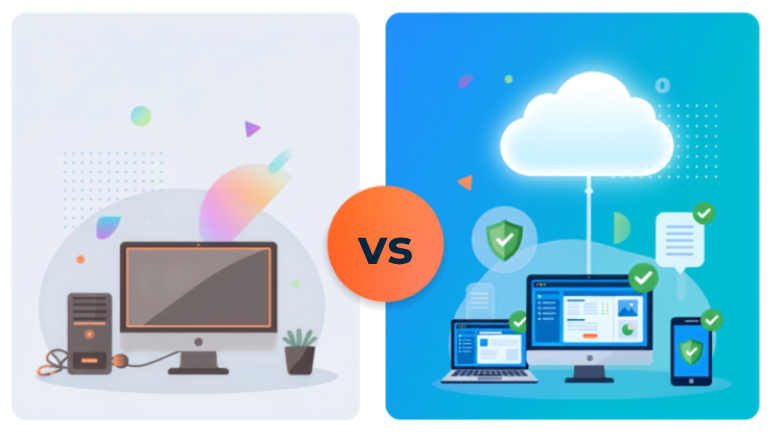
Tax Software Hosting vs Local Installation
A local installation may be enough for a single user or very small office. However, as your firm grows, local systems can become harder to manage.
Here is a simple comparison:
Feature
Tax Software Hosting
Local Installation
Access
Access from office, home, or remote location
Usually limited to office computer or network
Multi-user work
Easier for remote and office teams
May require complex local setup
Data storage
Centralized hosted environment
Stored on local machines or office server
Remote work
Built for flexible access
Often needs VPN or remote tools
Seasonal users
Easier to add and manage users
Requires more local setup
IT maintenance
Hosting provider supports server environment
Business manages local hardware
Scalability
More flexible for growing teams
May require hardware upgrades
Business continuity
Less dependent on one office device
Local hardware issues can interrupt work
Tax season readiness
Supports remote and seasonal teams
More difficult to scale quickly
For firms that want secure access, easier collaboration, and less dependency on office hardware, Tax Software Hosting is often more practical than a traditional local setup.
Key Features of Hosted Tax Software
Remote Desktop Access
Users connect to the hosted environment through a remote desktop session. After logging in, they can open their tax software, access files, and work in a familiar Windows-based environment.
This means your users do not need the tax software installed separately on every local device. They access the hosted workspace and use the applications installed on the server.
Support for Multiple Tax Applications
QBClouds can host many professional tax applications depending on your licensing and software requirements. This helps your firm keep using the tools it already depends on.
Our tax software hosting services may support applications such as:
Lacerte
Drake Tax
ProSeries
ATX
UltraTax CS
TaxWise
TaxAct
CCH tax applications
Other compatible desktop tax applications
If your firm uses more than one tax program, we can help you understand how those applications can fit into a hosted environment.
Familiar Desktop Software Experience
One common concern is whether hosted software feels different from the local version. With hosted tax software, the goal is to give users access to the same desktop tax software experience through a remote connection.
Your team can continue using the software interface they already know. This reduces training time and helps users stay productive after migration.
User Access Management
Different team members may need different levels of access. For example, a partner may need broader access, while a seasonal preparer may only need access to specific applications or files.
QBClouds helps configure user access in the hosted environment so your team can work in a more organized way. This supports better control over application access and client data.
Hosted File Storage
In a hosted setup, your tax files and related documents can be stored in the remote server environment. This gives your team a central place to access important work files.
Centralized storage helps reduce confusion caused by saving files on multiple local computers. It also supports smoother collaboration because authorized users can work from the same hosted workspace.
Printer and Scanner Support
Many tax firms rely on local printers, scanners, and PDF tools as part of their daily workflow. A hosted environment can often be configured to support printing and scanning needs, depending on the device setup and software compatibility.
This is important because tax preparation often involves source documents, signed forms, client copies, and supporting records.
Before migration, QBClouds can help review your workflow so your hosted setup matches your daily requirements as closely as possible.
QuickBooks and Supporting Application Hosting
Many tax professionals use accounting software alongside tax software. For example, a firm may use QuickBooks Desktop for bookkeeping and a tax application for return preparation.
QBClouds can also support hosting for related applications such as QuickBooks, Sage, Quicken, Microsoft Office tools, PDF utilities, and other compatible desktop applications.
This allows your firm to build a more complete hosted workspace for tax and accounting work.
Supported Tax Applications
A pillar page for Tax Software Hosting should help users find the exact software they want to host. QBClouds supports hosting for several popular tax applications used by CPAs, accounting firms, enrolled agents, and tax preparers.
If your firm uses another desktop tax application, QBClouds can review your requirements and help determine whether it can be hosted. The goal is to provide a practical cloud hosting for tax software solution that fits your existing tools and team structure.
Client data stays in a controlled hosted workspace.
Applications, files, and access settings are managed in one server environment instead of being spread across office computers.
01Controlled access
02Centralized files
03Recovery support
Security & Data Protection
Tax professionals handle sensitive client information, including Social Security numbers, income records, financial documents, and business tax details. That makes security a major concern when choosing a hosting provider.
QBClouds provides a secure hosted environment designed to help protect your tax applications and data from common local IT risks.
Our approach to security may include:
Secure remote server access
User-based login credentials
Controlled user permissions
Password-protected access
Firewall protection
Secure connection methods
Access support for authorized users
Backup and recovery support based on your hosting plan
With Tax Software Hosting, your data is not scattered across multiple local devices. Instead, your applications and files are managed in a centralized hosted environment, which can make access control easier for your firm.
Security is not only about technology. It is also about managing who can access what. QBClouds helps configure user access so the right people can reach the right tools and files.
For firms handling sensitive tax data, a managed hosting setup can provide better structure than relying only on individual desktops and manual file sharing.
Automatic Backup & Disaster Recovery Support
Data loss can create serious problems for tax professionals. Client files, prepared returns, supporting documents, and application data must be protected, especially during tax season.
With cloud hosted tax software, backup and recovery support can be part of your hosted environment. This helps reduce the risk created by local computer failure, accidental deletion, hardware issues, or office disruptions.
Reducing dependency on a single office device
Supporting centralized data protection
Helping recover work in case of local hardware issues
Keeping important files in a managed server environment
Supporting continuity during busy filing periods
Backup needs can vary by firm, software, and hosting plan. QBClouds can help review your requirements and explain how backup support works for your hosted setup.
Shared Hosted Workspace
Real-Time Multi-User Collaboration
Accounting and tax work is rarely handled by one person from start to finish. A return may go through data entry, review, corrections, approval, and filing.
Tax Software Hosting lets authorized users access the same hosted environment from different locations, so preparers, reviewers, administrators, and firm owners can work from one centralized workspace.
With tax software cloud hosting, collaboration becomes easier because the work environment is centralized instead of scattered across local computers.
01
Prepare from anywhere
A preparer can work on client information from home, another branch, or the office.
02
Review without file chasing
A reviewer can check the return from another location while using the same hosted workspace.
03
Support documents stay accessible
An admin can access supporting documents and keep workflow moving for the team.
04
Final approvals stay flexible
A partner can review final details after business hours without depending on one office machine.
05
Seasonal users can join faster
Temporary users can be added during filing periods without building a separate local workstation setup.
Free Migration & Onboarding
Many firms hesitate to move to the cloud because they worry about setup, downtime, and technical complexity. QBClouds helps make the process easier with migration and onboarding support.
Our team can help with:
1
Reviewing your current software setup and requirements
2
Installing your licensed tax software on the hosted server
3
Migrating your data to the hosted environment
4
Setting up authorized users and testing application access
5
Assisting users with connection and providing post-migration support
The goal is to help your firm move from local access to a hosted environment with less confusion.
You do not need to handle every technical step alone. QBClouds supports your team throughout the setup process so your users can begin working in the hosted environment with confidence.
Who Should Use Tax Software Hosting?
Tax Software Hosting is useful for many types of tax and accounting professionals. It is especially helpful for firms that rely on desktop tax software but need more flexibility than a local setup can provide.
CPA Firms
CPA firms often manage multiple users, client files, tax applications, and accounting tools. Hosting gives CPA teams a centralized environment where authorized staff can access software and data remotely.
This helps support firm owners, partners, reviewers, and preparers working from different locations.
Independent Tax Preparers
Independent tax preparers may not want to maintain a local server or manage complex IT systems. Hosting allows them to access tax software remotely without depending on one office desktop.
This can be useful for preparers who work from home, meet clients in different locations, or need flexible access during filing season.
Accounting Firms
Many accounting firms use both tax software and bookkeeping tools. QBClouds can help host compatible applications in one environment, making it easier to support tax preparation, bookkeeping, and client accounting work.
This gives firms a more flexible workspace for daily operations.
Enrolled Agents
Enrolled agents who prepare returns and represent taxpayers may need secure access to client records and tax software from different locations. Hosting helps them work remotely while keeping applications in a centralized environment.
Bookkeepers and Tax Teams
Bookkeepers often work closely with tax preparers, especially when financial records need to be reviewed before return preparation. A hosted workspace can make it easier for bookkeeping and tax teams to access related tools and files.
Seasonal Tax Offices
Seasonal tax offices often add users during tax time. Tax preparation software hosting can make it easier to support seasonal employees without setting up a dedicated office computer for every worker.
This helps firms scale during busy months and reduce access issues.
Remote and Hybrid Teams
If your team works from multiple locations, remote tax software access becomes important. Hosting helps remote and hybrid teams work in the same application environment without being tied to one office network.
Why Choose QBClouds for Tax Software Hosting?
QBClouds provides hosting services for accounting, tax, and business applications. Our goal is simple: help your firm use the software it already trusts from a secure remote server environment.
Here is why firms choose QBClouds:
We Host Your Existing Desktop Software
You do not need to switch to a new tax platform. We install your licensed software on our remote server and help users access it through a hosted environment.
This makes the move easier because your team can continue using familiar applications.
Free Migration Assistance
Moving tax software and data can feel complicated. QBClouds helps with migration, user setup, and onboarding so your firm does not have to manage the process alone.
We help you move your applications and files into the hosted environment and support your team during setup.
Support for Tax and Accounting Workflows
Tax professionals often use more than one application. Along with tax application hosting, QBClouds can support compatible accounting and business software such as QuickBooks, Sage, Quicken, Microsoft Office tools, and PDF utilities.
This helps your firm create a more complete hosted workspace.
Multi-User Access
QBClouds helps configure user access so your team can work from different locations. This is useful for preparers, reviewers, administrators, partners, and seasonal users.
Secure Remote Server Environment
Your tax software and files are hosted on a remote server instead of being spread across multiple local computers. This helps centralize access and makes it easier to manage your hosted workspace.
24/7 Support
Tax firms often work outside regular office hours, especially during filing season. QBClouds provides support to help users with access and hosting-related questions when they need assistance.
Flexible Hosting Plans
Every firm has different needs. Some teams need only one application hosted, while others need multiple users and supporting software. QBClouds can help you choose a hosting setup that matches your team size, applications, and workflow.
Frequently Asked Questions About Tax Software Hosting
What is Tax Software Hosting?
Tax Software Hosting is a service that allows you to run your desktop tax software on a remote server. Instead of installing and using the software only on local computers, your users connect to a hosted environment and access the application remotely.
How does hosted tax software work?
With hosted tax software, your licensed tax application is installed on a remote server. Authorized users log in through a remote desktop connection and use the software in a familiar desktop environment.
Can I use my existing tax software license?
In most cases, you continue using your own licensed tax software. QBClouds hosts the software on a remote server, but you are responsible for having the proper software license from the vendor.
Which tax software can QBClouds host?
QBClouds can host many compatible desktop tax applications, including Lacerte, Drake, ProSeries, ATX, UltraTax CS, TaxWise, TaxAct, and other supported applications. You can contact our team to confirm compatibility for your specific software.
Does the software interface change after hosting?
No major change is expected in the way your desktop tax software looks. Your users access it through a hosted desktop environment, but the software interface remains familiar.
Can multiple users access hosted tax software?
Yes. Multiple authorized users can access the hosted environment based on your setup, licensing, and permissions. This is helpful for CPA firms, tax offices, and accounting teams.
Can I access my tax software from home?
Yes. One of the main benefits of Tax Software Hosting is that authorized users can access the hosted environment from home, office, or another location with a compatible device and internet connection.
Is Tax Software Hosting secure?
QBClouds provides a secure remote server environment with controlled user access and hosting support. Security needs may vary by firm, so our team can help you understand the best setup for your tax software and client data.
Can I host QuickBooks with my tax software?
Yes, QBClouds can host compatible accounting software such as QuickBooks alongside your tax software. This is helpful for firms that use bookkeeping and tax applications together.
Do you help with migration?
Yes. QBClouds provides migration and onboarding support. We can help install your licensed software, move data, configure users, and assist your team during setup.
Can I print or scan while using hosted tax software?
Printing and scanning can often be configured in a hosted environment depending on your devices, software, and setup. QBClouds can review your workflow and help configure access where supported.
Is Tax Software Hosting useful during tax season?
Yes. Hosting is especially useful during tax season because it supports remote access, seasonal users, multi-user collaboration, and centralized application access.
Who should use Tax Software Hosting?
Tax Software Hosting is useful for CPAs, tax preparers, accounting firms, enrolled agents, bookkeepers, seasonal tax offices, and remote or hybrid tax teams.
How do I get started with QBClouds?
You can contact QBClouds to discuss your software, number of users, workflow, and hosting needs. Our team can help you choose a suitable setup and guide you through migration.
Ready to Move Your Tax Software to the Cloud?
Keep using your trusted tax software with secure cloud access from QBClouds. Our Tax Software Hosting lets your team work remotely, collaborate easily, and stay productive during tax season.
Move your tax software to a secure remote server with free migration assistance, helpful onboarding, and ongoing support from QBClouds.
QBClouds delivers secure and reliable QuickBooks hosting and cloud solutions designed to simplify your business operations. Access your accounting data anytime, anywhere with high-performance servers, advanced security, and seamless collaboration.