




Sage 100 Contractor Hosting – Secure Cloud Access for Construction Businesses

Run Sage 100 Contractor securely in the cloud with QBClouds. Access construction accounting, job costing, payroll, and project scheduling from the office, home, or remote locations. Enable secure multi-user collaboration with free setup and migration assistance, keeping your construction team connected.

Cloud hosting hero artwork
Sage 300 Premium Accounting
Sage 100 Quantum Accounting
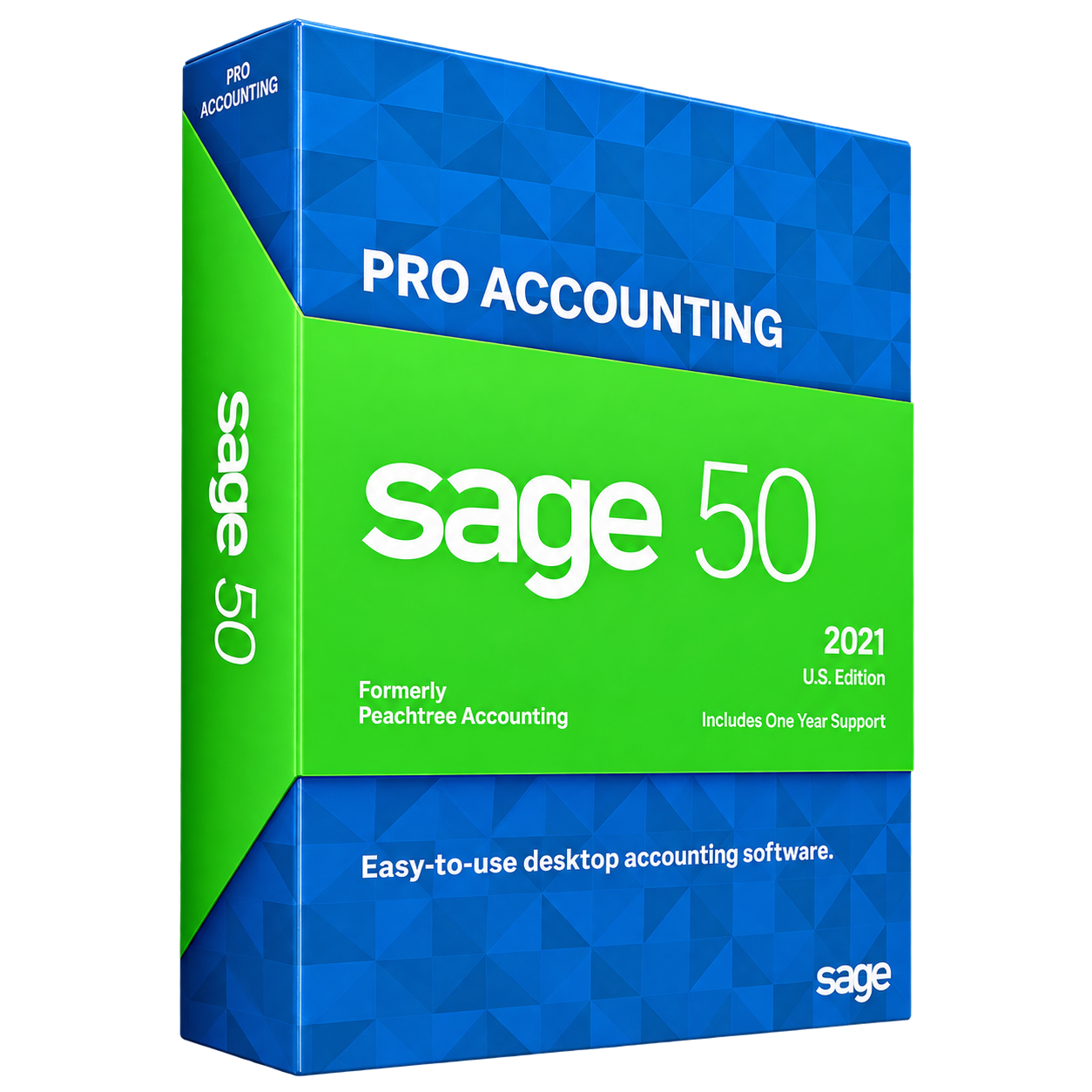
Sage 50 Pro Accounting
  • 99.99% Uptime
  • 24/7 Support
  • Enterprise-Grade Security
  • Automated Daily Backups
  • Free Migration Assistance
Sage 100 Contractor Cloud Hosting

What Is Sage 100 Contractor Cloud Hosting?

Sage 100 Contractor Cloud Hosting allows construction businesses to run their Sage 100 Contractor software on a remote cloud server instead of relying on local computers or office servers. Sage 100 Contractor is construction management and accounting software that helps contractors manage job costing, project estimates, payroll, scheduling, and financial reporting. With cloud hosting, the desktop application and company database are stored on a secure hosted server. Authorized employees can access the software over the internet, making it easier for accounting teams, project managers, and contractors to manage daily operations from different locations.

Hosted Sage 100 Contractor does not turn the desktop application into a completely cloud-native product. Businesses continue using the familiar software interface and supported features while benefiting from remote access. Available functionality depends on software versions, licensing, and server configuration.

Why Move Sage 100 Contractor to the Cloud?

Construction companies need reliable access to project data, clear team communication, and less IT maintenance to keep every job moving.

Woman using a laptop for cloud-hosted Sage applications
Security
Backup
Technical
Support
Migration
Support

Access Construction Data Anytime, Anywhere

With Sage 100 Contractor remote access, project managers, business owners, and accounting teams can review job costs, budgets, invoices, and financial reports from approved locations. For example, a manager visiting a job site can check updated expenses while the office prepares billing. Everyone works with information in the same hosted environment, rather than separate files.

Improve Collaboration Between Office and Field Teams

Cloud hosting gives authorized team members access to a centralized Sage 100 Contractor environment, with permissions based on their responsibilities. Estimators can review project figures, accountants can process transactions, and managers can monitor progress without exchanging files. This helps office and field teams stay aligned while reducing delays caused by outdated information or manual handoffs.

Reduce IT Costs and Server Maintenance

Running Sage 100 Contractor on local servers means paying for hardware, repairs, upgrades, and ongoing maintenance. With managed cloud hosting, the provider handles much of the server infrastructure, monitoring, and routine upkeep. Your business still manages its software workflows and user needs, but can reduce the time and expense spent maintaining equipment in the office.

Maintain Reliable Performance and Business Continuity

Reliable access matters when construction teams are processing payroll, preparing invoices, or reviewing project reports. QBClouds advertises a 99.99% uptime commitment and uses high-speed NVMe storage, monitored infrastructure, and automated daily backups. These measures support stable daily operations and practical recovery planning, although performance and availability can still depend on connectivity and the hosting configuration.

Key Features of Sage 100 Contractor Available Through Cloud Hosting

Sage 100 Contractor combines essential construction management tools to help contractors manage projects, finances, and daily operations.

Job Costing and Budget Management

Sage 100 Contractor helps businesses compare estimated costs with actual spending across construction projects. Track labor, materials, equipment, and committed expenses to understand job profitability. With cloud hosting, authorized managers can review updated financial information remotely, identify potential budget overruns, and make informed decisions before costs increase further.

Project Estimating, Bidding, and Change Orders

Contractors can prepare project estimates, manage bids, review purchase orders, and track change orders using Sage 100 Contractor. These tools help maintain accurate project budgets as requirements change. Supported estimating modules can also simplify calculations and proposal preparation, depending on the software edition, installed features, and licensing arrangements.

Project Scheduling and Resource Planning

Sage 100 Contractor supports construction scheduling by helping teams organize tasks, deadlines, and project milestones. Scheduling tools, including Gantt chart views where supported, help managers monitor dependencies and coordinate resources. Hosted access makes it easier to review schedules across multiple projects and communicate changes with office staff and subcontractors.

Construction Accounting, Billing, and Payroll

Manage essential financial tasks through Sage 100 Contractor, including accounts payable, accounts receivable, general ledger, and contractor billing. Supported features also cover payroll processing, certified payroll reporting, and AIA-style progress billing. Cloud hosting allows authorized accounting staff to access these workflows remotely, subject to software configuration and licensing.

Service Management and Work Order Tracking

Service contractors can use supported Sage 100 Contractor features to organize work orders, review customer information, and manage service-related billing. Compatible service management modules and integrations may extend scheduling and operational capabilities. Hosting provides centralized access to available tools, helping office teams coordinate service activities and maintain accurate records.

Financial Reporting, Dashboards, and Compliance Tracking

Sage 100 Contractor provides construction-focused reports to monitor job profitability, cash flow, and financial performance. Available dashboards and reporting tools help teams review payroll records, lien waivers, insurance information, and other project documentation. Cloud hosting improves access to these records, while regulatory compliance remains the responsibility of the business.

Sage 100 Contractor Cloud Hosting vs. Local Server

Sage 100 Contractor can run on a cloud-hosted server or a local office server. Both support construction accounting operations, but they differ in accessibility, maintenance, scalability, and costs. The right choice depends on business requirements.

FeatureCloud HostingLocal Server
Remote AccessSecure access from different locations through an internet connection.Remote access requires additional network and security configuration.
MaintenanceHosting provider manages server infrastructure, monitoring, and routine maintenance.Internal IT staff manages hardware, server updates, and maintenance.
Data BackupsAutomated backup options help protect business data and support recovery.Businesses must configure, monitor, and maintain their own backups.
Team CollaborationAuthorized employees can work in a centralized environment remotely.Collaboration typically depends on office networks or configured remote connections.
ScalabilityServer resources can be adjusted as business requirements change.Additional users or workloads may require hardware upgrades.
Overall CostsRecurring hosting fees reduce the need for owned server infrastructure.Hardware purchases, maintenance, electricity, and replacement costs remain business responsibilities.

For companies with established IT infrastructure, local servers may work well. However, growing construction businesses with multiple offices or remote teams may benefit from the flexibility and managed infrastructure of cloud hosting.

Who Can Benefit from Sage 100 Contractor Hosting?

Sage 100 Contractor Hosting helps construction businesses manage financial information, improve team coordination, and access essential project data from different locations.

General Contractors

General contractors managing multiple projects can access budgets, purchase orders, schedules, and subcontractor records from one hosted environment. This improves project oversight, financial tracking, and coordination across active construction sites.

Specialty Trade and Subcontracting Businesses

Electrical, plumbing, HVAC, and other specialty contractors can track labor expenses, monitor job profitability, and review billing information remotely. Centralized access helps teams manage project costs and maintain accurate records.

Service and Maintenance Contractors

Service contractors can access customer records, billing details, and supported work order information through a hosted environment. This helps authorized teams coordinate maintenance activities and manage daily service operations efficiently.

Multi-Location Construction Companies

Construction businesses operating across multiple offices or job sites can give authorized employees access to the same Sage 100 Contractor environment. This supports consistent accounting workflows and better communication.

Professional using a laptop in a shared cloud workspace PDF reader Microsoft Word Microsoft Excel Adobe Acrobat Reader

Sage 100 Contractor Integrations and Compatible Add-Ons

Sage 100 Contractor can work alongside selected construction and business applications, helping teams organize project information, improve collaboration, and reduce repetitive administrative tasks within compatible hosting environments.

Work with Supported Construction and Business Applications

Depending on your setup, Sage 100 Contractor may work with tools such as Sage Estimating, Sage Paperless Construction, Sage Service Operations, Sage Time, and Sage Construction Management. Microsoft Excel and document tools can also support reporting and everyday work. These applications serve different purposes, from estimating and time tracking to document management. Confirm each connection before deployment because support depends on software versions, licensing, available interfaces, and hosting configuration.

Simplify Workflows with Compatible Add-Ons

QBClouds supports 200+ add-on applications across its cloud hosting environments, helping businesses extend their software capabilities. Compatible Sage 100 Contractor add-ons can support reporting, payroll, document management, and construction workflows. Hosting multiple applications together can simplify access and improve productivity. However, each add-on requires compatibility checks, and co-hosting does not automatically guarantee native integration or data synchronization.

How QBClouds Protects Your Sage 100 Contractor Data

Construction businesses handle sensitive financial records, payroll information, and contracts. QBClouds provides layered security measures through its Sage Hosting services to help protect business data.

Professional using a laptop

Encrypted Connections and Multi-Factor Authentication

QBClouds uses secure, encrypted connections to help protect information transferred between users and hosted servers. Multi-Factor Authentication (MFA) is available to add another layer of login security. Individual user accounts and role-based access controls help restrict access to authorized employees. These protections reduce security risks involving construction budgets, employee payroll details, contracts, and other sensitive financial records stored in the hosted environment.

Secure Infrastructure, Firewalls, and Monitoring

QBClouds uses hosting infrastructure audited under SOC 2 Type II standards to support reliable data protection. Network firewalls, antivirus and anti-malware tools help defend against unauthorized access and potential cyber threats. Continuous server monitoring helps identify unusual activity and performance issues. Professionally managed cloud environments provide additional protection while allowing authorized construction teams to access their Sage 100 Contractor data securely.

Daily Data Backups and Disaster Recovery Support

QBClouds performs automated daily backups with 60-day retention to help protect important Sage 100 Contractor data. These backups support recovery when files are accidentally deleted, corrupted, or affected by unexpected incidents. Disaster recovery planning goes further by addressing how systems and services can be restored after major disruptions. Recovery time and data availability depend on the incident and hosting configuration.

Sage 100 Contractor Cloud Hosting Requirements and Compatibility

Before moving Sage 100 Contractor to the cloud, review software compatibility and user requirements to support reliable performance and access.

Supported Software, Windows Server, and SQL Database

Your cloud hosting environment must support the Sage 100 Contractor version you use, along with a compatible Windows Server operating system and Microsoft SQL Server database. Processor, memory, storage, and database requirements depend on your company data and the number of simultaneous users. QBClouds reviews version-specific requirements before configuring your hosted environment.

Internet Access, Devices, and Software Licensing

A stable internet connection and secure remote desktop access are essential for using hosted Sage 100 Contractor. Employees can connect from supported Windows or Mac devices using appropriate remote access software, while mobile devices may have usability limitations. Existing Sage licenses and any required Microsoft Remote Desktop Services licenses must also be verified before setup.

How to Migrate Sage 100 Contractor to QBClouds

Moving Sage 100 Contractor to QBClouds involves five simple steps designed to minimize business disruption.

  1. Review Your Current Sage Environment

    Read moreRead less

    Our team reviews your Sage 100 Contractor version, SQL Server database, company files, user accounts, software licenses, installed modules, and add-ons to identify hosting requirements.

  2. Configure Your Cloud Hosting Environment

    Read moreRead less

    QBClouds prepares your cloud server with suitable resources, installs compatible software, configures secure remote access, and sets up user permissions based on your business needs.

  3. Transfer Company Data Securely

    Read moreRead less

    We assist with transferring your Sage 100 Contractor databases, company files, and supporting documents to the hosted environment, following appropriate backup and data protection procedures.

  4. Test Applications and Multi-User Access

    Read moreRead less

    Our team helps verify data accessibility, user logins, printing, accounting reports, payroll workflows, and supported integrations before your business begins using the hosted system.

  5. Step 5: Go Live with Hosting Support

    Read moreRead less

    Once testing is complete, authorized employees receive access to the hosted application. QBClouds provides login guidance and technical hosting support throughout the transition.

QBClouds offers free setup and migration assistance, with eligible Sage 100 Contractor migrations completed in as little as 45 minutes.

Why Choose QBClouds for Sage 100 Contractor Hosting?

QBClouds provides reliable cloud hosting solutions that help construction businesses access Sage 100 Contractor securely, reduce IT responsibilities, and manage daily operations efficiently.

Man using a laptop to access cloud-hosted Sage applications

99.99% Uptime Commitment

QBClouds offers a 99.99% uptime commitment to support reliable access to Sage 100 Contractor. This helps construction teams manage accounting, project costs, and billing with fewer interruptions.

High-Speed NVMe Cloud Infrastructure

Our cloud servers use high-speed NVMe storage to support faster data access and responsive application performance. Server resources are configured according to your business requirements and workloads.

24/7 Technical Hosting Support

QBClouds provides round-the-clock technical support for hosting-related issues, including login difficulties, remote connectivity, and server performance. Our support team helps your business maintain smooth daily operations.

Free Setup and Migration Assistance

Get free setup and migration assistance from QBClouds. Our experts handle server configuration and data migration, with eligible Sage 100 Contractor setups completed in as little as 45 minutes.

Flexible and Scalable Hosting Plans

Choose flexible hosting plans based on your team size, storage needs, and server requirements. QBClouds allows you to adjust resources as your construction business grows.

Sage 100 Contractor Hosting Pricing and Plans

Find a Sage 100 Contractor Hosting plan that fits your business needs and budget. Explore flexible pricing options or connect with our team for a customized quote.

Frequently Asked Questions About Sage 100 Contractor Hosting

Start Your 7-Day Free Trial

1. What Is Sage 100 Contractor Cloud Hosting?

Sage 100 Contractor Cloud Hosting allows construction businesses to run their desktop accounting software on a secure remote server. Authorized users can access job costing, payroll, project management, and financial reporting tools through an internet connection.

2. Can I Access All Sage 100 Contractor Desktop Features from the Cloud?

Yes, you can generally use your licensed Sage 100 Contractor features in a hosted environment, including accounting, payroll, and project management tools. Access to specific modules and integrations depends on software compatibility and licensing.

3. Can Multiple Users Access Sage 100 Contractor at the Same Time?

Yes, Sage 100 Contractor Hosting supports simultaneous access for multiple authorized users. Each employee can have individual login credentials and appropriate permissions. The number of supported users depends on licensing, server resources, and configuration.

4. Can I Use Hosted Sage 100 Contractor on a Mac or Tablet?

Yes, you can access hosted Sage 100 Contractor from compatible Windows and Mac devices using supported remote desktop software. Tablet access may also be possible, although screen size and device limitations can affect usability.

5. Can I Host My Existing Sage 100 Contractor License?

You may be able to use your existing Sage 100 Contractor license with QBClouds. Our team reviews your software version, licensing terms, and hosting requirements to confirm compatibility before setting up your cloud environment.

6. How Much Does Sage 100 Contractor Hosting Cost?

Sage 100 Contractor Hosting costs depend on the number of users, server resources, storage, and additional requirements. QBClouds offers flexible hosting plans, with customized pricing available for businesses requiring dedicated infrastructure or specific configurations.

7. How Secure Is My Sage 100 Contractor Data in the Cloud?

QBClouds uses encrypted remote connections, firewalls, security monitoring, and access controls to help protect construction accounting data. Multi-Factor Authentication is also available, along with automated daily backups and 60-day backup retention for recovery support.

8. Can I Use My Existing Sage 100 Contractor Integrations After Migration?

Many compatible applications and add-ons can continue working after migration. However, integration support depends on software versions, licensing, and hosting requirements. QBClouds reviews compatibility and helps test supported connections before your hosted environment goes live.

9. What Is the Difference Between Sage 50 and Sage 100 Contractor?

Sage 50 primarily supports small-business accounting tasks such as invoicing, bookkeeping, and financial reporting. Sage 100 Contractor focuses on construction businesses, offering specialized tools for job costing, project scheduling, estimating, contractor billing, and payroll management.

10. What Is Sage Construction Management for Sage 100 Contractor?

Sage Construction Management is a cloud-based construction project management solution that supports bidding, project coordination, and team collaboration. It can complement Sage 100 Contractor workflows through supported integrations, subject to compatibility and separate licensing requirements.

Move Your Sage 100 Contractor to the Cloud with QBClouds

Make construction accounting and project management easier with QBClouds Sage 100 Contractor Hosting. Give your team secure remote access, improve collaboration across job sites, and reduce the burden of maintaining local servers. With flexible cloud resources and expert technical support, your business can focus more on completing projects and less on managing IT infrastructure.

  • IDrive
  • Quickbase Authorized Partner
  • Sage 50 Solution Provider
  • Veeam
  • Duo
  • Avalara
  • Oracle NetSuite
  • Wasabi
  • Comm100

Copyright © 2026 QBclouds|