 Admin
AdminSage Remote Access: Secure Ways to Access Your Accounting Software from Anywhere
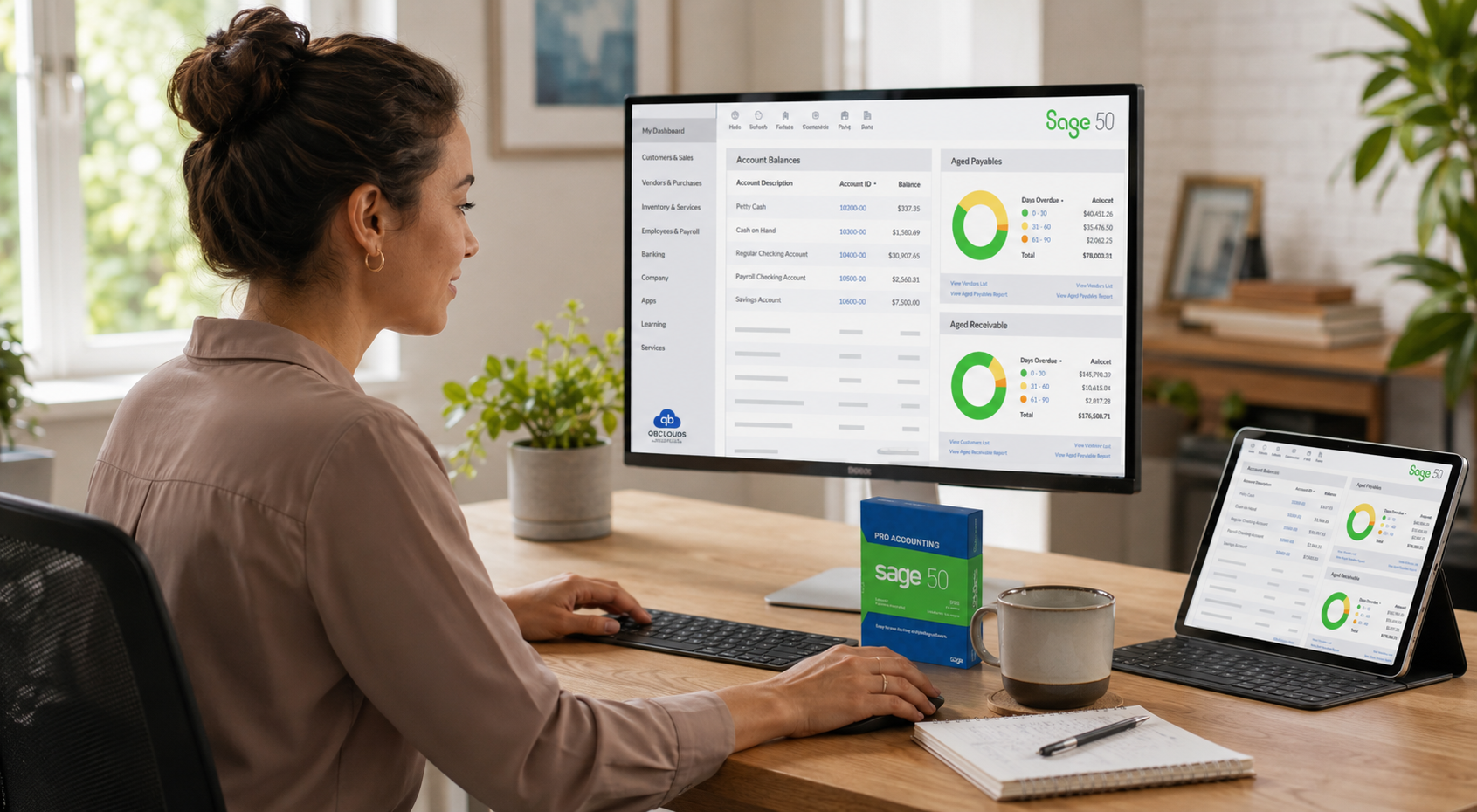
Remote work has become a normal part of business operations. Employees now work from home, travel between client locations, or collaborate with colleagues in different offices. As a result, businesses need a secure and reliable way to access important applications without being tied to a single office computer. For companies that rely on Sage for accounting, secure remote access has become an important part of maintaining productivity and keeping financial operations running smoothly.
Traditional office-based setups often make remote access more complicated than it needs to be. Employees may depend on office PCs, VPN connections, or manual file sharing to access Sage, which can lead to slower performance, connection issues, or limited accessibility. These challenges become even more noticeable as businesses grow or adopt flexible working arrangements.
The good news is that there are several ways to access Sage remotely while maintaining security and performance. However, not every method is suitable for every business. The right approach depends on factors such as the number of users, security requirements, IT resources, and how employees typically work.
In this guide, you’ll learn how Sage remote access works, explore the most common methods businesses use, understand the advantages and limitations of each option, and discover practical security tips and best practices for accessing your accounting software safely from anywhere. Whether your team works from home, travels frequently, or operates across multiple locations, this guide will help you choose a remote access solution that fits your business needs.
What Is Sage Remote Access?
Sage remote access allows authorized users to use their Sage accounting software without being physically present in the office where it is installed. Instead of relying on a single office computer, users can securely connect to their Sage environment from another location using an internet connection. This gives employees the flexibility to work from home, visit clients, travel between offices, or access important financial information while away from their primary workplace.
The way Sage remote access works depends on the method a business chooses. Some organizations use Remote Desktop to connect directly to an office computer, while others rely on a VPN to access their internal network securely. Businesses can also use cloud-based environments that allow users to sign in and work with the same Sage data without depending on a specific office PC. Regardless of the approach, the objective remains the same—providing secure access to accounting software while protecting sensitive business information.
Remote access has become useful in many everyday business situations. A business owner may need to approve invoices while travelling, an accountant might work from home during month-end reporting, or employees in different office locations may need access to the same company files. External accountants and consultants can also review financial records without visiting the office, making collaboration faster and more convenient.
As businesses become more flexible, secure remote access is no longer just a convenience. It helps teams stay productive, respond more quickly to business needs, and continue working even when they are away from the office.
Why Businesses Need Remote Access to Sage
The way businesses operate has changed significantly over the past few years. Teams are no longer limited to a single office, and employees often need access to business applications from different locations. For organizations that use Sage every day, reliable remote access helps ensure accounting work continues without unnecessary delays, regardless of where employees are working.
Here are some of the most common situations where remote access to Sage becomes valuable.
Supporting Remote Employees
Many businesses now offer flexible working arrangements, allowing employees to work from home either full-time or on selected days. Without remote access, staff may have to wait until they return to the office to complete accounting tasks, which can slow down daily operations.
Secure remote access enables authorized employees to continue processing invoices, reviewing financial records, generating reports, and completing other routine tasks while working outside the office.
Connecting Multiple Office Locations
Businesses with more than one office often need employees in different locations to work with the same accounting data. Sending files between offices or maintaining separate copies can create confusion and increase the risk of using outdated information.
Remote access allows teams to work within the same Sage environment, making collaboration easier and helping everyone stay up to date with the latest financial records.
Helping Traveling Managers Stay Connected
Business owners and managers frequently travel for client meetings, conferences, or site visits. Even while away from the office, they may need to review financial reports, approve transactions, or monitor business performance.
Having secure access to Sage allows important decisions to be made without waiting to return to the office, helping businesses respond more quickly when time-sensitive situations arise.
Working with External Accountants
Many organizations rely on external accountants, auditors, or financial consultants for bookkeeping, tax preparation, or compliance work. Providing timely access to accounting data helps these professionals complete their work more efficiently.
Instead of exchanging files through email or waiting for office visits, authorized professionals can securely access the information they need, reducing delays and simplifying collaboration.
Improving Team Collaboration
Accounting rarely involves just one person. Finance teams often work alongside managers, payroll staff, sales departments, and business owners who all need access to accurate financial information.
When everyone can securely access the same Sage environment, communication becomes more efficient, duplicate work is reduced, and decisions can be made using the most up-to-date data. This creates smoother workflows and helps businesses respond more quickly to everyday operational needs.
Common Ways to Access Sage Remotely
There is no single method that works for every business. The right solution depends on your company’s size, security requirements, IT resources, and the number of employees who need remote access. Some methods are suitable for occasional remote work, while others are designed to support multiple users and long-term business growth.
Below are the most common ways businesses access Sage remotely.
Remote Desktop
Remote Desktop allows users to connect directly to a computer where Sage is already installed. Once connected, employees can use Sage as if they were sitting in front of that office computer.
This approach is relatively simple to set up and works well for businesses with a small number of remote users. However, because the office computer must remain powered on and connected to the internet, any hardware issue, power outage, or network interruption can prevent users from accessing Sage. Performance may also depend on the speed of both the office and remote internet connections.
VPN Access
A Virtual Private Network (VPN) creates a secure connection between a remote user and the company’s internal network. After connecting to the VPN, employees can access resources that are available within the office, including Sage and shared files.
VPNs are commonly used by businesses that already have an on-premise server and want to extend access to remote employees. While they provide an additional layer of security, performance can vary depending on internet quality, and managing VPN connections may require ongoing IT support. As more employees connect simultaneously, maintaining consistent performance can also become more challenging.
Cloud Hosting
Another approach is to run Sage in a cloud-based environment instead of relying entirely on a local office server. Users connect securely through the internet and access the same centralized Sage environment from virtually any authorized location.
This method can simplify remote access for businesses with distributed teams because employees are not dependent on a specific office computer or VPN connection. If your organization requires reliable access for multiple users working from different locations, Sage Hosting is one option that businesses often evaluate as part of their long-term remote access strategy.
Virtual Desktop Environment
A Virtual Desktop Environment (VDI) provides each user with their own virtual Windows desktop hosted on centralized infrastructure. Employees log in to their virtual desktop and access Sage along with other business applications from a single workspace.
This solution is often used by medium and large organizations that require centralized management, enhanced security, and support for multiple business applications. Although VDI can provide a consistent user experience across different devices, it generally requires more planning and technical management than basic remote access solutions.
Each of these methods has its own advantages and limitations. Understanding how they work can help businesses choose a solution that matches their operational needs, security requirements, and future growth plans.
Challenges of Traditional Remote Access
Remote access has made it easier for employees to work from different locations, but not every solution delivers the same experience. Traditional methods such as Remote Desktop and VPNs can work well for some businesses, yet they also introduce challenges that may affect productivity, security, and long-term scalability.
Understanding these limitations can help businesses choose a remote access solution that aligns with their current needs and future growth.
Slow VPN Connections
VPNs create a secure tunnel between a user’s device and the office network, but performance often depends on internet quality and network traffic. If multiple employees connect at the same time or users have slow internet connections, Sage may respond more slowly than expected.
Simple tasks such as opening company files, generating reports, or switching between modules can take longer, especially during busy business hours. These delays may seem minor individually but can reduce productivity throughout the workday.
Dependence on an Office Computer
Many remote access setups rely on a specific office computer remaining powered on and connected to the network. If that computer shuts down because of a power outage, hardware failure, software update, or internet interruption, remote users may immediately lose access to Sage.
This dependency can make business continuity more difficult, particularly for organizations with employees who regularly work outside the office.
Security Risks
Giving employees remote access also means protecting sensitive financial information from unauthorized access. Weak passwords, unsecured home networks, outdated software, or improperly configured remote connections can increase security risks.
Businesses should follow security best practices such as using multi-factor authentication, strong password policies, regular software updates, and role-based user permissions to help protect accounting data regardless of the remote access method they choose.
Performance Issues
The overall performance of Sage doesn’t depend only on the software itself. Network latency, internet speed, server resources, and the number of simultaneous users can all affect the user experience.
Employees may notice slower response times when opening large company files, running complex reports, or performing data-intensive tasks. Identifying the source of these performance issues is important before assuming the software itself is causing the problem.
Limited Scalability
Traditional remote access solutions may work well for a small number of users, but they can become more difficult to manage as a business grows. Adding new employees, supporting multiple office locations, or increasing server capacity often requires additional hardware, network upgrades, and ongoing IT administration.
As business requirements change over time, organizations may find that their existing remote access setup no longer provides the flexibility or efficiency needed to support a larger and more distributed workforce.
How to Secure Remote Access to Sage
Providing employees with remote access to Sage offers greater flexibility, but it also increases the responsibility of protecting sensitive financial information. Cyber threats, unauthorized access, and compromised devices can all put business data at risk if proper security measures are not in place.
Fortunately, improving remote access security doesn’t always require complex technology. Following a few essential best practices can significantly reduce risks while allowing employees to work safely from different locations.
Use Strong Passwords
Strong passwords are the first line of defense against unauthorized access. Every user should have a unique password that combines uppercase and lowercase letters, numbers, and special characters. Avoid using common words, predictable patterns, or the same password across multiple business accounts.
Businesses should also encourage employees to change passwords periodically and use a trusted password manager if remembering complex passwords becomes difficult.
Enable Multi-Factor Authentication (MFA)
Even the strongest password can be compromised. Multi-factor authentication (MFA) adds an extra layer of security by requiring users to verify their identity through an additional method, such as a mobile authentication app or a one-time verification code.
With MFA enabled, an attacker would need more than just a password to gain access, making unauthorized logins significantly more difficult.
Assign Appropriate User Permissions
Not every employee requires access to every part of your accounting system. Following the principle of least privilege helps reduce unnecessary exposure to sensitive financial data.
Review user roles regularly and grant access only to the information employees need for their responsibilities. This approach not only improves security but also helps reduce the risk of accidental data changes.
Secure Employee Devices
The security of your remote access solution also depends on the devices employees use. Whether they work from home or while travelling, laptops and desktop computers should be protected with updated antivirus software, operating system security patches, and device encryption where available.
Employees should also avoid using public Wi-Fi without appropriate security measures and always lock their devices when they are unattended.
Keep Software Up to Date
Outdated software can contain security vulnerabilities that attackers may attempt to exploit. Regularly updating Sage, Windows, remote access software, and other business applications helps ensure known security issues are addressed as soon as updates become available.
Keeping software current also improves compatibility, reliability, and overall system performance.
Maintain Reliable Backups
Even with strong security measures, unexpected events such as hardware failures, ransomware attacks, or accidental file deletion can still occur. Maintaining regular backups helps protect business data and supports faster recovery if an incident affects your accounting environment.
Backups should be created automatically, stored securely, and tested periodically to confirm they can be restored successfully when needed. A reliable backup strategy is an essential part of any secure remote access plan, helping businesses recover quickly while minimizing operational disruption.
Common Problems Users Face with Sage Remote Access
Remote access makes it easier to work from different locations, but users may occasionally experience technical issues that affect productivity. In many cases, these problems are not caused by Sage itself but by network conditions, device configuration, or the remote access method being used.
Recognizing these common issues can help businesses troubleshoot problems more quickly and improve the overall remote working experience.
Connection Drops
Unexpected disconnections are one of the most common remote access problems. An unstable internet connection, temporary network outages, or interruptions between the user’s device and the remote environment can all cause sessions to disconnect unexpectedly.
If connection drops occur frequently, check the stability of the internet connection, restart networking equipment if necessary, and ensure both the office and remote locations have reliable network connectivity.
Slow Performance
If Sage responds slowly while working remotely, the issue may not always be the application itself. Slow internet speeds, high network latency, limited system resources, or multiple users sharing the same network can all affect performance.
Monitoring internet quality, closing unnecessary background applications, and ensuring the host system has adequate resources can often improve responsiveness. Regular system maintenance also helps keep performance consistent over time.
Login Issues
Some users may experience difficulties signing in because of incorrect credentials, expired passwords, permission changes, or authentication problems.
Before assuming there is a system issue, verify the username, password, and account permissions. If multi-factor authentication is enabled, ensure the verification method is working correctly. Reviewing user account settings can often resolve login problems quickly.
Printer Problems
Printing invoices, financial reports, or other business documents from a remote session doesn’t always work automatically. Printer drivers, local device settings, or remote printing configurations may need additional attention after setting up remote access.
Testing printing before employees begin their regular work helps identify configuration issues early and reduces unnecessary interruptions during daily operations.
File Access Errors
Users may occasionally receive messages indicating that a company file cannot be opened or is already in use. These errors can occur because of incorrect file permissions, network interruptions, or conflicts with multi-user access.
If file access problems occur, verify that users have the correct permissions, confirm the company file is available, and ensure no network issues are preventing access. Reviewing user activity and system logs can also help identify the root cause and prevent the issue from recurring.
Best Practices for Better Performance
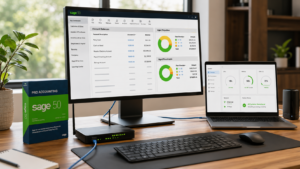
Having remote access to Sage is only part of the solution. To ensure a smooth experience, businesses should also focus on maintaining the performance of the systems employees use every day. Small improvements in connectivity, device maintenance, and system management can significantly reduce interruptions and help employees work more efficiently.
The following best practices can help keep Sage running reliably when accessed remotely.
Use a Stable Internet Connection
A reliable internet connection is essential for remote access. Slow or unstable networks can cause delays when opening company files, generating reports, or switching between Sage modules.
Whenever possible, use a high-speed broadband connection instead of public Wi-Fi or unstable mobile networks. If employees work from home, placing the router in a better location or using a wired Ethernet connection can also improve overall stability.
Keep Devices Updated
The performance of Sage can also depend on the device being used. Computers with outdated operating systems, older hardware, or missing software updates may respond more slowly and experience compatibility issues.
Regularly installing operating system updates, updating device drivers, and ensuring sufficient storage space helps maintain both performance and security.
Limit Background Applications
Running too many applications at the same time can consume valuable system resources such as memory, processor capacity, and internet bandwidth.
Before opening Sage, close programs that are not required for work, especially applications that perform large downloads, cloud synchronization, or video streaming. Reducing unnecessary background activity allows more system resources to be available for accounting tasks.
Perform Regular System Maintenance
Routine maintenance helps prevent many common performance issues before they affect employees.
This includes removing temporary files, monitoring available disk space, checking system health, installing software updates, and reviewing security settings regularly. Businesses should also periodically evaluate user permissions and remote access configurations to ensure they continue to meet operational requirements.
Test Your Backups Regularly
Backups protect business data, but they should also be tested periodically. Simply creating automatic backups isn’t enough if they cannot be restored when needed.
Performing occasional restoration tests confirms that backup files are complete and usable. This not only improves business continuity but also provides confidence that important accounting data can be recovered quickly if an unexpected problem occurs.
Frequently Asked Questions
Can multiple users access Sage remotely?
Yes. Multiple authorized users can access Sage remotely at the same time, provided the remote access solution supports multi-user connectivity. The exact number of users depends on factors such as your Sage version, system resources, network capacity, and the remote access method being used. Before rolling out remote access across your organization, it’s a good idea to test multi-user performance to ensure everyone can work efficiently.
Is VPN the Only Option for Remote Access?
No. A VPN is one way to access Sage remotely, but it is not the only option. Businesses also use Remote Desktop, Virtual Desktop Infrastructure (VDI), and cloud-based environments depending on their operational needs. Each approach has its own advantages, security considerations, and management requirements, so the best choice depends on your business size, IT resources, and the number of remote users.
Is Remote Access to Sage Secure?
Remote access can be secure when the appropriate security measures are in place. Using strong passwords, enabling multi-factor authentication (MFA), assigning user-specific permissions, keeping devices updated, and maintaining regular backups all help protect sensitive accounting data. Businesses should also review their security policies regularly to reduce the risk of unauthorized access.
Can I Use Sage from Home?
Yes. If your business has configured a secure remote access solution, you can use Sage from home just as you would from the office. A reliable internet connection, an authorized user account, and a properly configured remote access environment are typically all that’s required to work with your accounting data from another location.
Does Remote Access Affect Performance?
It can. Performance depends on several factors, including internet speed, network latency, system resources, the remote access method, and the number of users connected simultaneously. A stable internet connection, updated devices, regular system maintenance, and proper resource planning can help provide a smoother and more responsive remote working experience.
Final Thoughts
Secure remote access has become an essential part of modern business operations. Whether your employees work from home, travel frequently, or collaborate across multiple office locations, having reliable access to Sage helps keep accounting tasks moving without unnecessary interruptions. Choosing the right remote access method depends on your business requirements, security expectations, and the level of flexibility your team needs.
There isn’t a one-size-fits-all solution. Some businesses may find that Remote Desktop or a VPN is sufficient for occasional remote work, while others may benefit from solutions designed to support multiple users and long-term growth. Understanding the advantages and limitations of each approach allows you to make a more informed decision rather than selecting a solution based only on convenience.
No matter which method you choose, security and performance should always remain a priority. Strong passwords, multi-factor authentication, regular software updates, reliable backups, and routine system maintenance all play an important role in protecting your accounting data and providing a consistent user experience.
By evaluating your current setup, following security best practices, and selecting a remote access solution that matches your business needs, you can create a more flexible and productive working environment while ensuring employees can securely access Sage from wherever business takes them.