 Admin
AdminSage Hosting vs Local Server: Which Setup Is Better for Your Business
Businesses that use Sage software often face one important question: should they continue using Sage on a local server, or should they move it to a hosted cloud environment? This decision matters because Sage is not just another business application. It may handle your accounting, invoices, payroll, inventory, reporting, customer records, vendor details, and other important financial data.
For many years, companies installed Sage on office computers or in-house servers. This setup worked well when most employees worked from the same office and the business had enough IT support to manage servers, backups, updates, and security. But business needs have changed. Today, teams need more flexibility. Business owners may want to check reports while traveling. Accountants may need access from home. Bookkeepers may work from different locations. Multiple users may also need to work on the same Sage data without delays or file-sharing problems.
This is why many businesses compare Sage Hosting vs Local Server before choosing the right setup.
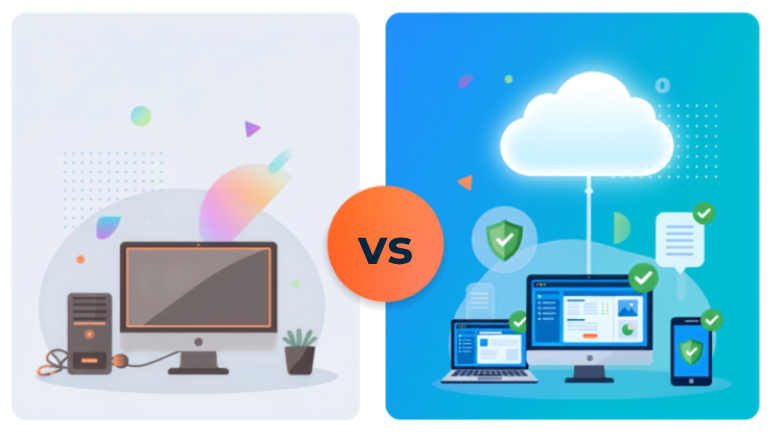
A local server keeps your Sage software and data inside your office network. Your team usually accesses Sage from office computers connected to that server. Remote access may be possible, but it often requires VPN, remote desktop tools, firewall setup, and regular IT support.
Sage Hosting, on the other hand, allows your Sage software and company data to run on a secure cloud server. Authorized users can access Sage through the internet from approved devices. This gives your team more flexibility while still using the familiar Sage desktop experience.
Both options have benefits. A local server can offer direct control over your hardware and data location. Sage Hosting can offer remote access, managed backups, better scalability, reduced IT workload, and easier collaboration. The right choice depends on your business size, team structure, budget, security needs, and long-term growth plans.
In this guide, we will compare Sage Hosting and local servers in simple terms so you can decide which setup is better for your business.
What Is Sage Hosting?
is a cloud-based way to use your Sage software. Instead of installing Sage only on a local office computer or in-house server, your Sage application and data are installed on a secure remote server managed by a hosting provider.
Your team can access Sage through the internet using approved devices such as desktops, laptops, or tablets. This means users do not need to be physically present in the office to work on Sage. They can log in securely and use the software from home, another branch office, a client location, or while traveling.
In simple words, Sage Hosting gives you the same Sage desktop software experience, but with cloud-based access. Your Sage software does not become a different product. You still use the same Sage application, but it runs in a hosted environment instead of being limited to one local office server.
A hosted Sage setup is helpful for businesses that need:
- Remote access to Sage software
- Secure multi-user access
- Regular backup options
- Less dependency on local server hardware
- Reduced IT maintenance
- Better flexibility for growing teams
- Support for remote or hybrid employees
For many businesses, Sage cloud hosting is a practical way to keep using Sage while improving access, security, and reliability.
How Sage Hosting Works
Sage Hosting works by installing your Sage software on a secure cloud server. Your company data, Sage files, and required applications are stored in that hosted environment. Once everything is set up, each authorized user gets secure login access.
Instead of opening Sage only from an office computer, your team connects to the hosted server through the internet. After logging in, they can use Sage much like they would on a local desktop.
A typical Sage Hosting setup may include:
- Sage software installed on a cloud server
- Secure login for each user
- Access from approved devices
- User-based permissions
- Backup and recovery options
- Server monitoring and maintenance
- Technical support from the hosting provider
This setup reduces the need to manage physical servers inside your office. The hosting provider usually handles server-related tasks such as hosting environment maintenance, monitoring, backups, and technical support.
For businesses with limited IT resources, this can make daily work easier. Your team can focus on accounting, reporting, invoicing, and business operations instead of worrying about server hardware, power issues, or local server downtime.
What Is a Local Server Setup for Sage?
A local server setup means your Sage software and company data are stored on a physical server inside your office. Employees usually access Sage through computers connected to the same office network.
This setup has been common for many years. It can still work well for businesses where all users work from one location and the company has strong IT support. For example, if your accounting team works from the same office every day and your IT team manages backups, security, updates, and maintenance properly, a local server may still be useful.
However, a local server also brings responsibility. Your business must manage the server hardware, software updates, security tools, backups, power protection, troubleshooting, and future upgrades. If the server fails, users may lose access to Sage until the issue is fixed.
Remote access is possible with a local server, but it usually requires extra setup. Businesses may need VPN, remote desktop tools, firewall configuration, and ongoing IT support. If the setup is not managed properly, users may face slow performance, login problems, or security risks.
A local server setup usually depends on:
- Office server hardware
- Local network performance
- Office internet connection
- Backup systems
- Security tools
- Power supply and protection
- Internal or external IT support
If any of these parts fail, Sage access can be affected. This is why many businesses are now comparing local servers with hosted Sage software.
Sage Hosting vs Local Server: Quick Comparison
| Comparison Point | Sage Hosting | Local Server |
| Access | Users can access Sage securely from approved devices through the internet | Usually limited to office network unless remote access is configured |
| Remote Work | Better for remote and hybrid teams | Requires VPN or remote desktop setup |
| Server Maintenance | Managed by hosting provider | Managed by business or IT team |
| Backup | Often includes automated backup options | Must be set up and monitored by the business |
| Security | Can include secure login, firewall, access controls, and monitoring | Depends on local IT setup and security tools |
| Upfront Cost | Usually lower because server hardware is not required | Higher because hardware and setup may be needed |
| Scalability | Easier to add users, storage, and resources | May require hardware upgrades |
| Downtime Risk | Reduced dependency on office hardware | Depends on office server, power, internet, and IT response |
| Best For | Remote teams, growing businesses, and companies wanting less IT work | Businesses with strong IT support and office-based users |
This table gives a quick overview, but the right choice depends on how your business works every day.
Remote Access and Flexibility
Remote access is one of the biggest reasons businesses compare Sage Hosting and a local server. Modern teams are no longer limited to one office. Business owners, accountants, bookkeepers, and managers may need to access Sage from different locations.
With a local server, Sage access is usually easiest inside the office. If someone needs to access Sage from outside the office, the business may need VPN, remote desktop software, firewall settings, and IT configuration. These tools can work, but they can also create extra complexity.
Common remote access issues with local servers include:
- Slow connection speed
- VPN errors
- Login problems
- More IT support requests
- Security concerns
- Downtime if office internet or server fails
For example, if your accountant needs to work from home during a busy period and the VPN stops working, Sage access may be interrupted. If your office server or internet connection goes down, remote users may not be able to work at all.
Sage Hosting makes remote access much easier. Since Sage is hosted on a secure cloud server, authorized users can log in from approved devices through the internet. This allows your team to work from home, office, client locations, or while traveling.
With hosted Sage software, users can:
- Access Sage from different locations
- Work on the same company data
- Support remote and hybrid work
- Reduce dependency on one office server
- Continue work even if an office computer fails
For businesses that need flexible access, Sage Hosting is usually the stronger option. It supports modern work needs without forcing your team to depend on complex local remote access tools.
Security and Data Protection
Security is an important part of the Sage Hosting vs Local Server comparison because Sage often stores sensitive financial and business data. This may include invoices, customer details, vendor records, payroll-related data, tax information, reports, and transaction history.
Both Sage Hosting and local servers can be secure, but security depends on how well the setup is managed.
With a local server, your business is responsible for most security tasks. This may include antivirus software, firewall settings, user permissions, password policies, security updates, backup protection, and physical server safety.
Common security risks with local servers include:
- Weak passwords
- Delayed software updates
- Poor firewall setup
- Unsecured remote access
- Limited access controls
- Inconsistent backups
- Physical damage or theft
- Lack of server monitoring
A local server is not automatically unsafe. But it needs regular attention. If updates are ignored, passwords are weak, or remote access is not properly secured, your business data may be at risk.
Sage Hosting can provide a managed environment with security features designed for business access. A reliable Sage hosting provider may offer secure login, firewall protection, access controls, server monitoring, backup options, and user-based permissions.
Security features in Sage Hosting may include:
- Secure user login
- Role-based access permissions
- Firewall protection
- Server monitoring
- Backup and recovery support
- Secure remote access
- Data center-level protection
- Technical support for hosting issues
This does not mean businesses can ignore security practices. You still need strong passwords, careful user management, and proper internal processes. But Sage Hosting can provide a stronger foundation for secure remote access and data protection.
For businesses with limited IT support, hosted Sage software can make security easier to manage compared to handling everything on an office server.
Backup and Disaster Recovery
Backups are critical for any business that uses Sage. Your Sage data may include financial reports, invoices, payments, payroll records, customer details, vendor information, and transaction history. Losing this data can create serious problems.
A backup helps you recover data if something goes wrong. Disaster recovery helps your business continue working after major issues such as server failure, hardware damage, data corruption, cyberattacks, power outages, or accidental deletion.
With a local server, backups are usually the responsibility of your business or IT provider. Someone must set up the backup system, monitor it, and test recovery regularly. Many businesses think their data is safe because they have a backup drive or backup software. But backups can fail if they are not checked.
Common backup problems with local servers include:
- Backups not running on schedule
- Backup files becoming corrupted
- Backup drives getting full
- No off-site backup copy
- Backups not tested regularly
- Manual backup mistakes
- Hardware failure before backup completion
If your local server fails and your latest working backup is old or damaged, your business may lose important records. This can affect billing, payroll, tax work, customer service, and financial reporting.
Sage Hosting can make backup management easier. Many hosting providers include automated backup options as part of the hosted environment. Instead of depending only on manual backup processes, your Sage data can be backed up on a regular schedule.
Hosted Sage backup options may help with:
- Scheduled backups
- Backup monitoring
- Secure backup storage
- Recovery support
- Reduced dependency on local backup drives
- Better protection against hardware failure
- Easier recovery after accidental data loss
Businesses should still ask their hosting provider about backup frequency, retention period, recovery process, and support availability. A backup system is only useful when it can be restored properly.
For many businesses, Sage Hosting offers better business continuity because Sage data is not tied to one office server. If your office computer fails, users may still access Sage from another approved device with an internet connection.
Performance and Reliability
Performance matters because your team may use Sage every day for invoices, reports, payroll tasks, accounting work, inventory, and business operations. If Sage runs slowly or becomes unavailable, productivity can suffer.
A local server can perform well when it is new, properly configured, and regularly maintained. But over time, performance issues may appear as the business grows.
Common local server performance challenges include:
- Old hardware
- Limited storage
- Slow office network
- Weak internet connection
- Too many users accessing Sage at once
- Delayed maintenance
- Power issues
- Hardware failure
For example, a local server may work well for two users, but if your team grows to ten users, performance may slow down. Reports may take longer to load, Sage may open slowly, or users may face delays while saving data.
Sage Hosting runs Sage in a managed cloud server environment. The hosting provider can help manage server resources, monitoring, and hosting-related technical support. If your business needs more resources, the hosted setup can often be adjusted more easily than a physical office server.
Hosted Sage environments can help with:
- More stable access
- Better support for remote users
- Reduced dependency on local hardware
- Adjustable server resources
- Less downtime caused by office hardware failure
- Hosting support for technical issues
No technology setup can guarantee zero downtime. But Sage Hosting can reduce many risks that come from aging office servers, local power problems, and limited in-house IT support.
For businesses that use Sage daily, reliable performance is not just a technical benefit. It directly affects productivity, customer service, and financial accuracy.
Cost Comparison: Sage Hosting vs Local Server
Cost is another major factor when choosing between Sage Hosting and a local server. Many businesses compare the monthly hosting fee with the cost of buying a server, but the real cost is more than the first payment.
A local server usually has higher upfront costs. Your business may need to buy server hardware, install software, configure security, set up backups, and pay for IT setup. Over time, you may also need repairs, upgrades, replacement parts, backup tools, and ongoing maintenance.
Common local server costs may include:
- Server hardware
- Server operating system
- Network setup
- Backup software or drives
- Firewall and antivirus tools
- Power backup equipment
- Installation and configuration
- IT labor
- Maintenance and troubleshooting
- Future hardware upgrades
These costs can add up. Even after the server is installed, it still needs regular care. Servers get older, storage fills up, performance slows down, and security needs change. If the server fails, repair or replacement can become expensive.
Sage Hosting usually works on a monthly pricing model. This can make costs easier to plan because you pay for the hosted environment and support instead of buying and managing your own server hardware.
Sage Hosting may help reduce:
- Server hardware costs
- Emergency IT repair costs
- Backup management costs
- Upgrade expenses
- Maintenance workload
- Downtime-related losses
- Internal IT pressure
This does not mean Sage Hosting is always cheaper for every business. If you already have a strong IT team and reliable server infrastructure, a local server may still work. But for many small and growing businesses, hosted Sage software can provide better long-term value because it reduces hidden IT costs and management work.
IT Maintenance and Support
IT maintenance is one of the clearest differences between Sage Hosting and a local server. A local server gives your business control, but it also requires regular management.
Common local server maintenance tasks include:
- Checking server performance
- Installing updates
- Managing security patches
- Monitoring storage space
- Checking backup status
- Testing backup recovery
- Managing user access
- Fixing network issues
- Replacing old hardware
- Troubleshooting Sage access problems
- Planning server upgrades
These tasks take time and technical knowledge. If they are ignored, the business may face slow performance, downtime, or data risk.
Sage Hosting reduces internal IT workload because the hosting provider manages many server-related tasks. Your team does not need to maintain physical server hardware inside the office.
A managed Sage hosting environment can help with:
- Server setup
- Hosting-related maintenance
- Backup management
- Server monitoring
- Security controls
- Remote access setup
- Resource scaling
- Technical support
Your business still needs to manage Sage users, follow good password practices, and keep internal processes organized. But the heavy server management work is reduced.
This is especially helpful for small businesses that do not have a full IT department. Instead of spending time on hardware, updates, backups, and server issues, your team can focus on business work.
Collaboration and Multi-User Access
Collaboration is important when more than one person needs to work in Sage. In many businesses, owners, accountants, bookkeepers, managers, and outside professionals may all need access to the same Sage data.
A local server can support multiple users, but it may become harder to manage when users work from different locations. Remote users may need VPN or remote desktop access, which can create slow connections, login issues, and more IT support requests.
Sage Hosting supports secure multi-user access in a hosted environment. Each approved user can log in with their own credentials and work on the same Sage system based on permissions.
This helps teams:
- Work from different locations
- Access updated business data
- Reduce file-sharing confusion
- Improve collaboration between owners and accountants
- Support outside bookkeepers or CPAs
- Make faster business decisions
For example, an accountant can update transactions while a business owner reviews financial reports from another location. A manager can check data while the bookkeeping team continues daily work. This makes Sage Hosting useful for teams that need real-time access and smoother collaboration.
Scalability and Business Growth
As your business grows, your Sage setup should grow with it. You may need more users, more storage, better performance, or easier access from different locations.
With a local server, growth may require hardware upgrades. If your server does not have enough storage or power, you may need to buy new equipment, upgrade the system, or reconfigure your network. Adding more users can also affect performance if the server is not strong enough.
Sage Hosting is usually easier to scale. Since your Sage software runs in a hosted environment, your provider can help adjust resources as your business needs change.
Sage Hosting can support:
- More users
- More storage
- Better server resources
- Remote and hybrid teams
- Busy seasons
- Multi-location access
- Future business growth
For growing businesses, this flexibility can be a major advantage. You do not have to make large hardware investments every time your needs change. Instead, your hosted environment can be adjusted based on your usage.
If your business expects to add users, open new locations, or support remote employees, Sage Hosting may be a better long-term choice.
When Is a Local Server Still a Good Option?
A local server is not always a bad choice. For some businesses, it can still work well. The right option depends on your team, IT support, access needs, and business goals.
A local server may still be a good option if your business has:
- One office location
- Few Sage users
- Limited need for remote access
- Strong internal IT support
- Existing server hardware
- Reliable backup systems
- Specific on-premise control requirements
Some companies prefer to keep their data inside the office. They may feel more comfortable having direct control over server hardware and internal systems. This can make sense if the business has the resources to manage security, backups, updates, and maintenance properly.
However, it is important to understand the responsibility that comes with a local server. Your business must actively manage performance, security, backups, downtime, and future upgrades.
A local server can offer control, but it also requires more time, cost, and IT attention.
When Is Sage Hosting the Better Choice?
Sage Hosting is often better for businesses that need flexibility, remote access, and less IT management. It is also helpful for companies that want secure access to Sage without depending on one office server.
Sage Hosting may be the better choice if your business needs:
- Remote access to Sage
- Secure multi-user access
- Support for hybrid teams
- Better backup options
- Reduced server maintenance
- Lower upfront hardware cost
- Easier scalability
- Managed hosting support
- Business continuity during local hardware issues
If your team works from different locations, Sage Hosting can make daily operations smoother. Users can log in securely and access the same Sage environment without relying on complex VPN setups.
Accounting teams can also benefit from hosted Sage software because multiple users can work together more easily. Business owners, bookkeepers, managers, and accountants can access Sage based on their permissions.
For businesses that do not want to manage server hardware, updates, backups, and technical issues, Sage Hosting can reduce stress and improve efficiency.
Final Verdict: Sage Hosting vs Local Server
Both Sage Hosting and local servers can work for businesses. The better choice depends on how your company uses Sage and what kind of access, security, support, and flexibility you need.
A local server may be suitable if your business works from one office, has strong IT support, and does not need much remote access. It gives you direct control over your hardware, but it also requires regular maintenance, backups, security management, and future upgrades.
Sage Hosting is often better for businesses that need remote access, secure multi-user collaboration, managed backups, reduced IT workload, and easier scalability. It gives your team the ability to access Sage from approved devices while reducing dependency on one office server.
For small businesses, Sage Hosting can reduce the need to buy and maintain expensive server hardware. For growing teams, it can make it easier to add users and resources. For remote and multi-location businesses, it can provide flexible access without complicated local server setup.
The best setup is the one that supports how your team works today and how your business may grow in the future. If your company needs more flexibility, secure access, and less server management, Sage Hosting can be a strong long-term choice.
FAQs About Sage Hosting vs Local Server
Is Sage Hosting better than a local server?
Sage Hosting can be better for businesses that need remote access, secure multi-user access, managed backups, and less IT maintenance. A local server may still work well for businesses with one office location and strong internal IT support.
Can I access Sage remotely with a local server?
Yes, you can access Sage remotely with a local server, but it usually requires VPN, remote desktop tools, firewall settings, and IT support. Sage Hosting usually makes remote access easier because users can log in securely through the hosted environment.
Is Sage Hosting secure for business data?
Yes, Sage Hosting can be secure when you choose a reliable hosting provider. A hosted Sage environment may include secure login, firewalls, access controls, backups, server monitoring, and user permissions. Businesses should also use strong passwords and manage user access carefully.
Does Sage Hosting reduce IT costs?
Sage Hosting can help reduce IT costs by lowering the need for server hardware, maintenance, upgrades, repairs, and backup management. Instead of buying and managing a local server, businesses usually pay a monthly hosting fee for the hosted environment.
Can multiple users work on Sage through hosting?
Yes, Sage Hosting can support multiple approved users. Accountants, bookkeepers, managers, and business owners can access the hosted Sage environment based on permissions. This makes collaboration easier, especially for remote or multi-location teams.
What happens if my local server fails?
If your local server fails, users may lose access to Sage until the server is repaired or replaced. If your backups are not current or working properly, your business may also lose important data. This is why backup and disaster recovery planning are very important.
Is Sage Hosting good for small businesses?
Yes, Sage Hosting can be a good option for small businesses because it reduces the need to buy and maintain a local server. It can also provide remote access, secure data access, backup options, and multi-user support without heavy IT management.