 Admin
Admin20 Benefits of Using QuickBooks Enterprise Hosting in 2026
Managing your business finances has become more challenging than ever. Many companies now have employees working from different locations, growing amounts of financial data, and teams that need access to the same information at the same time. While QuickBooks Enterprise is a powerful accounting solution, keeping it on a single office computer or an in-house server can make daily work less flexible.
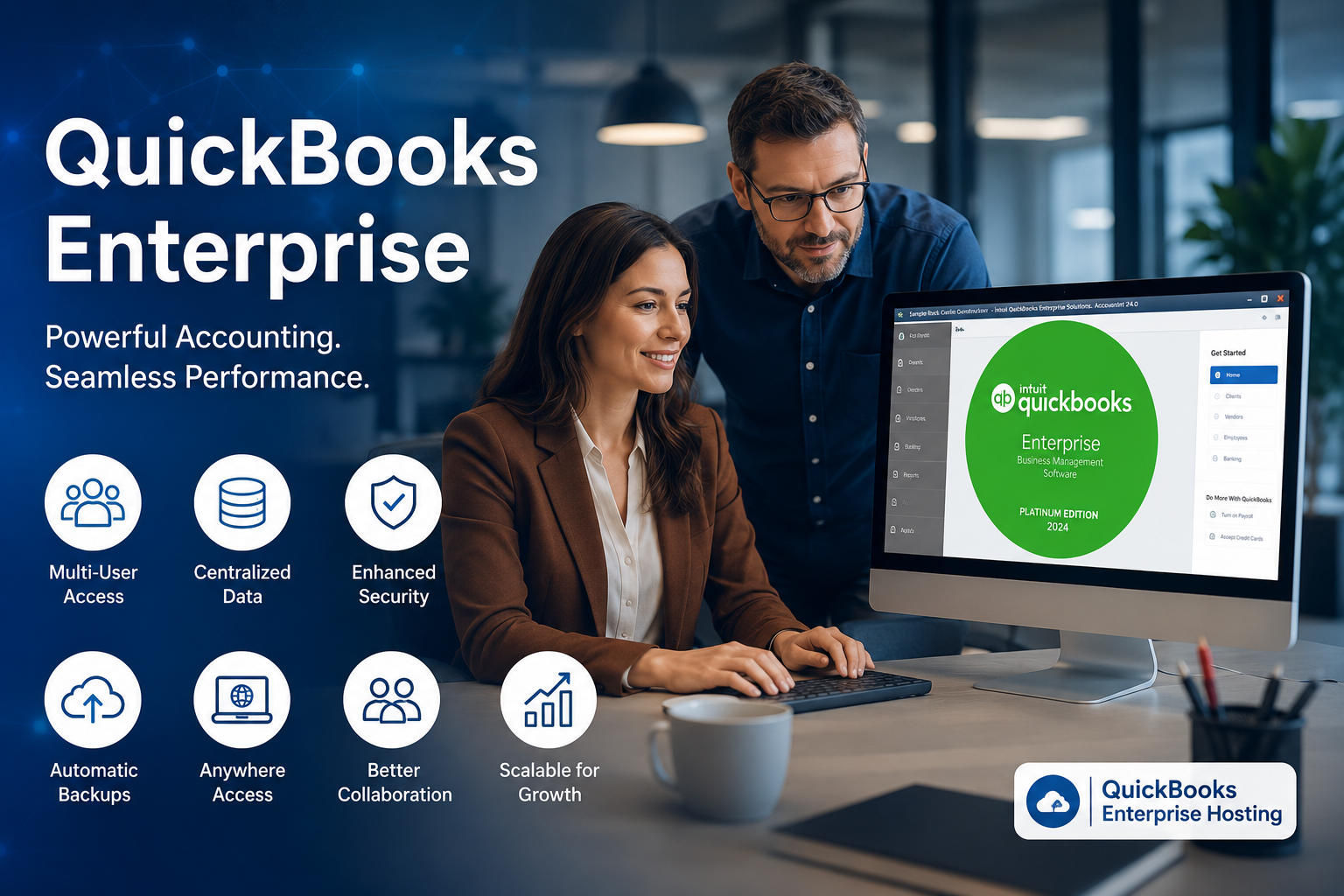
This is one of the main reasons more businesses are choosing QuickBooks Enterprise Hosting in 2026. Instead of being limited to one location, your accounting team can securely access the same company file from almost anywhere with an internet connection. Whether you’re running a construction company, manufacturing business, wholesale operation, or accounting firm, hosting can make collaboration easier while reducing the need for expensive IT maintenance.
However, moving QuickBooks to the cloud is not just about remote access. It can also improve business continuity, simplify software management, protect important financial data, and help your team work more efficiently.
In this guide, we’ll explore 20 practical benefits of using QuickBooks Enterprise Hosting. Rather than focusing on technical terms or sales claims, we’ll explain how each benefit can make everyday accounting tasks easier and help businesses work smarter in 2026.
What Is QuickBooks Enterprise Hosting?
QuickBooks Enterprise Hosting is a service that allows you to run your licensed QuickBooks Enterprise software on a secure cloud server instead of installing it only on a local computer or office server.
Your QuickBooks software remains the same, including the features, reports, inventory tools, payroll capabilities, and user permissions you already use. The main difference is where the software is stored and how you access it.
Instead of visiting the office every time you need to work, authorized users can securely sign in from their laptop, desktop, tablet, or other supported devices. Everyone works on the same company file, helping reduce confusion caused by multiple copies of financial data.
It’s also important to understand that QuickBooks Enterprise Hosting is different from QuickBooks Online. Hosting allows you to continue using the Enterprise version that many businesses already depend on while adding the flexibility of cloud access.
For companies that have invested time in learning QuickBooks Enterprise, hosting offers a way to modernize the way they work without changing the accounting software they already know.
20 Benefits of Using QuickBooks Enterprise Hosting
-
Access Your Business Data from Anywhere
One of the biggest advantages of QuickBooks Enterprise Hosting is the ability to access your accounting software from almost anywhere.
In the past, many businesses had to be in the office to review reports, create invoices, approve payments, or check inventory. If someone was traveling or working from home, getting access often required complicated remote desktop tools or waiting until they returned to the office.
With hosted QuickBooks Enterprise, authorized users can securely sign in from different locations using an internet connection. This gives business owners the flexibility to review financial information while traveling, accountants can finish month-end work from home, and managers can respond to customer needs without being tied to one office computer.
The result is greater flexibility without changing the way your team already works.
-
Allow Multiple Users to Work at the Same Time
As a business grows, accounting responsibilities are often shared across multiple employees. One team member may handle invoicing, another may manage payroll, while someone else focuses on reporting or expense tracking.
Working from a single office computer can create delays, especially when several people need access to QuickBooks throughout the day. Employees may have to wait for others to finish their work before they can continue with their own tasks.
QuickBooks Enterprise Hosting allows authorized users to work on the same company file at the same time from different locations. Since everyone is connected to one shared version of the data, updates are reflected in real time, helping reduce duplicate work and keeping financial information consistent.
This can make a noticeable difference for accounting firms and growing businesses where multiple departments rely on accurate financial data every day.
-
Improve Collaboration Across Your Team
Managing business finances is often a team effort. Business owners, accountants, payroll staff, inventory managers, and other employees may all need access to financial information as part of their daily work.
When accounting data is spread across different computers or shared manually, it becomes easier for team members to work with outdated information or lose track of the latest updates. This can slow down daily operations and create unnecessary confusion.
QuickBooks Enterprise Hosting keeps your company file in one central location, allowing authorized users to access the same up-to-date information whenever they need it. Everyone works from a single source of data, making communication more efficient and reducing mistakes caused by multiple file versions.
With better collaboration, teams can complete accounting tasks more efficiently, make faster decisions, and spend less time managing files or correcting avoidable errors.
-
Reduce IT Costs and Hardware Expenses
Maintaining an office server can be expensive. Businesses often need to purchase server hardware, replace aging equipment, install software updates, monitor security, and pay for ongoing maintenance.
These costs continue to grow as the business expands.
QuickBooks Enterprise Hosting can reduce many of these responsibilities because the hosting environment is managed by the provider. Instead of investing in new servers every few years, businesses can focus their budget on growth while relying on professionally managed infrastructure.
Although hosting is still an ongoing business expense, many companies find it more predictable than maintaining their own server environment.
-
Strengthen Data Security
Financial information is one of the most valuable assets a business owns. Customer records, payroll details, invoices, banking information, and tax documents all require strong protection.
Keeping this data on a single office computer can create unnecessary risks if the device is lost, damaged, or compromised.
A professionally managed QuickBooks Enterprise Hosting environment typically includes multiple security measures such as encrypted connections, controlled user permissions, network monitoring, and regular system updates.
Security is never guaranteed in any technology environment, but using multiple layers of protection can significantly reduce many common risks compared to relying on a single office computer with limited security controls.
-
Automatic Backups Help Protect Your Business
No business wants to lose months or years of accounting data because of a hardware failure, accidental deletion, or ransomware attack. Recovering lost financial records can take days or even weeks, and in some cases, the data may never be fully recovered.
With QuickBooks Enterprise Hosting, backups are generally handled as part of the hosting environment. Instead of relying on someone in the office to remember to create backups, they are performed on a scheduled basis according to the provider’s backup policy.
This gives businesses an extra layer of protection and makes it much easier to recover important data if something unexpected happens. It’s still a good idea to understand your provider’s backup schedule and data retention policy before choosing a hosting service.
-
Get Better Performance for Large Company Files
As your business grows, so does your QuickBooks company file. More customers, vendors, inventory items, invoices, payroll records, and financial reports can eventually affect performance, especially if you’re using older office computers.
While hosting cannot fix every performance issue, it can provide access to more powerful server resources than many businesses maintain in-house.
This often helps businesses work more efficiently with larger company files, reducing the time spent waiting for reports to open or routine accounting tasks to finish. Better performance also means employees spend more time working and less time waiting.
-
Scale Your Business More Easily
Business growth often creates new technology challenges. Hiring more employees usually means purchasing additional computers, expanding storage, upgrading servers, and increasing IT support.
These upgrades require both time and money.
QuickBooks Enterprise Hosting makes it easier to grow because additional users, storage, or computing resources can often be added without replacing office hardware. This flexibility allows businesses to adapt more quickly as their needs change.
Whether you’re opening another office, hiring seasonal staff, or expanding into new markets, having a scalable environment can make growth much easier to manage.
-
Work from Different Devices
Today’s workforce doesn’t always use the same type of computer. Some employees work from Windows laptops, others use desktop computers, while managers may need access while traveling.
Instead of limiting everyone to one office machine, QuickBooks Enterprise Hosting allows authorized users to connect from supported devices with an internet connection.
This flexibility helps business owners stay connected to their financial information whether they’re meeting clients, visiting job sites, or working remotely. Employees can continue using the same QuickBooks Enterprise software they’re already familiar with while enjoying greater flexibility in where they work.
-
Spend Less Time Maintaining Hardware
Office servers and desktop computers require regular attention. Hard drives fail, operating systems need updates, equipment becomes outdated, and unexpected hardware problems can interrupt business operations.
Managing all of this internally takes both time and technical knowledge.
With QuickBooks Enterprise Hosting, much of the server infrastructure is managed by the hosting provider. This reduces the amount of time businesses spend maintaining hardware and allows internal teams to focus on more valuable work instead of troubleshooting server issues.
For small and medium-sized businesses without a dedicated IT department, this can be a significant advantage.
-
Keep Your Business Running During Unexpected Events
Unexpected situations can happen at any time. Severe weather, power outages, office repairs, hardware failures, or other disruptions can prevent employees from accessing office computers.
When accounting data is available only inside the office, even a short interruption can delay payroll, invoicing, customer support, and other important business activities.
With QuickBooks Enterprise Hosting, authorized users can continue working from another location if they have internet access. This helps businesses maintain operations during unexpected events and reduces downtime that could affect customers or daily workflows.
Business continuity has become increasingly important for companies that depend on constant access to financial information.
-
Make Remote and Hybrid Work Easier
Remote and hybrid work have become a normal part of business operations. Many companies now have employees working from home several days a week or teams spread across different cities and states.
Traditional office-only accounting systems often struggle to support this way of working.
QuickBooks Enterprise Hosting provides secure access to the same company file regardless of where authorized employees are located. Everyone can continue using the same software without needing to email company files back and forth or wait until someone returns to the office.
This creates a smoother experience for both employees and business owners while supporting modern work environments.
-
Simplify Software Updates
Keeping accounting software updated is important for security, stability, and compatibility. However, manually updating multiple office computers can become time-consuming, especially as the business grows.
Missed updates may also create performance or compatibility problems over time.
In a hosted environment, software updates are generally easier to manage because they can be planned and applied in a more organized way. Businesses should still confirm how updates are handled with their hosting provider, but the overall process is often simpler than managing every workstation individually.
Less time spent updating systems means more time available for productive work.
-
Keep All Company Data in One Place
When multiple versions of the same QuickBooks company file exist, mistakes become much more likely. Employees may accidentally update an outdated file, create duplicate entries, or spend valuable time trying to identify the latest version.
QuickBooks Enterprise Hosting helps eliminate this confusion by keeping everyone connected to one central company file.
Working from a single source of information improves accuracy, reduces duplicate work, and makes collaboration much easier across departments.
For businesses with several employees handling accounting tasks, centralized data management can save a significant amount of time throughout the year.
-
Control Who Can Access Sensitive Information
Not every employee needs access to every part of your accounting system. Sensitive information such as payroll records, banking details, tax documents, and financial reports should only be available to the people responsible for managing them.
A hosted environment makes it easier to organize user access by assigning different permission levels based on each employee’s role. This means staff members only see the tools and information they need for their daily tasks, helping reduce unnecessary access to confidential business data.
Using role-based access also lowers the chances of accidental changes to important financial records. As your team grows, managing user permissions becomes simpler while keeping your accounting data more organized and secure.
-
Connect QuickBooks with Other Business Applications
Most businesses use more than just accounting software. They may also rely on Microsoft 365, CRM software, payment processing tools, tax applications, inventory management systems, or document storage platforms.
QuickBooks Enterprise Hosting allows you to continue using many of the applications that work with your QuickBooks environment. Since everything can be accessed from the same hosted environment, employees spend less time switching between different systems or transferring files from one computer to another.
Before moving to a hosted environment, it’s always a good idea to confirm that your required applications are supported. Doing so helps ensure a smooth transition and keeps your daily workflow running without unnecessary interruptions.
-
Save Time on Everyday Accounting Tasks
Small delays can quickly add up during a busy workday. Waiting for reports to load, searching for the latest company file, reconnecting remote users, or troubleshooting office computers can reduce productivity more than many businesses realize.
QuickBooks Enterprise Hosting helps remove many of these everyday challenges by giving authorized users access to the same accounting environment from wherever they work. Team members can complete routine tasks without depending on a specific office computer or asking someone else to send updated files.
Saving just a few minutes on common accounting tasks each day can result in many productive hours over the course of a year.
-
Recover More Quickly from Unexpected Problems
Every business hopes that nothing goes wrong, but unexpected events are always possible. Hardware failures, accidental file deletion, cyberattacks, or natural disasters can interrupt normal operations with very little warning.
While no technology can prevent every problem, having a recovery plan is essential.
A professionally managed QuickBooks Enterprise Hosting environment is typically designed with recovery in mind. Combined with scheduled backups and managed infrastructure, businesses can often restore access to important accounting data much faster than if they relied only on a single office computer.
This helps reduce downtime and allows employees to return to work sooner after an unexpected event.
-
Improve Overall Business Productivity
When employees have reliable access to the tools they need, they can focus on serving customers instead of solving technical problems.
QuickBooks Enterprise Hosting supports a more efficient work environment by making accounting data easier to access, improving collaboration, reducing file management issues, and simplifying everyday operations.
Business owners also spend less time worrying about server maintenance or whether employees are working with outdated information. Instead, teams can focus on completing projects, managing finances, and making informed business decisions.
Over time, these small improvements can have a meaningful impact on overall productivity.
-
Prepare Your Business for Future Growth
Technology continues to change the way businesses operate. Companies that invest in flexible systems today are often better prepared for future growth tomorrow.
Whether your business plans to hire additional employees, open new locations, expand into new markets, or support more remote workers, your accounting system should be able to grow with you.
QuickBooks Enterprise Hosting provides the flexibility many businesses need without requiring them to replace the accounting software they already know. Instead of rebuilding your accounting processes, you can continue using QuickBooks Enterprise while adapting to changing business needs.
For growing businesses, this flexibility can make long-term planning much easier.
How to Choose the Right QuickBooks Enterprise Hosting Provider
Not every hosting provider offers the same level of service. Before making a decision, take time to compare more than just pricing.
Here are a few important factors to consider:
| What to Look For | Why It Matters |
| Security | Ask how your financial data is protected and how user access is managed. |
| Backups | Understand how often backups are performed and how long they are retained. |
| Support | Find out when support is available and how quickly you can contact someone if you need help. |
| Performance | Ask about the server infrastructure and whether it can handle your company’s workload. |
| Migration Assistance | A good provider should make moving your QuickBooks environment as smooth as possible. |
| Scalability | Make sure additional users and resources can be added as your business grows. |
| Application Compatibility | Confirm that your required accounting and business applications are supported. |
| Transparent Pricing | Review what is included in the monthly cost before making a commitment. |
Choosing the right provider is about finding a balance between performance, security, support, and long-term value rather than selecting the lowest price.
Frequently Asked Questions
Is QuickBooks Enterprise Hosting the same as QuickBooks Online?
No. QuickBooks Enterprise Hosting allows you to use your licensed QuickBooks Enterprise software on a cloud server. QuickBooks Online is a different product with its own features and interface.
Can multiple users work in QuickBooks Enterprise at the same time?
Yes. Authorized users can access the same company file simultaneously, making collaboration much easier for accounting teams.
Is QuickBooks Enterprise Hosting secure?
A professionally managed hosting environment typically includes multiple security measures such as encrypted connections, user permissions, monitoring, and regular system updates. However, you should always review the security practices of any provider before making a decision.
Can I access QuickBooks Enterprise while traveling?
Yes. As long as you have an internet connection and the appropriate permissions, you can securely access your hosted QuickBooks environment from supported devices.
Will hosting make QuickBooks faster?
Hosting can improve performance for many businesses, especially those using older office hardware or large company files. However, overall speed also depends on factors such as internet quality, server resources, and the size of your QuickBooks data file.
Can I continue using my existing QuickBooks Enterprise license?
In many cases, yes. Licensing requirements can vary, so it’s best to confirm the details with your hosting provider before migrating.
Do I need an in-house server after moving to hosting?
Many businesses no longer need to rely on a dedicated office server for QuickBooks once they move to a hosted environment. Your overall IT requirements will depend on your specific business setup.
Is QuickBooks Enterprise Hosting suitable for small businesses?
Yes. While many larger organizations use it, small and growing businesses can also benefit from easier remote access, better collaboration, and reduced IT management.
Final Thoughts
Businesses today need accounting systems that support flexibility, collaboration, and reliable access to financial information. As teams become more distributed and business operations continue to evolve, relying on a single office computer is no longer the best solution for many organizations.
QuickBooks Enterprise Hosting helps businesses continue using the powerful features of QuickBooks Enterprise while making it easier for authorized users to work securely from different locations. From improved collaboration and automatic backups to simplified IT management and better scalability, the benefits go far beyond remote access.
Before making a decision, take time to evaluate your current workflow, your future growth plans, and the level of support your business needs. By choosing the right hosting solution, you can create a more flexible accounting environment that supports your business not only in 2026 but for years to come.