 Admin
AdminQuickBooks Hosting vs QuickBooks Online: Which One Should You Choose?
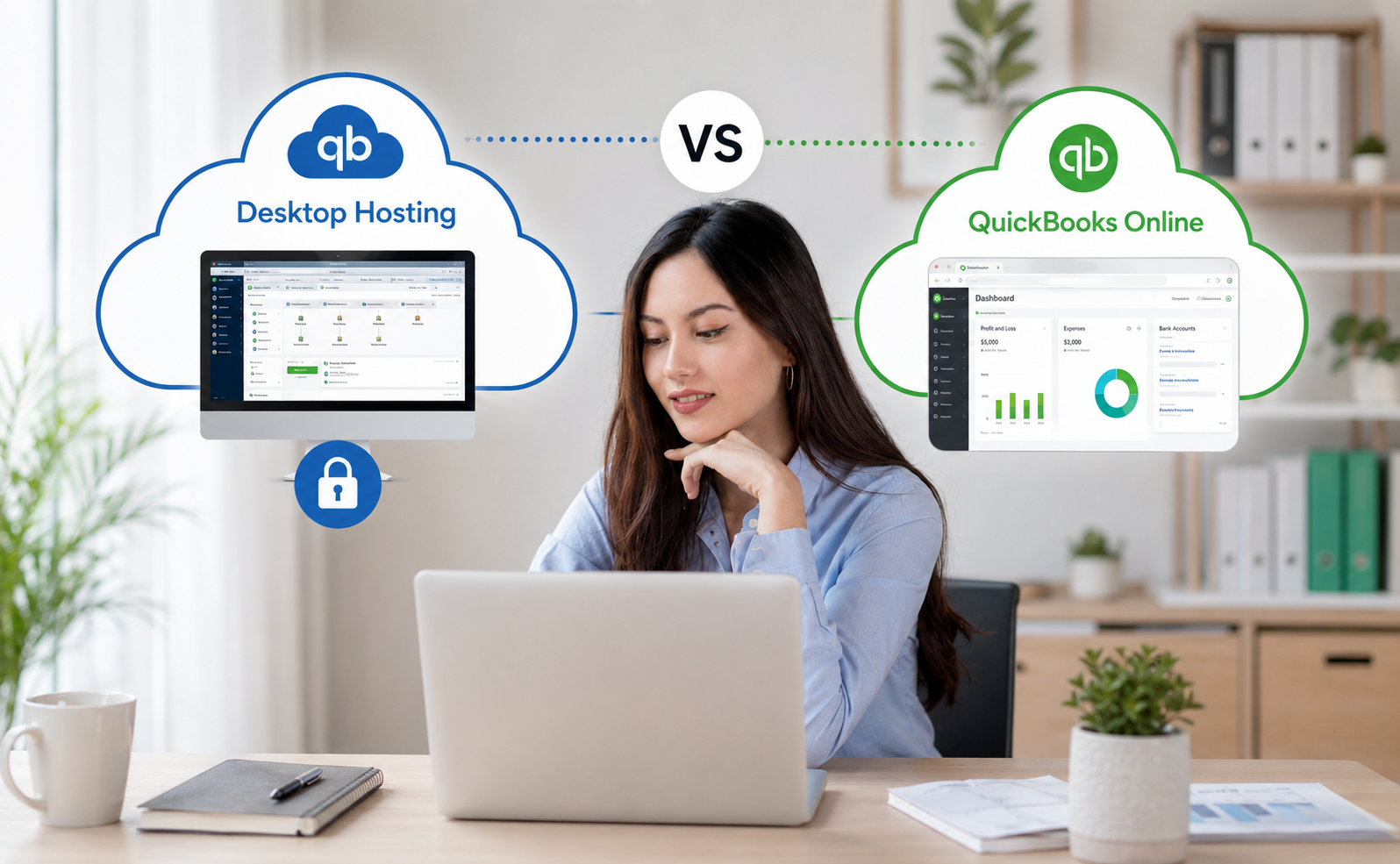
Choosing between QuickBooks hosting vs QuickBooks Online can be confusing, especially if your business already uses QuickBooks Desktop but wants better remote access. Both options can help businesses manage accounting in a cloud-connected way, but they are not the same solution.
QuickBooks Online is a cloud-based accounting platform that users access through a browser or mobile app. QuickBooks hosting, on the other hand, typically refers to hosting QuickBooks Desktop on a remote server, allowing users to access the Desktop application from various locations.
This QuickBooks hosting vs QuickBooks Online guide will help you compare both options clearly. You will learn the core difference, how each setup works, where each option performs better, and how to decide which one fits your business.
The goal is not to say one option is always better than the other. The right choice depends on your workflow, users, accounting needs, Desktop feature requirements, budget, and long-term business goals.
The Core Difference
The simplest way to understand QuickBooks hosting vs QuickBooks Online is this:
QuickBooks Online is a cloud-native accounting software. QuickBooks hosting is a way to access QuickBooks Desktop through a cloud-hosted environment.
That difference matters because each option provides a distinct experience.
| Comparison Point | QuickBooks Hosting | QuickBooks Online |
| Software type | QuickBooks Desktop hosted on a remote server | Web-based QuickBooks platform |
| Access method | Remote desktop, browser-based access, or hosted environment login | Browser or mobile app |
| Best for | Businesses that want Desktop features with remote access | Businesses that want simple cloud-based accounting |
| Desktop interface | Yes | No |
| Local server required | No, if hosted by a provider | No |
| Add-on app support | Depends on hosting provider and application | Depends on QuickBooks Online app marketplace |
| Setup complexity | Usually requires migration and provider setup | Usually faster to start |
| Main advantage | Desktop power with cloud access | Native cloud convenience |
This cloud QuickBooks comparison is important because many businesses use the phrase “cloud QuickBooks” for both options. However, QuickBooks Online vs hosted QuickBooks is not just a naming difference. It affects features, workflows, access, pricing, and user experience.
What Is QuickBooks Hosting?
QuickBooks hosting means your QuickBooks Desktop software and company files are hosted on a secure remote server. Instead of installing and using QuickBooks only on a local office computer, authorized users connect to the hosted environment and use QuickBooks Desktop remotely.
In a hosted setup, your provider usually manages the server, access environment, backups, security layers, and technical support. Your team logs in, opens QuickBooks Desktop, and works with the company file.
QuickBooks hosting may be useful if your business:
- Already uses QuickBooks Desktop
- Needs Desktop-specific features or reports
- Has multiple users in different locations
- Works with outside accountants or bookkeepers
- Wants cloud access without switching to QuickBooks Online
- Uses add-on applications built around Desktop workflows
- Needs a centralized company file for remote access
In the QuickBooks Desktop hosting vs Online discussion, hosting is often preferred by companies that want to keep the Desktop experience. It can be a good fit for businesses that are comfortable with QuickBooks Desktop and do not want to retrain their team on a different platform.
QuickBooks hosting can also support businesses with complex accounting needs. Some companies prefer Desktop because of industry-specific tools, advanced inventory workflows, reporting preferences, or long-standing internal processes.
What Is QuickBooks Online?
QuickBooks Online is Intuit’s web-based accounting platform. It is designed to run in the cloud, which means users do not need to install traditional Desktop software on a local machine. They can access the platform from supported devices using an internet connection.
QuickBooks Online is often a strong choice for small businesses that want a simple, flexible, and modern accounting system. It is commonly used for invoicing, expense tracking, bank feeds, reporting, payments, payroll connections, and accountant collaboration.
QuickBooks Online may be useful if your business:
- Wants a fully browser-based accounting system
- Does not need Desktop-specific features
- Prefers easier setup and lower technical maintenance
- Wants mobile access
- Uses cloud-based business apps
- Has a simple or moderate accounting workflow
- Wants automatic software updates within the platform
- Is comfortable working in the Online interface
When comparing QuickBooks Online vs hosted QuickBooks, QuickBooks Online usually wins on simplicity. There is no separate hosting environment to manage, and users can usually get started faster.
However, QuickBooks Online may not match every Desktop workflow. Businesses that rely on Desktop-specific features, custom reports, or certain third-party Desktop applications should compare carefully before switching.
Feature-by-Feature Comparison
A useful QuickBooks hosting vs QuickBooks Online decision should be based on real business needs, not just price or popularity. The table below compares the most important areas.
| Feature Area | QuickBooks Hosting | QuickBooks Online |
| Remote access | Yes, through hosted Desktop access | Yes, through browser/mobile app |
| Desktop features | Keeps QuickBooks Desktop features | Uses Online feature set |
| Ease of setup | Requires hosting setup and migration | Usually easier to start |
| User experience | Similar to QuickBooks Desktop | Different Online interface |
| Mobile access | Depends on hosting access method | Strong mobile-friendly access |
| Backups | Usually handled by hosting provider | Managed within cloud platform |
| Add-on applications | Strong for Desktop-compatible apps | Strong for Online-compatible apps |
| IT maintenance | Provider manages server environment | Intuit manages platform infrastructure |
| Learning curve | Lower for Desktop users | Lower for new cloud-first users |
| Best use case | Desktop users needing remote access | Cloud-first accounting teams |
This cloud QuickBooks comparison shows that both options can support remote work. The better choice depends on whether your business wants to keep Desktop or move fully into a web-based accounting system.
Access and flexibility
Both options allow remote access, but they do it differently. QuickBooks Online is built for online access from the start. Hosted QuickBooks gives remote access to the Desktop version through a hosted server.
If your team only needs basic cloud access, QuickBooks Online may be enough. If your team needs the Desktop application remotely, QuickBooks hosting may be a better fit.
Features and workflows
QuickBooks Desktop and QuickBooks Online have different feature sets. Some businesses prefer Desktop because they have used it for years and rely on specific reports, inventory tools, job costing workflows, or industry processes.
QuickBooks Online can still be powerful, especially for cloud-first businesses. But before moving from Desktop to Online, companies should confirm that their required workflows are available.
Collaboration
Both solutions support collaboration, but the experience is different. QuickBooks Online allows users and accountants to work in a shared online system. Hosted QuickBooks lets multiple authorized users access the Desktop environment, depending on the license, setup, and permissions.
For accountants who work with many Desktop-based clients, hosted QuickBooks may feel more familiar. For businesses already using cloud tools, QuickBooks Online may feel more natural.
Cost structure
QuickBooks Online usually has subscription-based pricing by plan. QuickBooks hosting can include hosting fees, QuickBooks licensing, user count, storage, migration, support, and add-on application costs.
This means the cheapest-looking option is not always the best option. A proper QuickBooks Desktop hosting vs Online comparison should include total cost, not just monthly software pricing.
When QuickBooks Online May Be Better
QuickBooks Online may be the better choice when your business wants a simple cloud accounting platform and does not need Desktop-specific functionality.
It can be a strong fit for startups, freelancers, service businesses, consultants, and small businesses with straightforward accounting needs. It is also useful for teams that want easy access from different devices without setting up a hosted Desktop environment.
QuickBooks Online may be better if:
- You are starting fresh and do not already depend on Desktop
- Your accounting workflow is simple or moderate
- You want browser-based access
- You prefer a mobile-friendly accounting experience
- You do not need specialized Desktop features
- You want simpler software maintenance
- Your team is comfortable learning the Online interface
- Your accountant already supports QuickBooks Online
For many businesses, QuickBooks Online is attractive because it reduces technical complexity. There is no need to manage a Desktop installation, local server, or hosted Desktop environment.
In the QuickBooks Online vs hosted QuickBooks decision, choose QuickBooks Online if cloud convenience is more important than keeping the Desktop experience.
When QuickBooks Hosting May Be Better
QuickBooks hosting may be the better choice when your business wants remote access but also wants to keep QuickBooks Desktop.
This is common for companies that have used QuickBooks Desktop for years and built their accounting process around it. It may also be the right option for businesses with industry-specific needs, advanced reporting preferences, or Desktop add-on applications.
QuickBooks hosting may be better if:
- You already use QuickBooks Desktop
- Your team prefers the Desktop interface
- You need Desktop-specific features
- You use Desktop-compatible third-party applications
- You want remote access without switching to QuickBooks Online
- Your accountant works better with Desktop files
- You need centralized access for multiple locations
- You want provider-managed server support
The QuickBooks Desktop hosting vs Online decision often comes down to this question: do you want to change accounting platforms, or do you want to make your current Desktop platform easier to access?
If the answer is that you want to keep Desktop, hosted QuickBooks may be the more practical path.
Which Option Is Better for Accountants and Businesses?
There is no universal winner in the QuickBooks hosting vs QuickBooks Online debate. The better option depends on the type of user and the way the business handles accounting.
For accountants and CPA firms, hosted QuickBooks can be useful when many clients still use QuickBooks Desktop. It allows firms to work in a familiar Desktop environment while improving access and collaboration. This can be helpful during tax season, month-end close, and client review periods.
For small businesses, QuickBooks Online may be better if they want simple cloud access, invoicing, expense tracking, and accountant collaboration without hosting setup. It can be especially useful for newer businesses that do not have a strong Desktop dependency.
For growing companies, the decision can be more complex. A business with inventory, job costing, multiple entities, or advanced reporting needs may prefer QuickBooks Desktop hosting. A business focused on cloud workflows, mobile use, and app integrations may prefer QuickBooks Online.
Here is a simple decision table:
| Business Type | Better Fit May Be | Why |
| Startup or freelancer | QuickBooks Online | Easy setup and cloud-native access |
| Desktop-based small business | QuickBooks Hosting | Keeps Desktop while adding remote access |
| CPA firm with Desktop clients | QuickBooks Hosting | Familiar Desktop environment for client files |
| Mobile-first business owner | QuickBooks Online | Strong browser and mobile access |
| Multi-location company using Desktop | QuickBooks Hosting | Centralized hosted access |
| Business with simple accounting | QuickBooks Online | Less setup complexity |
| Business with Desktop add-ons | QuickBooks Hosting | Better for Desktop-compatible workflows |
This cloud QuickBooks comparison should be treated as a decision guide, not a strict rule. Every business should review its own processes before choosing.
QuickBooks Hosting vs QuickBooks Online: Pros and Cons
A balanced comparison should include both advantages and limitations.
QuickBooks Hosting Pros
- Keeps the familiar QuickBooks Desktop experience
- Supports Desktop-specific workflows
- Helps remote teams access QuickBooks Desktop
- Can support Desktop add-on applications
- Useful for accountants and CPA firms
- Reduces dependence on local office computers
- Provider may handle server maintenance and backups
QuickBooks Hosting Cons
- Requires a hosting provider or hosted setup
- May cost more when hosting, licensing, users, and support are included
- Performance depends on internet connection and hosting quality
- Setup and migration may take planning
- Not always necessary for very simple businesses
QuickBooks Online Pros
- Built for cloud access
- Easier to start for many small businesses
- No hosted Desktop server required
- Browser and mobile access
- Automatic platform updates
- Strong fit for simple and moderate accounting workflows
- Works well with many online apps
QuickBooks Online Cons
- Different from the Desktop interface
- May not support every Desktop workflow
- Some Desktop reports or features may not translate exactly
- Requires users to adapt to the Online platform
- Plan limits and feature availability must be reviewed
This QuickBooks Desktop hosting vs Online breakdown helps prevent a common mistake: assuming both options are interchangeable. They are both cloud-connected, but they serve different business needs.
Final Decision Checklist
Before choosing between QuickBooks hosting vs QuickBooks Online, ask these questions:
- Are we already using QuickBooks Desktop?
- Do we depend on Desktop-specific features?
- Do we need access from multiple locations?
- Do we use third-party Desktop applications?
- Is our team willing to learn QuickBooks Online?
- Does our accountant prefer Online or Desktop?
- How many users need access?
- What is our total monthly cost for software, hosting, support, and apps?
- Do we need mobile-first access?
- How important are backups, permissions, and IT support?
- Are we trying to simplify accounting or preserve an existing Desktop workflow?
If most answers point toward keeping Desktop, hosted QuickBooks may be the better option. If most answers point toward simplicity, mobile access, and cloud-native work, QuickBooks Online may be the better fit.
FAQs About QuickBooks Hosting vs QuickBooks Online
Is QuickBooks hosting the same as QuickBooks Online?
No. QuickBooks hosting usually means QuickBooks Desktop is hosted on a remote server. QuickBooks Online is a separate cloud-based accounting platform accessed through a browser or mobile app.
Which is better: QuickBooks Online vs hosted QuickBooks?
QuickBooks Online may be better for businesses that want a simple cloud-native platform. Hosted QuickBooks may be better for businesses that need QuickBooks Desktop features with remote access.
What is the main difference in QuickBooks Desktop hosting vs Online?
The main difference is the software experience. QuickBooks Desktop hosting uses the Desktop application in a hosted environment, while QuickBooks Online uses the web-based version of QuickBooks.
Is QuickBooks Online easier to use than hosted QuickBooks?
It can be easier for businesses starting fresh or using simple workflows. However, Desktop users may find hosted QuickBooks easier because it keeps the familiar Desktop interface.
Is hosted QuickBooks good for accountants?
Yes, hosted QuickBooks can be useful for accountants and CPA firms that work with Desktop-based clients. It can help them access client files remotely while staying in the Desktop environment.
Can I move from QuickBooks Desktop hosting to QuickBooks Online later?
In many cases, businesses can move from Desktop to Online, but the process should be reviewed carefully. Features, reports, lists, and workflows may not transfer exactly the same way.
Which option is better for remote teams?
Both can support remote teams. QuickBooks Online is cloud-native, while QuickBooks hosting gives remote access to QuickBooks Desktop. The better option depends on whether your team wants Online or Desktop.
Final Thoughts
The QuickBooks hosting vs QuickBooks Online decision should be based on your business workflow, not just the word “cloud.” Both options offer remote access, but they solve different problems.
QuickBooks Online is often the better choice for businesses that want a simple, cloud-native accounting platform with browser and mobile access. It can work well for startups, service businesses, freelancers, and teams that do not rely on Desktop-specific features.
QuickBooks hosting is often the better choice for businesses that already use QuickBooks Desktop and want remote access without changing their accounting environment. It can be especially useful for CPA firms, multi-location businesses, Desktop-based teams, and companies with specific Desktop workflows.
When making a cloud QuickBooks comparison, think about features, users, cost, support, integrations, and long-term flexibility. Do not choose based only on price or popularity. Choose the option that matches how your business actually manages accounting.
Need Desktop features with remote access? Explore our hosted QuickBooks solution to learn how a hosted environment can support your accounting workflow.