 Admin
AdminWhat Is QuickBooks Hosting? A Beginner’s Guide
If your business uses QuickBooks Desktop and your accounting team needs remote access, you may be asking a simple question: what is QuickBooks hosting? In basic terms, QuickBooks hosting is a way to run your QuickBooks Desktop software and company files on a secure cloud server instead of keeping everything on one office computer or local network.
This guide explains what is QuickBooks hosting, how it works, who needs it, and what you should check before choosing a provider. It is written for business owners, bookkeepers, accountants, CPA firms, and teams that want easier access to QuickBooks without losing the familiar Desktop experience.
QuickBooks cloud hosting is often useful for companies that still prefer QuickBooks Desktop but want cloud flexibility. With hosted QuickBooks, users can log in from approved devices, access the same company file, and work together without sending files back and forth. That is why QuickBooks Desktop hosting and cloud-hosted QuickBooks are common choices for remote, hybrid, and multi-location businesses.
Quick Definition of QuickBooks Hosting
So, what is QuickBooks hosting? It is a cloud-based setup where your QuickBooks Desktop application and company data are hosted on a remote server managed by a hosting provider. Instead of installing QuickBooks on only one local machine, the software is installed in a hosted environment, and users connect to it through a secure internet connection.
A hosted setup usually includes the QuickBooks application, your company file, user permissions, storage, backup support, and server maintenance. The goal is to make QuickBooks Desktop easier to access without requiring your business to manage local servers.
Here is a simple way to understand it:
Setup Type |
Where QuickBooks Runs |
Best For |
| Local QuickBooks Desktop | Office computer or local server | Single-location teams with limited remote access needs |
| QuickBooks Online | Web-based QuickBooks product | Businesses that want a fully online accounting platform |
| QuickBooks Desktop hosting | Remote cloud server | Teams that want Desktop features with remote access |
| Cloud-hosted QuickBooks | Hosted server environment | Remote, hybrid, multi-user, or multi-location teams |
The key point is that QuickBooks cloud hosting is not the same as QuickBooks Online. It is a separate accounting product. Hosted QuickBooks keeps the Desktop software experience but makes it available through a cloud environment.
How QuickBooks Hosting Works
To understand what is QuickBooks hosting, it helps to look at the basic process. A hosting provider sets up a remote server, installs QuickBooks Desktop on that server, and places your company file in the hosted environment. Your authorized users then log in to the server and use QuickBooks as if it were running on their own computer.
The process usually follows these steps:
- Your business chooses a hosting plan based on users, storage, apps, and support needs.
- QuickBooks Desktop is installed on the hosted server.
- Your company file is uploaded or migrated to the hosted environment.
- User accounts and permissions are created.
- Users connect through a secure remote access method.
- The hosting provider manages server maintenance, backups, and technical support.
For example, your business owner may review reports from home, your bookkeeper may update transactions from another location, and your accountant may access the file during tax season. Hosted QuickBooks makes this possible because the software and data are not tied to one physical office computer.
QuickBooks Desktop hosting can also support related accounting applications, depending on the provider and your workflow. Many businesses use add-on tools for payroll, inventory, tax, document management, or reporting. If these applications are important to your team, you should confirm compatibility before moving to a cloud-hosted QuickBooks setup.
QuickBooks Hosting vs Local QuickBooks Desktop
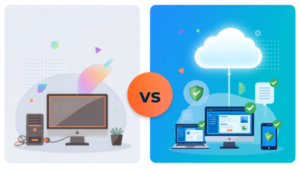
Many businesses start with QuickBooks Desktop installed on a local computer. This can work well in the beginning, especially when only one person handles accounting. But as the business grows, local access can become limiting.
With local QuickBooks Desktop, users often need to be in the office or connected to the office network. If the main computer is unavailable, damaged, or turned off, access may be interrupted. If the company file is copied and emailed between users, version control can become a problem.
With QuickBooks Desktop hosting, the software and files are placed on a remote server. Users can access the same hosted environment from approved locations, making collaboration easier and reducing dependence on a single office device.
Feature |
Local QuickBooks Desktop |
Hosted QuickBooks |
| Remote access | Limited or requires extra setup | Built for secure remote access |
| Multi-location use | Difficult to manage | Easier for distributed teams |
| File sharing | May involve manual transfer | Centralized company file access |
| Hardware dependency | Depends on office computer/server | Runs on hosted cloud server |
| Backup responsibility | Usually handled by the business | Often included by hosting provider |
| IT maintenance | Business may manage it | Provider usually handles server support |
This comparison helps answer what is QuickBooks hosting from a practical point of view. It is not just about moving software to the cloud. It is about creating a more flexible accounting environment for teams that need reliable access.
QuickBooks Hosting vs QuickBooks Online
Another common question is whether QuickBooks cloud hosting is the same as QuickBooks Online. The answer is no. They both provide cloud access in different ways, but they are not the same solution.
QuickBooks Online is built as an online accounting platform. Users log in through a browser and work in the online version of QuickBooks. It can be a good option for businesses that want a web-based system and do not depend on Desktop-specific features.
Hosted QuickBooks is different because it uses QuickBooks Desktop in a cloud server environment. This means your business can keep the Desktop interface, Desktop reports, familiar workflows, and certain Desktop features while gaining remote access.
Here is a quick comparison:
Question |
QuickBooks Online |
QuickBooks Desktop Hosting |
| Is it web-based? | Yes | Accessed remotely, but uses Desktop software |
| Does it keep the Desktop interface? | No | Yes |
| Is it suitable for Desktop users? | Sometimes | Usually yes |
| Does it require hosting? | No | Yes |
| Is it useful for remote access? | Yes | Yes |
| Is it ideal for Desktop-specific workflows? | Not always | Often yes |
If your team asks what is QuickBooks hosting because you want remote access but still need Desktop features, QuickBooks Desktop hosting may be the better fit. If you want a fully online product and are comfortable with the Online version’s features, QuickBooks Online may be enough.
you can visit QuickBooks Desktop Hosting Vs QuickBooks online blog for detailed information.
Who Needs Hosted QuickBooks?
Hosted QuickBooks is not required for every company. A single-user business that works from one office computer may not need it immediately. However, many growing businesses reach a point where local access becomes inconvenient.
QuickBooks cloud hosting may be useful for:
- Small businesses with remote owners or bookkeepers
- CPA firms that work with multiple client files
- Accounting teams with hybrid work schedules
- Companies with more than one office location
- Businesses that rely on QuickBooks Desktop features
- Teams that need secure access for outside accountants
- Organizations that want better backup and continuity
- Businesses that use QuickBooks add-on applications
For CPA firms, cloud-hosted QuickBooks can make client collaboration easier. Instead of waiting for file transfers or accountant copies, teams can access the hosted environment based on permissions. For small businesses, hosted access can help the owner, bookkeeper, and accountant work from different places while using the same accounting data.
If your business frequently struggles with remote access, file sharing, or local server issues, hosted QuickBooks may be worth exploring.
Main Benefits of QuickBooks Cloud Hosting
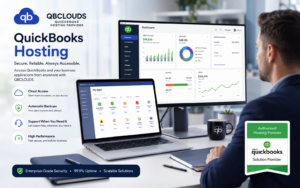
The value of QuickBooks cloud hosting comes from combining Desktop functionality with cloud access. Businesses often choose hosting because they want flexibility without changing their entire accounting workflow.
- Remote Access from Anywhere
One of the biggest benefits is remote access. With hosted QuickBooks, authorized users can access the accounting system from approved devices and locations. This is helpful for business owners who travel, employees who work from home, and accountants who need access during busy periods.
- Better Team Collaboration
QuickBooks Desktop hosting allows users to work in a centralized environment. This reduces confusion caused by different file versions and manual transfers. When the right permissions are in place, multiple users can work more efficiently on the same company data.
- Reduced Dependence on Office Hardware
Local computers can fail, slow down, or become unavailable. Cloud-hosted QuickBooks reduces dependence on one physical machine because the application and data are hosted on a remote server. This can improve access continuity when local hardware causes problems.
- Backup and Disaster Recovery Support
Many hosting providers include backup and recovery options. This can help protect accounting data from local hardware failure, accidental deletion, or unexpected technical issues. Backup policies vary by provider, so businesses should always review how often backups are created and how restoration works.
- Less IT Maintenance
Managing local servers, permissions, updates, and backups can take time. With hosted QuickBooks, the provider usually manages the hosting infrastructure. This allows your team to focus more on accounting and less on technical maintenance.
- Familiar Desktop Experience
Some businesses do not want to move away from QuickBooks Desktop because they rely on its features, interface, or reports. QuickBooks Desktop hosting gives them cloud flexibility while keeping the Desktop experience they already know.
- Scalability for Growing Teams
As your business grows, you may need more users, storage, or application access. QuickBooks cloud hosting can be scaled based on your hosting plan and provider capabilities. This makes it useful for companies that expect their accounting needs to grow over time.
Things to Check Before Choosing Hosting
Before you choose a provider, do more than ask what is QuickBooks hosting. You should also ask how the provider manages security, performance, support, backups, and compatibility.
Use this checklist before selecting a hosting service:
- Does the provider support your version of QuickBooks Desktop?
- Can the setup handle your number of users?
- Are your company files and add-on applications compatible?
- What backup schedule is included?
- How quickly can data be restored if needed?
- What security measures protect the hosted environment?
- Is multi-factor authentication available?
- What support hours are included?
- Does the provider offer migration help?
- Are there storage, user, or application limits?
- Is pricing monthly, annual, per user, or customized?
- What happens if you want to cancel or move your data?
Security should be one of the most important parts of the decision. QuickBooks contains sensitive financial information, so access controls, password policies, monitoring, and backup protection matter. A reliable hosted setup should make it easy to control who can access the system and what each user can do.
Performance also matters. If the hosted environment is slow, accounting tasks become frustrating. Ask about server resources, storage, uptime practices, and support response times before making a decision.
Common Misconceptions About QuickBooks Hosting
Because many businesses are still learning what is QuickBooks hosting, a few misunderstandings are common.
The first misconception is that hosting means switching to QuickBooks Online. That is not correct. QuickBooks Desktop hosting keeps the Desktop application but moves access to a hosted cloud server.
The second misconception is that hosting automatically solves every accounting problem. Hosting can improve access, collaboration, and continuity, but it does not replace good bookkeeping practices, clean data, user training, or proper permissions.
The third misconception is that every provider offers the same service. In reality, hosting plans vary widely. Some providers focus on basic access, while others offer stronger support, backups, security, and application hosting. This is why comparing providers is important.
The fourth misconception is that cloud-hosted QuickBooks is only for large companies. In reality, small businesses, bookkeepers, CPA firms, and growing teams can all benefit when they need flexible access to QuickBooks Desktop.
FAQs About QuickBooks Hosting
What is QuickBooks hosting?
QuickBooks hosting is a cloud setup that allows users to access QuickBooks Desktop from a remote server. The software and company files are hosted in a managed environment, and authorized users connect through a secure internet connection.
Is QuickBooks hosting the same as QuickBooks Online?
No. QuickBooks Online is a separate online accounting product. Hosted QuickBooks uses QuickBooks Desktop software in a cloud server environment, which helps businesses keep Desktop workflows while gaining remote access.
Is QuickBooks cloud hosting secure?
QuickBooks cloud hosting can be secure when the provider uses strong login controls, server monitoring, backup systems, firewalls, and proper access permissions. Security also depends on user habits, such as strong passwords and careful account management.
Can multiple users access hosted QuickBooks?
Yes, multiple users can access hosted QuickBooks when the QuickBooks license, hosting plan, and permissions support multi-user access. This is one of the main reasons teams choose QuickBooks Desktop hosting.
What is cloud-hosted QuickBooks best for?
Cloud-hosted QuickBooks is best for businesses that want remote access to QuickBooks Desktop, better collaboration, centralized company file access, and reduced dependence on local office hardware.
Does QuickBooks hosting include backups?
Many providers include backups, but backup frequency and retention vary. Always ask how often backups happen, how long they are stored, and how quickly your data can be restored.
How much does QuickBooks Desktop hosting cost?
Pricing depends on users, storage, applications, support, backups, and provider features. Some providers charge per user per month, while others offer custom plans based on business needs.
When should a business consider QuickBooks hosting?
A business should consider hosting when local access is limiting productivity, remote users need reliable access, accounting files are difficult to share, or the team wants Desktop functionality with cloud convenience.
Final Thoughts
If you started this guide by asking what is QuickBooks hosting, the answer is now clear. It is a way to use QuickBooks Desktop from a secure hosted server so your team can access accounting files more flexibly.
QuickBooks cloud hosting is not the same as QuickBooks Online. Instead, it gives businesses a way to keep the Desktop software they already know while improving remote access, collaboration, backup support, and IT convenience.
Hosted QuickBooks can be especially helpful for small businesses, CPA firms, bookkeepers, remote teams, and companies with multiple locations. It is also useful for organizations that depend on Desktop-specific features but want the flexibility of cloud access.
Before choosing a provider, review compatibility, security, backups, support, pricing, and migration help. The right QuickBooks Desktop hosting setup should make accounting access easier without creating confusion or unnecessary technical burden.
If your business wants to explore secure remote access for QuickBooks Desktop, learn more about our QuickBooks hosting services and see how a hosted environment can support your accounting workflow.