 Admin
AdminQuickBooks Hosting Providers: Features, Pricing, Support, and How to Choose
QuickBooks Desktop is still central to many accounting firms, CPAs, bookkeepers, and growing businesses. The challenge is giving authorized users secure access to the same company file without relying on one office computer or maintaining an in-house server.
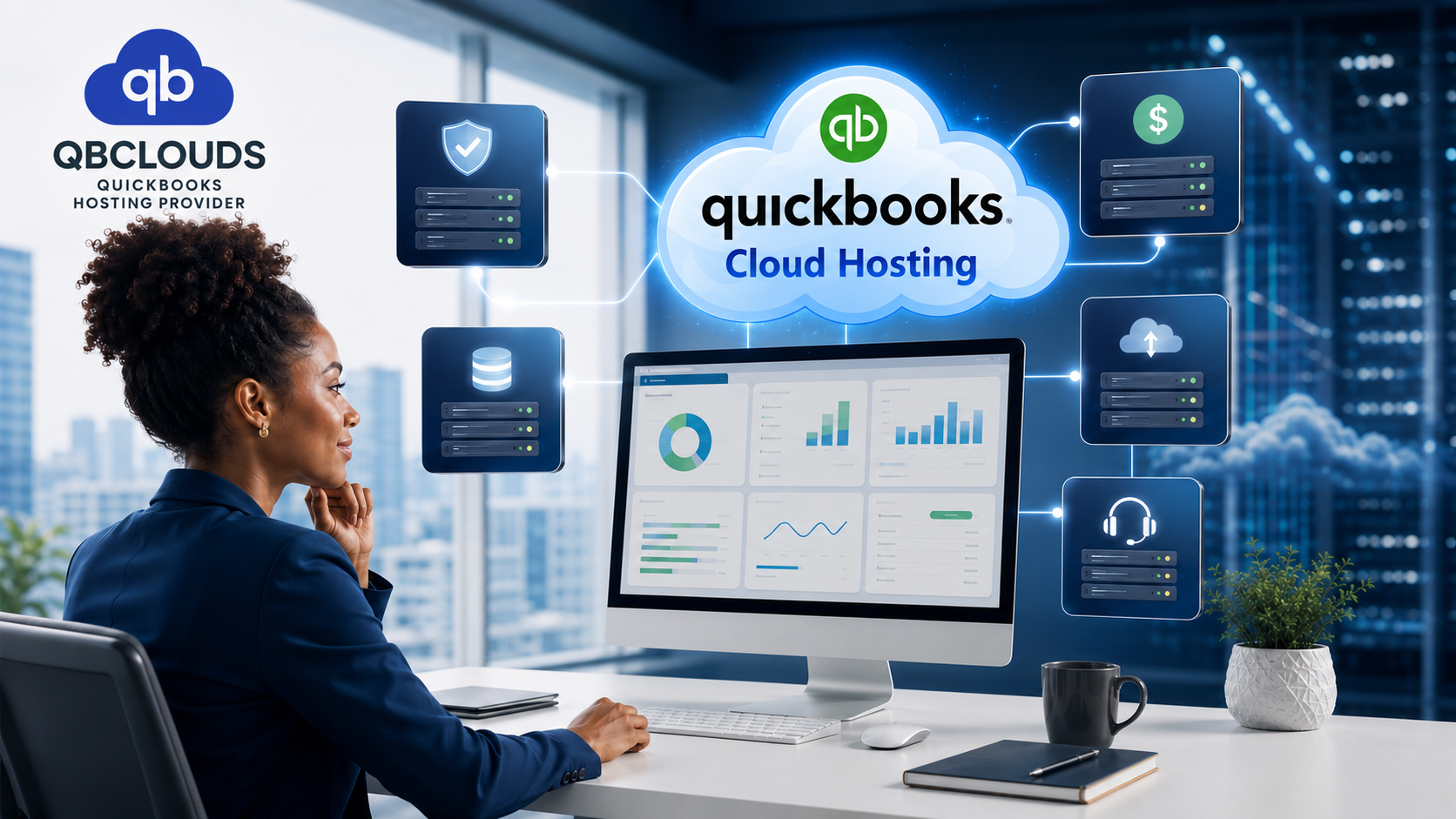
QuickBooks hosting providers make it possible to run your licensed QuickBooks Desktop and supporting applications from professionally managed cloud servers. Your team can securely sign in from different locations and use a familiar desktop-style workspace, while the hosting provider manages server maintenance, data backups, user permissions, security measures, and technical assistance.
The best option can vary from one business to another. Consider your QuickBooks version, team size, any additional software you rely on, the level of support you need, and the regular price once any promotional period ends.
This guide compares several well-known options and explains where QBClouds QuickBooks Hosting may be a strong fit.
Important: Prices, trials, and included features can change. The figures below represent the published starting prices or promotional prices at the time of writing, and may exclude a QuickBooks Desktop license, add-ons, taxes, or custom server resources. Confirm the final quote before purchasing.
How we compared QuickBooks hosting providers
This comparison uses information published on each provider’s pricing, hosting, trial, and support pages. We considered the areas that usually have the greatest effect on a customer’s day-to-day experience:
- Published starting price and what happens after an introductory offer
- Free-trial or money-back terms
- QuickBooks editions and additional applications supported
- Remote access, multi-user work, and migration assistance
- Backup, security, and uptime information
- Technical-support availability and published response expectations
Published specifications cannot show how every customer will experience a service. Infrastructure, support quality, and performance can also vary according to the selected plan, server resources, location, applications, and internet connection. Use this guide to create a shortlist, then confirm the details through a written quote and a practical trial.
What should a QuickBooks hosting provider include?
Most established QuickBooks hosting providers offer the same core building blocks:
- Hosting for QuickBooks Pro, Premier, Enterprise, or Accountant editions
- Secure remote access from office, home, or travel locations
- Multi-user access for permitted QuickBooks users
- Daily backup routines and recovery options
- Firewall, encryption, and malware protection
- Migration or onboarding help
- Technical support and scalable user capacity
Shared vs. dedicated QuickBooks hosting
QuickBooks hosting is commonly delivered through either shared or dedicated infrastructure. Both can provide remote access, backups, security controls, and support, but they serve different requirements.
Shared hosting places multiple customers on managed infrastructure while keeping their accounts and data separated. It is generally the more affordable option and can work well for individual users, small businesses, and teams with standard QuickBooks workflows.
Dedicated hosting provides server resources reserved for one customer. It can offer greater control over resources, user permissions, application installation, and performance configuration. It may be better for larger accounting firms, businesses with large company files, teams using several integrated applications, or organizations with specific security and compliance requirements.
Dedicated hosting is not automatically necessary for every business. Ask the provider to explain the CPU, memory, storage, backup, and application limits of the proposed plan before paying for additional infrastructure.
QuickBooks hosting providers at a glance
| Provider | Published entry price or offer | Trial / guarantee information | What to consider |
| QBClouds | $32.99 per user/month shown on standard monthly pricing | Free-trial page lists a no-card trial; confirm the current duration | Fast initial-response target, consent-based remote troubleshooting, referral benefit, and annual-billing promotion |
| Ace Cloud Hosting | From $34.99 per user/month | 7-day free trial | Managed setup, migration, 24/7 support, and plan-based security features |
| Apps4Rent | $12 per month for the first 3 months, then $24 per month on its session-based offer | 15-day money-back guarantee | Low introductory entry point; check user, storage, and application needs |
| Verito | Request current plan pricing | 15-day trial and a stated 30-day money-back guarantee | Private-cloud and managed-IT focus for tax and accounting firms |
| Rightworks | QuickBooks Hosting shown from $55 per user/month | One-month free trial for eligible cloud-hosting offers | Broad cloud platform and 24/7 support |
| OneUp Networks | From $35.99 per user/month | 15-day free trial | CPA-oriented packages, migration, and 24/7 hosting support |
| Sagenext | From $33 per user/month | 7-day trial | Shared hosting and accounting/tax application options |
| Cloudwalks | From $29 per user/month | 7-day free trial | Straightforward published pricing and daily backup messaging |
Use this table as a comparison guide, not as a final ranking of QuickBooks hosting providers. A lower advertised monthly rate may only apply to a promotional period, a single-user plan, shared server resources, or a limited set of features. Before choosing a QuickBooks Desktop cloud hosting solution, review the complete plan details based on your actual requirements, including users, software, security features, support, and the regular renewal price.
Hidden costs to check before choosing a provider
The advertised per-user price may not represent the final monthly or annual cost. Request a written quote that identifies all recurring and one-time charges. Depending on the provider and plan, additional costs may include:
- A separate QuickBooks Desktop license
- Microsoft Excel, Word, Outlook, or Microsoft 365 access
- MFA or 2FA
- Additional storage, memory, CPU, or backup capacity
- Setup, migration, or data-restoration work
- Additional users and seasonal user changes
- Hosting for third-party accounting and tax applications
- Dedicated servers, static IP addresses, or enhanced security services
Compare the cost over a complete year, including the regular rate after any promotion. Also review refund, cancellation, renewal, and data-return terms before paying.
A closer look at popular QuickBooks hosting options

QBClouds: a support-led option for teams that need help quickly
QBClouds hosts QuickBooks Pro, Premier, Enterprise, and Accountant editions in a cloud environment designed for remote access and multi-user work. Its published hosting features include SSD-based infrastructure, daily automated backups, security controls, migration assistance, and support for related accounting and tax applications.
What helps QBClouds stand out among the best QuickBooks hosting providers is its practical approach to customer support. While many hosting companies provide help through phone calls, emails, live chat, support tickets, or remote sessions, QBClouds adds another layer of assistance. With the customer’s approval, its support team can securely view the active desktop environment to identify the issue as it appears on the user’s screen. This can make troubleshooting within a QuickBooks Desktop cloud hosting setup faster, clearer, and more convenient. This can be especially helpful when a problem involves a local printer, an application workflow, a user setting, or a behavior that is difficult to explain in a ticket.
For customers using QuickBooks Desktop cloud hosting, QBClouds states an initial response target of within two minutes. This is an acknowledgement target, not a guarantee that every complex issue will be fully resolved in two minutes. For more difficult problems, the support team continues investigating the root cause instead of relying only on a temporary workaround. Customers should grant remote access only during an active support session and review the provider’s Privacy Policy before sharing access or information.
On price, QBClouds plans show monthly, half-yearly, annual, and dedicated-server options. QBClouds also offers a promotional annual-billing arrangement in which the first three months are billed at $15.99 per user/month, followed by the regular applicable rate. Because promotions and standard pricing can change, confirm the complete annual invoice and eligibility conditions with QBClouds support before ordering.
There is also a referral benefit: when an existing customer makes a successful eligible referral, the referring customer receives one month of free service. It is a reward for the referrer, not automatically a discount for the new customer.
QBClouds may suit: firms and businesses that want a hands-on support experience, a very fast first response target, guided root-cause troubleshooting, and flexible hosting choices. Start with the QBClouds free trial if you want to test the environment before moving production work.
Ace Cloud Hosting: established managed hosting with a short trial
Ace Cloud Hosting: Managed Hosting With a 7-Day Trial
Among the available QuickBooks hosting providers, Ace Cloud Hosting offers plans that begin at $34.99 per user per month, according to its published pricing information. Its service includes guided setup and migration support, shared access for multiple users, firewall and antivirus protection, and around-the-clock technical assistance. Backup, security, and other included features may differ by plan, so reviewing each option is important when comparing QuickBooks hosting pricing. The company also offers a 7-day trial for its QuickBooks hosting service.
Apps4Rent: low introductory pricing for a focused configuration
Apps4Rent’s QuickBooks Cloud Hosting page advertises a session-based offer at $12 per month for the first three months, then $24 per month. It lists daily backup, 99.9% uptime, remote access, multi-user options, and 24/7/365 support. The same page says the introductory plan is for one user and describes separate dedicated plans for broader requirements.
Apps4Rent can be attractive when introductory cost is the priority. However, a meaningful comparison should include the post-promotion rate, whether Microsoft applications cost extra, the number of users, storage, and any custom application needs. Apps4Rent states a 15-minute response commitment on its hosting page; QBClouds’ stated two-minute initial-response target is a point of differentiation for customers who value a quicker acknowledgement.
Verito: private-cloud and managed-IT emphasis for accounting firms
Verito’s plan information is aimed at tax and accounting firms that want a private-cloud environment and managed IT help alongside application hosting. Its published materials emphasize accounting and tax software support, MFA, monitoring, encrypted backups, and migration assistance. Verito also offers a 15-day trial without a credit card and states a 30-day money-back guarantee.
This makes Verito worth considering for firms that want a managed-IT relationship as well as hosting. Compare the level of dedicated infrastructure, the applications you use, security controls, support coverage, and your total monthly cost against a QBClouds proposal.
Rightworks: a broad cloud platform for accounting workflows
Rightworks’ business cloud plans list QuickBooks Hosting from $55 per user/month and include 24/7 support in their published plan comparison. Its QuickBooks solution also highlights remote collaboration, backup and disaster recovery, and business-app access. Eligible customers can explore Rightworks’ free-trial offer.
Rightworks may appeal to firms that want a large cloud platform and a broad application ecosystem. It is sensible to compare its $55 published entry point and included services with the exact QBClouds plan you need rather than comparing feature lists alone.
OneUp Networks: CPA-focused plans and a longer trial
OneUp Networks publishes QuickBooks hosting from $35.99 per user/month and includes daily backups, browser or remote-desktop access, multi-user collaboration, migration, and 24/7 hosting support in its plan description. Its free-trial page advertises 15 days with no credit card and no initial setup fee.
The longer trial can be useful if you need to test your workflow before moving. During any trial, test not just login speed but also multi-user access, printing, file sharing, critical third-party applications, and the quality of live technical support.
Sagenext: accounting and tax application hosting
Sagenext’s pricing page lists shared hosting from $33 per user/month. Its QuickBooks Enterprise hosting page describes a 7-day trial and focuses on cloud access for QuickBooks Enterprise, security options, and technical support.
Sagenext may be a relevant choice for firms that combine QuickBooks with tax applications. As with any shared-hosting plan, confirm application compatibility, storage, security add-ons, backup retention, and the support process for time-sensitive accounting work.
Cloudwalks: published pricing and a simple trial route
Cloudwalks’ QuickBooks pricing starts at $29 per user/month. Its free-trial page advertises seven days without a credit card, no setup fees, daily backup messaging, and 24/7 availability.
This is one of the lower published non-promotional starting prices in the group. Before choosing on price alone, check what storage, support, backup retention, migration, and application hosting are included in the plan you select.
What to test during a QuickBooks hosting free trial
A trial should reproduce your real working conditions as closely as possible. Do more than confirm that QuickBooks opens. Ask the users who will depend on the platform to test:
- Login time and general QuickBooks performance
- Opening, searching, reporting, and saving within a realistic company file
- Simultaneous multi-user access and role permissions
- Local and remote printing, scanning, and multiple monitors
- Excel, tax software, document management, and other integrations
- File uploads, downloads, and mapped-drive access
- Access from Windows, Mac, mobile devices, and different locations
- Backup-restoration procedures and support availability
- The time taken to acknowledge and investigate a real support request
Do not place sensitive production data in a trial until you understand the trial environment, access controls, privacy terms, and deletion process. If possible, use a test copy of the company file.
Which QuickBooks hosting provider is best for different needs?
There is no universal winner, but the published offers suggest different starting points for different priorities:
- For a low introductory entry price: Apps4Rent advertises $12 per month for its first three months on the session-based offer, followed by its regular rate.
- For private-cloud and managed-IT requirements: Verito is positioned around private servers and managed IT for accounting and tax firms.
- For a broad accounting cloud platform: Rightworks offers QuickBooks hosting within a larger application and workflow environment.
- For a longer trial period: OneUp Networks publishes a 15-day trial, giving teams more time to test workflows.
- For straightforward published non-promotional pricing: Cloudwalks lists hosting from $29 per user/month.
- For fast, hands-on troubleshooting: QBClouanaged migration and support across QuickBooks, accounting, or tax applications. The best choice still depends on your written quote, security requirements, software stack, and trial results.
How QBClouds compares on the areas that matter

1. Support is more than a support channel
Most providers above advertise 24/7 or round-the-clock assistance. That is valuable, but availability alone does not describe the customer experience. Businesses should ask: How soon will someone acknowledge my issue? Can a technician see the problem during a secure session? Will the team investigate the cause if the first fix does not work?
QBClouds’ stated two-minute initial-response target, plus consent-based desktop troubleshooting, creates a clearer support proposition for customers who do not want to spend time repeatedly describing a problem. It does not mean every issue is solved instantly; it means the support process starts quickly and can move into guided diagnosis when needed.
2. Pricing should be compared over the full term
Several providers advertise introductory deals. Apps4Rent, for example, publishes $12 for the first three months before its stated $24 monthly rate. QBClouds’ annual-payment offer is $15.99 per user/month for the first three months, then the applicable regular price. Cloudwalks, Sagenext, OneUp Networks, Ace Cloud Hosting, and Rightworks publish different starting prices and plan structures.
The best approach is to request an apples-to-apples quote for the same number of users, applications, storage, Microsoft requirements, migration support, and billing period. For QBClouds, you can review the published pricing and ask for a written total through the contact page.
3. A referral reward can reduce the cost for loyal customers
Many hosting providers focus their promotions on new sign-ups. QBClouds also rewards eligible existing customers who refer a new customer: the person making the successful referral receives one month of free service. This is useful for firms that have colleagues, clients, or professional contacts who may also need QuickBooks hosting.
4. Security and privacy require practical questions
All providers should be evaluated on security, not just marketing labels. Ask about MFA, encryption, user access permissions, backup retention, disaster recovery, data-center standards, and offboarding procedures. If remote help is needed, confirm how the session is initiated, who has access, and when it ends.
QBClouds’ remote desktop troubleshooting should be used only with customer permission during an active support request. Read the QBClouds Privacy Policy and review any terms that apply to your account before migration.
Typical QuickBooks hosting migration process
The details vary by provider, but a managed migration commonly follows these steps:
- Assess the existing setup. Confirm QuickBooks editions, license ownership, users, company-file size, applications, printers, and integrations.
- Select and configure the environment. Choose shared or dedicated hosting and allocate the required storage, memory, permissions, and security controls.
- Prepare and transfer the data. Back up the current company files and securely transfer approved files and applications to the hosted environment.
- Create users and permissions. Provide individual logins, activate MFA where applicable, and configure QuickBooks roles and folder access.
- Test the full workflow. Validate company files, printing, integrations, reports, multi-user access, performance, and backups.
- Approve the production move. Schedule the final data synchronization, restrict changes to the old environment, and begin working from the hosted system.
- Confirm support and recovery procedures. Make sure users know how to request help and how backup restoration or data return will work.
Avoid making changes to both the local and hosted copies after the final migration unless the provider has given you a controlled synchronization plan.
Warning signs when evaluating a hosting provider
Pause and ask for clarification if you encounter any of the following:
- Promotional pricing without a clearly stated regular or renewal rate
- No written explanation of backup frequency, retention, and restoration
- Vague descriptions of what technical support covers
- Unclear responsibility for QuickBooks and Microsoft licensing
- Remote-access requests that are not initiated and approved by the customer
- Missing or inconsistent refund, cancellation, and data-return terms
- Claims about uptime, security, customers, or certifications that cannot be verified
- Pressure to migrate before your company files and critical integrations are tested
A trustworthy provider should be willing to document the service scope, costs, responsibilities, and offboarding process before the migration begins.
Questions to ask before choosing a provider
Use these questions during a sales call or free trial:
- Which QuickBooks Desktop editions and years can you host?
- Is my QuickBooks license separate from the hosting price?
- How many users, applications, printers, and monitors are included?
- How long are backups retained, and what is the recovery process?
- What is the initial-response target for phone, chat, and tickets?
- Can a technician securely assist through a customer-approved remote session?
- Is migration included, and what exactly is moved?
- Which items cost extra: Microsoft applications, MFA, extra storage, custom applications, or setup?
- What happens after a promotional price or trial ends?
- What are the cancellation, refund, and data-return terms?
For additional QuickBooks hosting questions, review the QBClouds QuickBooks FAQs.
Final thoughts: choose fit, not just a headline price
The market offers capable QuickBooks hosting providers with familiar essentials: cloud access, multi-user work, backups, security, and support. Ace Cloud Hosting, Apps4Rent, Verito, Rightworks, OneUp Networks, Sagenext, and Cloudwalks each have different pricing models, trials, and service strengths.
QBClouds is a compelling option for businesses that want those core capabilities together with a stated two-minute initial-response target, customer-approved live desktop troubleshooting, continued root-cause investigation, an annual-billing promotional rate of $15.99 per user/month for the first three months, and a referral reward for existing customers.
The best next step is to test your own workflow. Start a QBClouds free trial, review the hosting plans, and contact QBClouds with your number of users, applications, and migration requirements.
Frequently asked questions
What is QuickBooks hosting?
QuickBooks hosting runs licensed QuickBooks Desktop software on a cloud server instead of a local office computer. Authorized users connect remotely and can work with the same company file according to their QuickBooks permissions.
Is QuickBooks hosting the same as QuickBooks Online?
No. QuickBooks hosting provides remote access to QuickBooks Desktop. QuickBooks Online is a separate browser-based accounting product with its own features and subscription plans.
Does QBClouds offer remote support?
Yes. QBClouds offers remote-session assistance. With the customer’s permission, the support team can view the customer’s desktop during an active session to diagnose the issue more directly.
Does a two-minute response mean my problem will be solved in two minutes?
No. It refers to QBClouds’ stated initial-response target. The time to solve an issue can vary depending on the cause, software, connection, and complexity of the problem.
Who receives the QBClouds referral reward?
The existing eligible QBClouds customer who successfully refers a new customer receives one month of free service, subject to applicable terms.
How does the QBClouds annual-billing promotion work?
According to the current offer, an eligible annual-payment customer pays $15.99 per user/month for the first three months. The regular applicable price applies afterward. Confirm the complete billing calculation, eligibility, and current terms with QBClouds before purchase.
How much does QuickBooks hosting usually cost?
Published starting prices in this comparison range from promotional offers below $20 per month to standard plans above $50 per user/month. The final cost depends on the number of users, server type, storage, applications, security add-ons, and whether a QuickBooks license is included. Compare complete annual costs rather than introductory prices alone.
Should I choose shared or dedicated QuickBooks hosting?
Shared hosting is often sufficient for individual users and small teams with standard requirements. Dedicated hosting may be a better fit for larger company files, many simultaneous users, custom applications, or specific performance and security requirements. Ask the provider to explain why the proposed infrastructure is appropriate for your workload.